Выбрать организацию
How to Export Cross-tabs with Multiple Values in A Single Cell, Including Date Type Fields, to A Flat File Vertically
Дата публикации: Mar 24, 2026
Задача
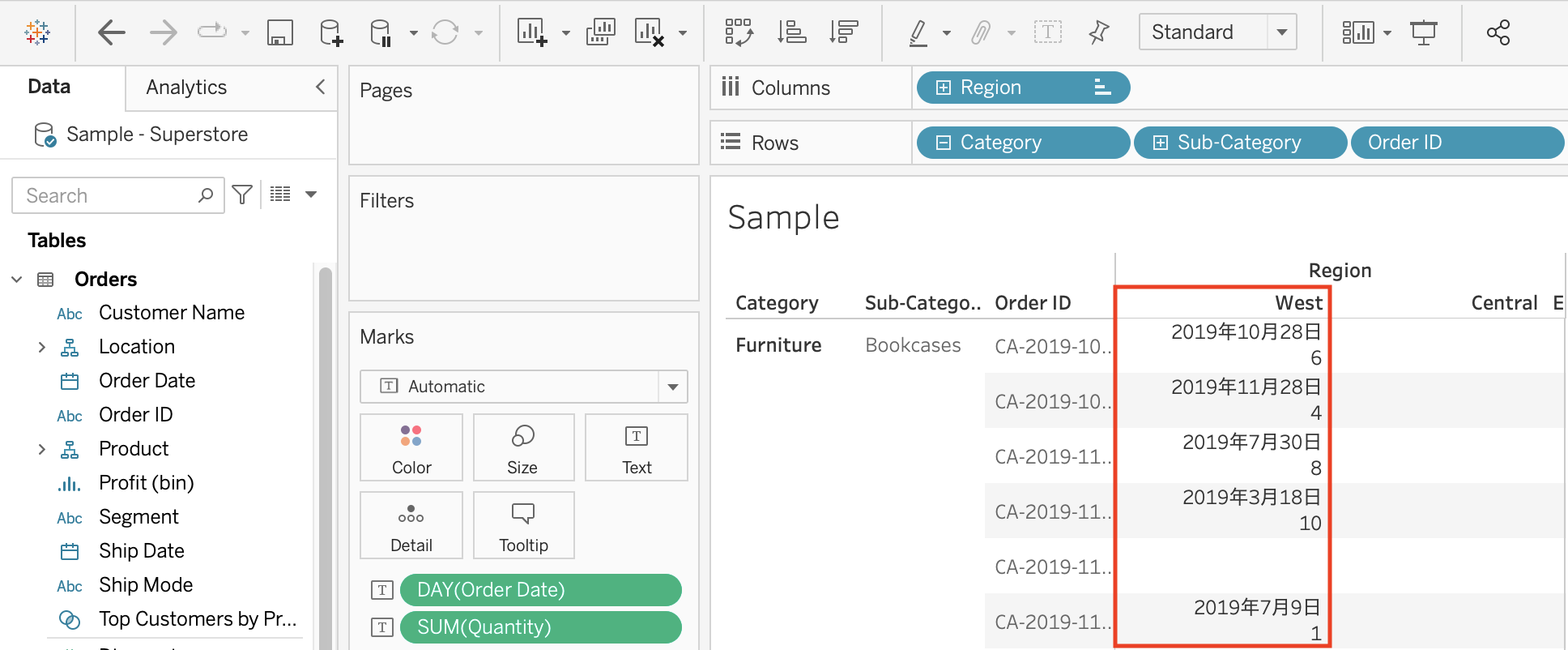
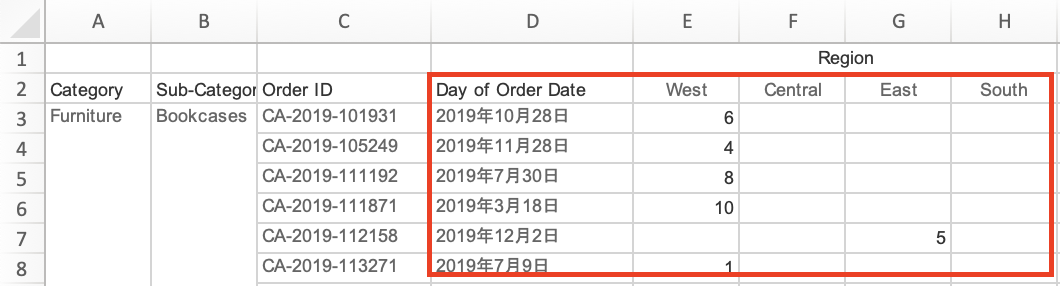
In a cross-tabs, adding a Date type field (dimension) to the Mark card causes it to be exported in a separate column.
How to export cross-tabs with multiple values in a single cell, including Date type fields, to Excel or csv vertically.
Действия
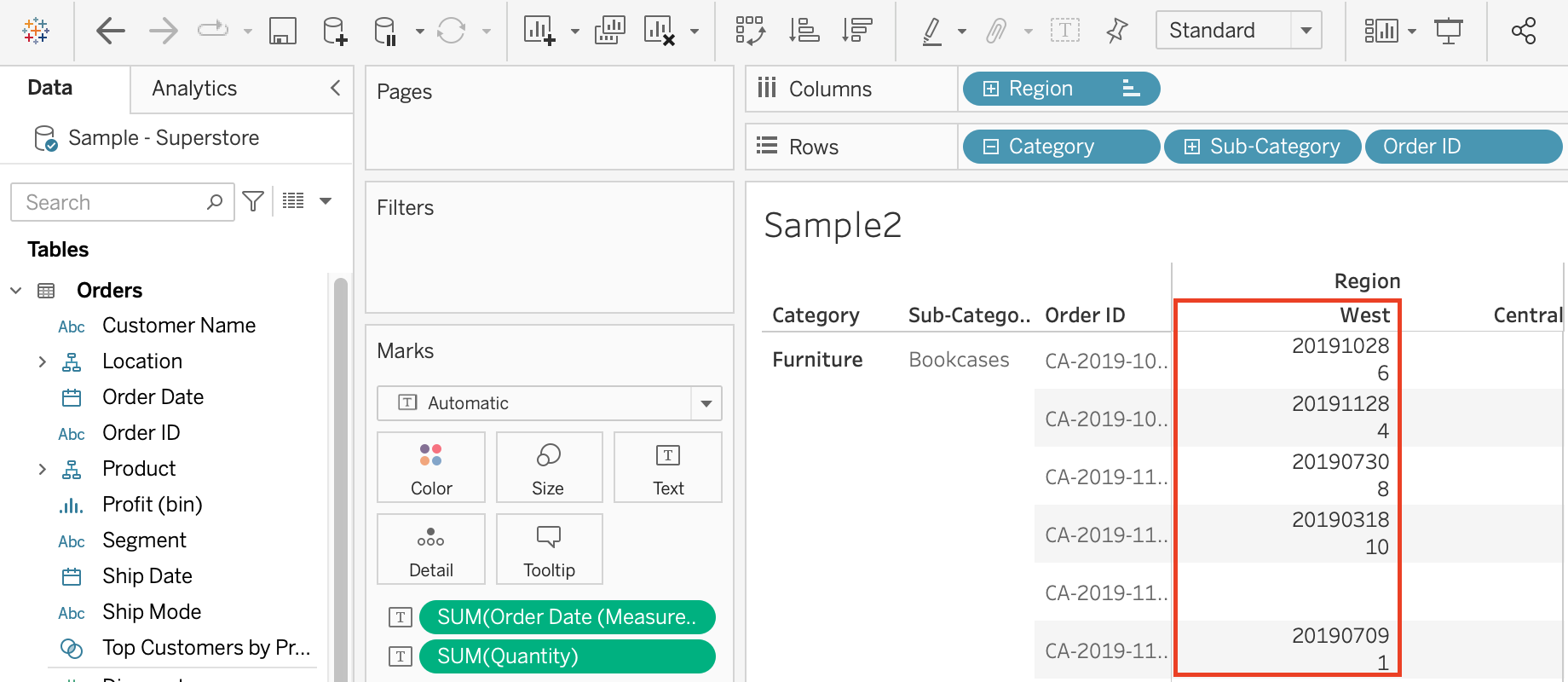
DATEPART('year', [Order Date]) * 10000 + DATEPART('month', [Order Date]) * 100 + DATEPART('day', [Order Date])
2. Right-click the calculated field and select [Default Properties > Number Format > Number (Custom)]. Uncheck "Include thousands separators".
3. Drop the calculated field to Mark card.
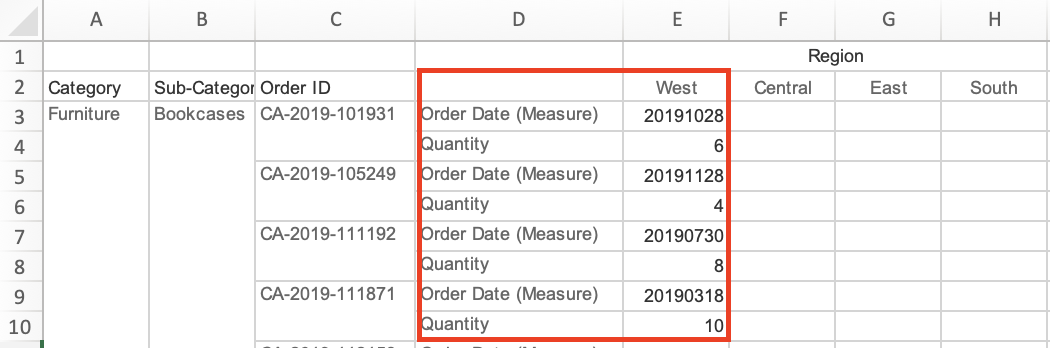
4. Export.
Дополнительные ресурсы
How get all Values in one cell when Export Data as cross tab
Номер статьи базы знаний
001458498
Эта статья решила вашу проблему?
Оставьте свой отзыв, чтобы мы могли стать лучше!
