Выбрать организацию
How to Export all the values of filter /parameter to PDF / CSV / PNG using tabcmd in Tableau Desktop
Дата публикации: Mar 6, 2025
Задача
How to export PDF/ CSV / PNG for all the values of Filter / Parameter in bulk in Tableau Desktop?
For now, you could export views as PDF/ CSV / PNG, but you could only do it manually. How to export multiple files for all values in Filter / Parameter?
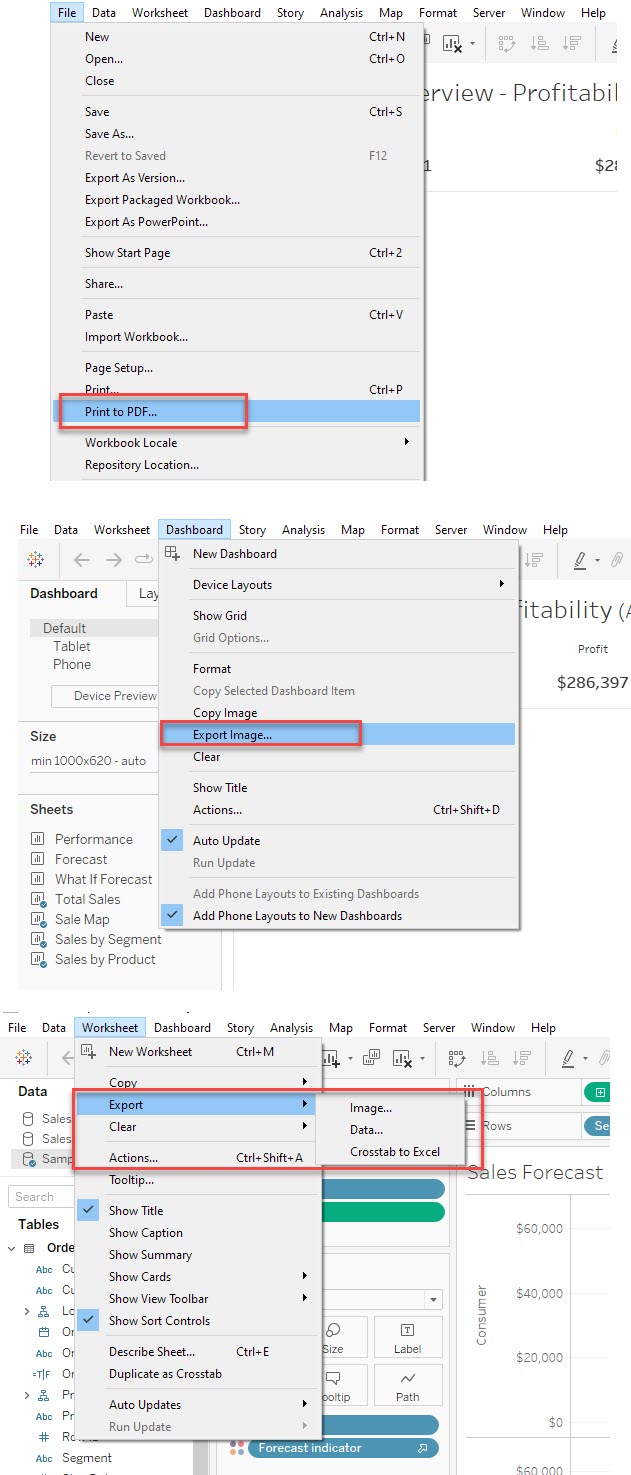
Действия
Please consider the workaround:
Publish the workbooks to Tableau Server / Tableau Cloud, create a command to set the Filter / Parameter values with tabcmd, and output to multiple PDFs in one batch.
The steps are as below:
1. Publish the relevant workbook to Tableau Server / Tableau Cloud.
2. Download and Install tabcmd from https://www.tableau.com/support/releases/server.
Select your Tableau Server / Tableau Cloud release.
3. Once installed, navigate to the published view in your browser, and copy the URL string between the end of "views/" and the beginning of "?".
In the following case, it should be "Sales/Sales_Analysis". This is the name of the view to be exported.
Example: https://prod-useast-b.online.tableau.com/#/site/demosite/views/Sales/Sales_Analysis?:iid=1
4. Refer to the online help below and create a batch file (.bat file) to output to PDF/ CSV / PNG by specifying each value of the Filter / Parameter in a text editor.
[tabcmd command - export]
Example of part of the batch file: (Region is the filter value) Specify the option for PDF, CSV, or PNG.
.........
cd /d C:\Tabcmd\Command Line Utility
tabcmd export -t Sales "Sales/Sales_Analysis?Region=Region1" --pdf -f "C:\Tableau_Workbooks\Weekly-Reports1.pdf"
tabcmd export -t Sales "Sales/Sales_Analysis?Region=Region2" --pdf -f "C:\Tableau_Workbooks\Weekly-Reports2.pdf"
.........
*Copy this .bat file to the directory where you want to save the export file.
5. Double-click the .bat file to run the batch script and export multiple files in bulk.
Дополнительные ресурсы
Export All Worksheets Into One PDF Using tabcmd
Номер статьи базы знаний
001458522
Эта статья решила вашу проблему?
Оставьте свой отзыв, чтобы мы могли стать лучше!
