Seleziona un'organizzazione
How to Calculate Moving Average Including Missing Values
Data pubblicazione: Apr 13, 2024
Operazione
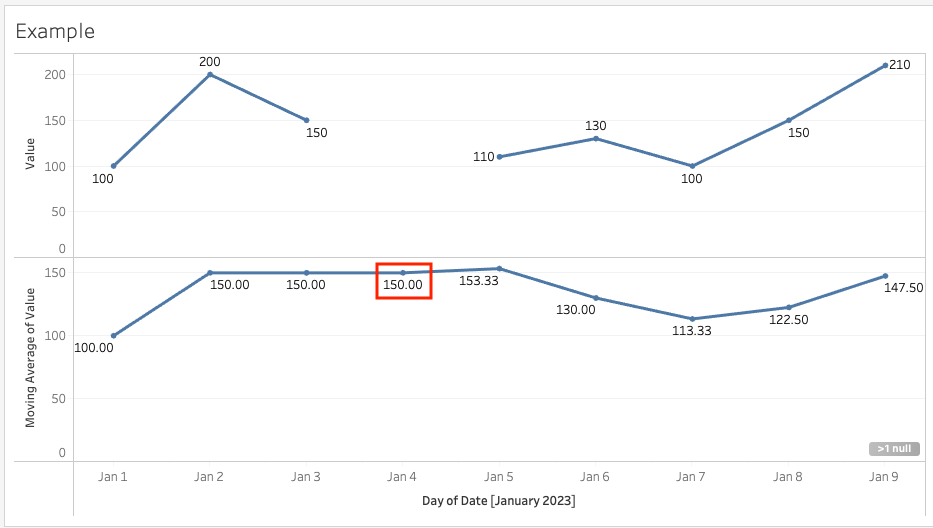
The moving average is calculated ignoring the missing values. Is there a way to calculate the moving average including missing values?
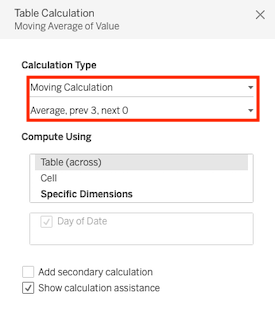
e.g.) If some data is missing as shown below, If you set the moving average for the previous 3 days, the calculated result on Jan 4 is 150 ( = (100+200+150) / 3) while the assumed result is 112.5 ( = (100+200+150+0) / 4).
Fasi
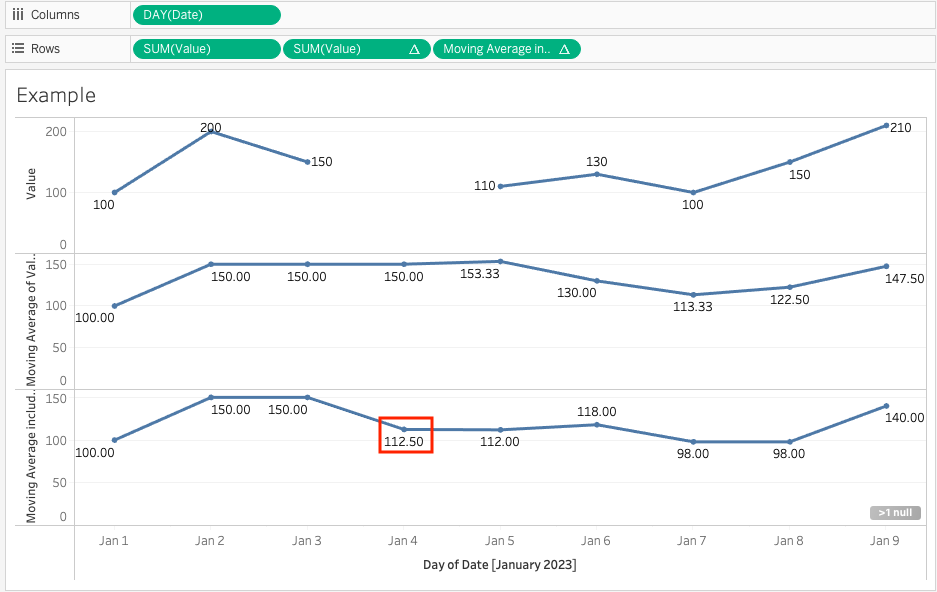
1. Add a continuous date field to Columns.
2. Create a calculated field and name it Moving Average including missing values.
WINDOW_AVG(ZN(SUM([Measure Field])), -4, 0)3. Add Moving Average including missing values field to Rows.
Risorse aggiuntive
Numero articolo Knowledge
001458577
Questo articolo ha risolto il problema?
Facci sapere, così possiamo migliorare!
