Выбрать организацию
How to Align the Size and Placement of Floating Items on a Tableau Dashboard to be Uniform
Дата публикации: Feb 25, 2026
Задача
Before:
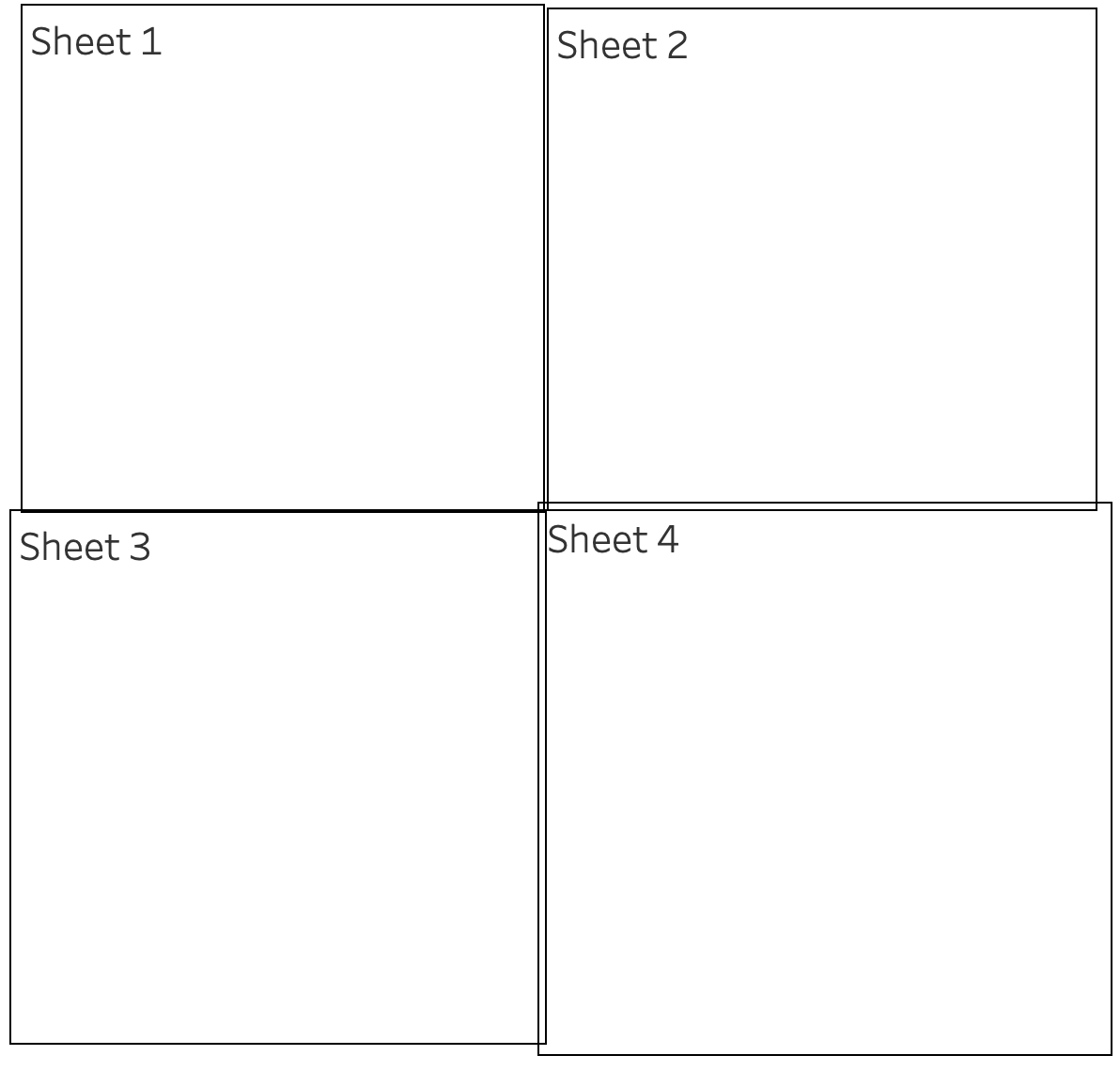
After:
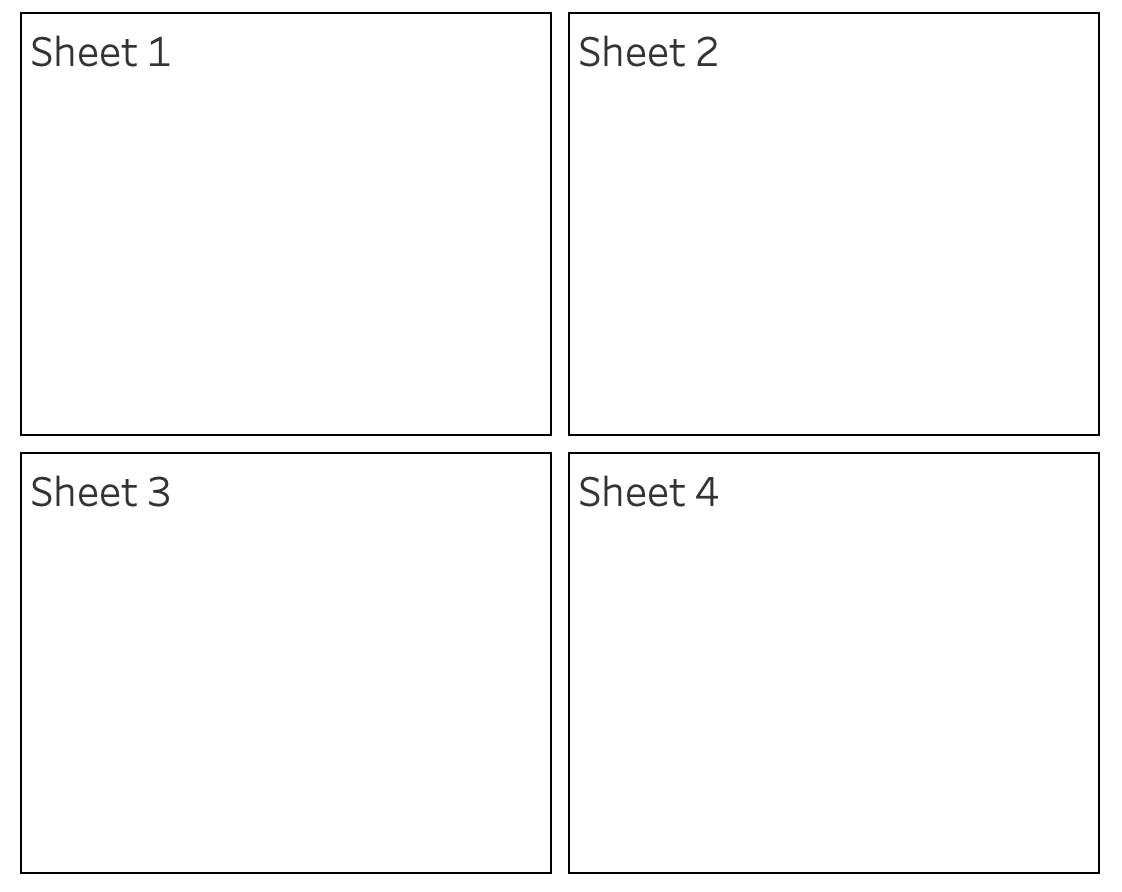
Действия
1. Under Objects on the Dashboard pane, select Horizontal or Vertical Containers.
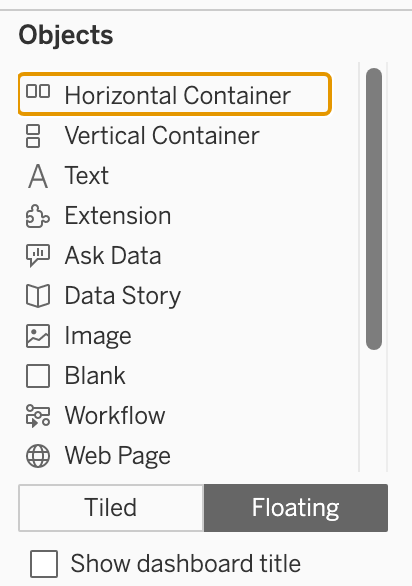
2. Drag the container to the dashboard.
3. Add views and objects to the layout container.
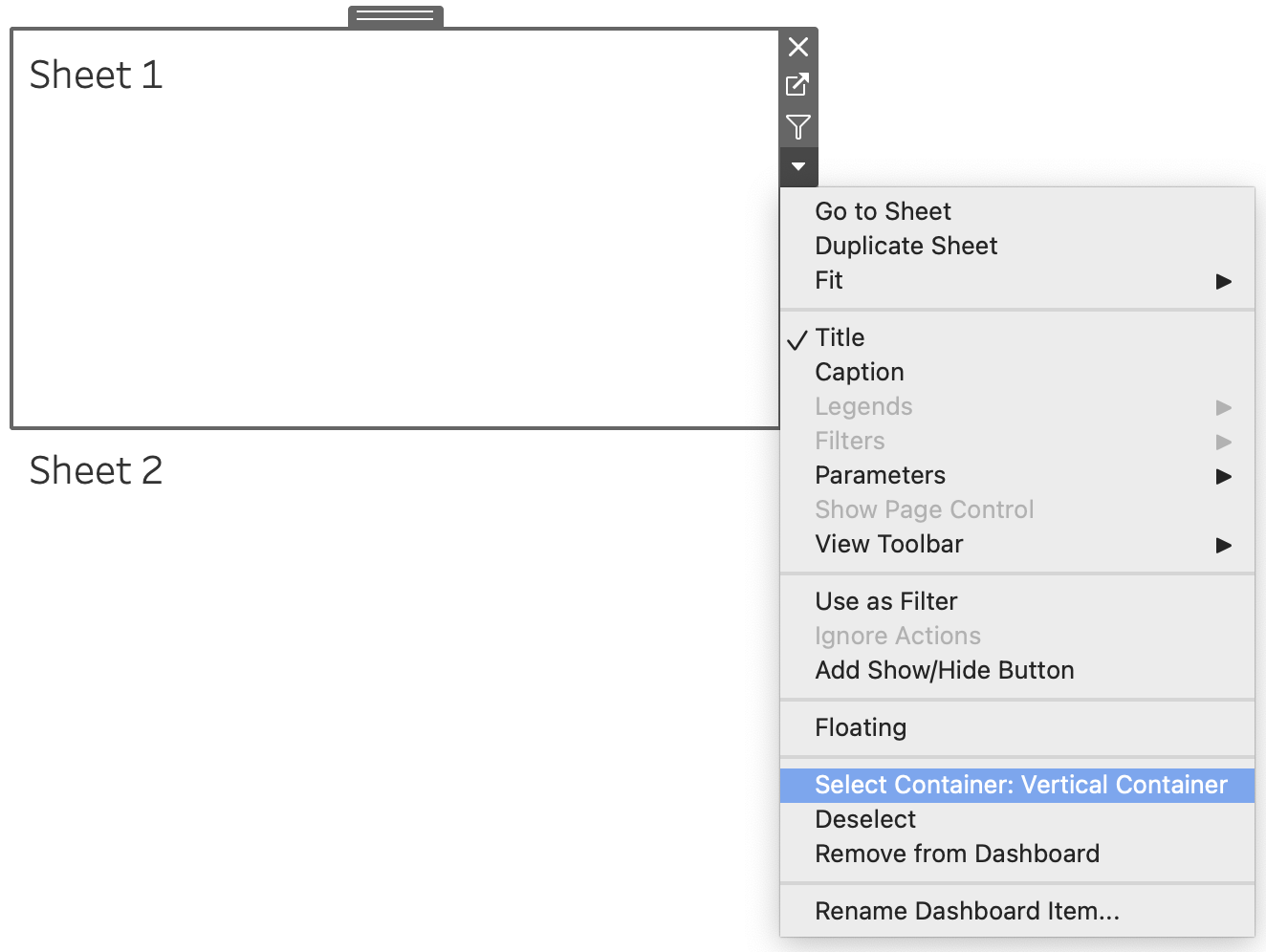
4. Select the layout container. To do this, select an individual item within the container and choose Select Container from the arrow drop-down as shown below:
Or from the Layout pane, Select Container in the Item hierarchy:
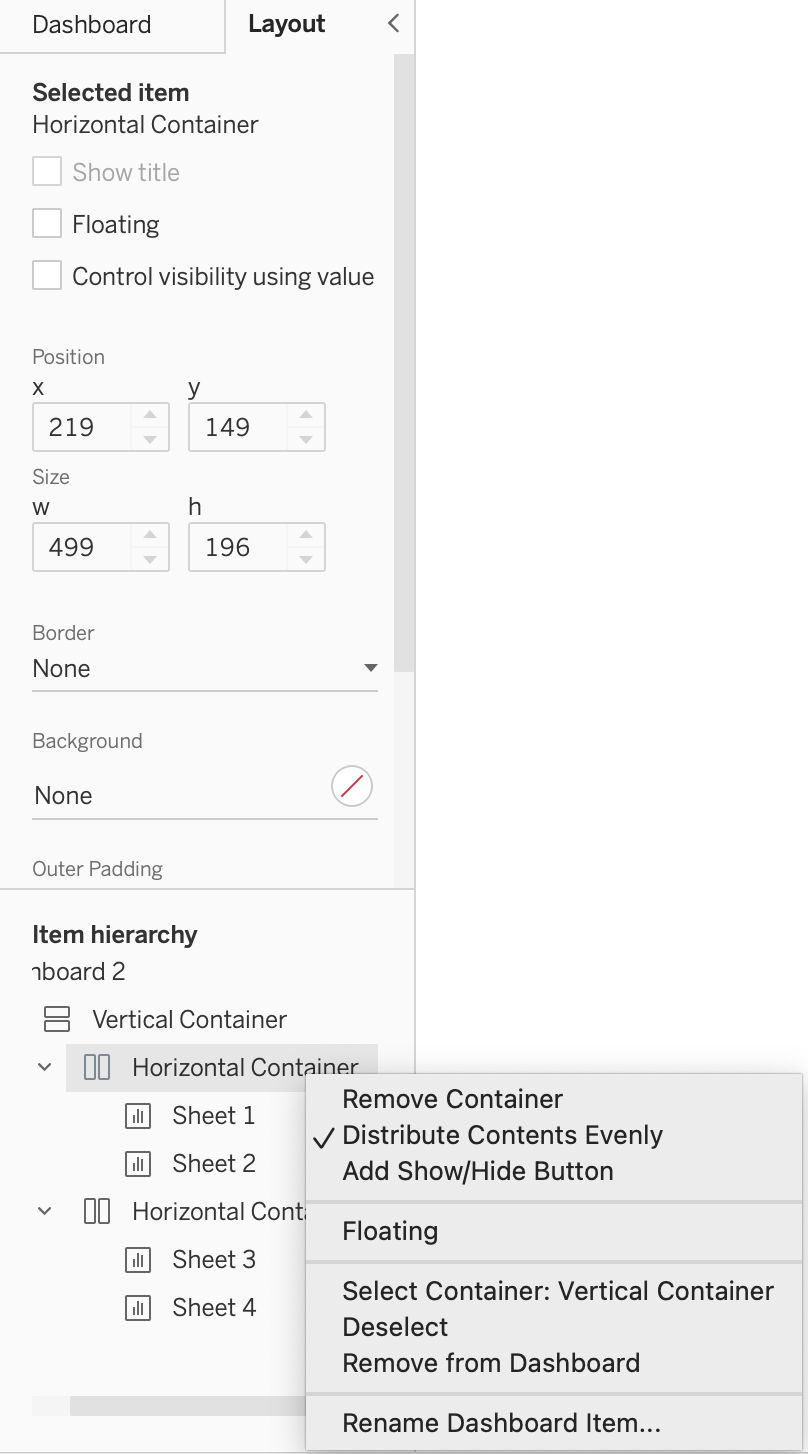
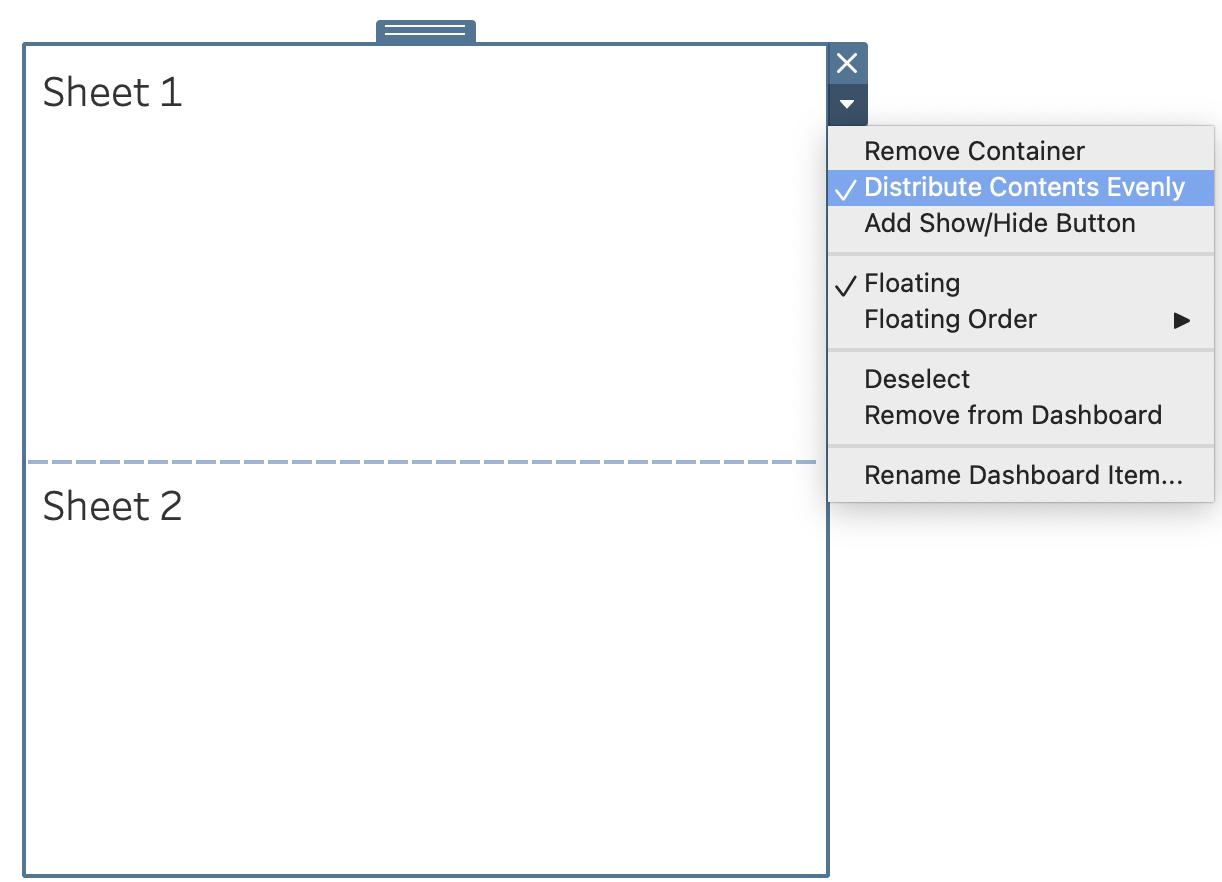
5. With the layout container selected, choose Distribute Contents Evenly from the arrow drop-down menu (shortcut):
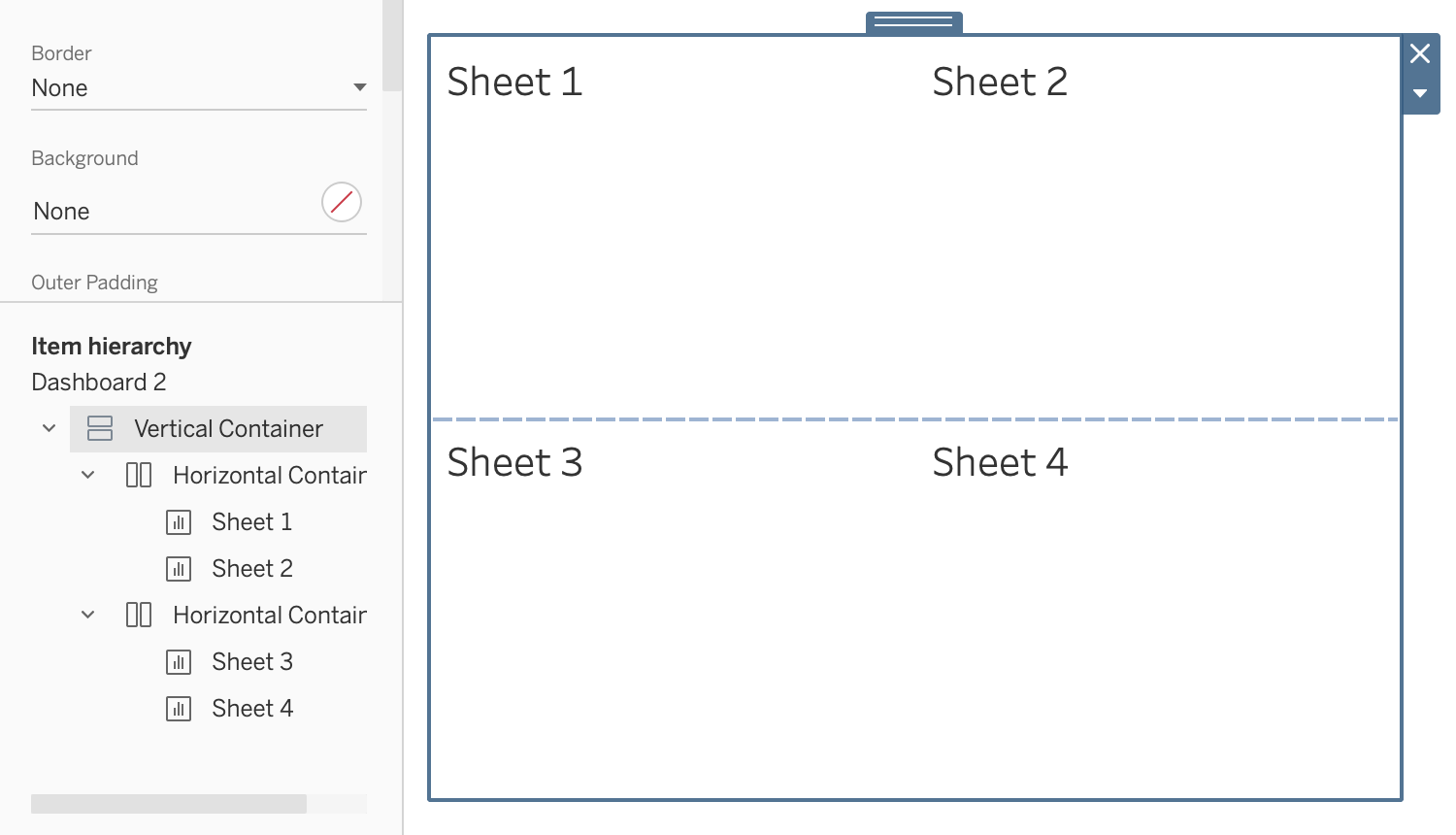
6. If you want more sheets to be aligned, organize them by nesting containers.
Дополнительные ресурсы
Номер статьи базы знаний
001458586
Эта статья решила вашу проблему?
Оставьте свой отзыв, чтобы мы могли стать лучше!
