Vælg en organisation
Average count per day for year and month
Udgivelsesdato: Feb 27, 2025
Opgave
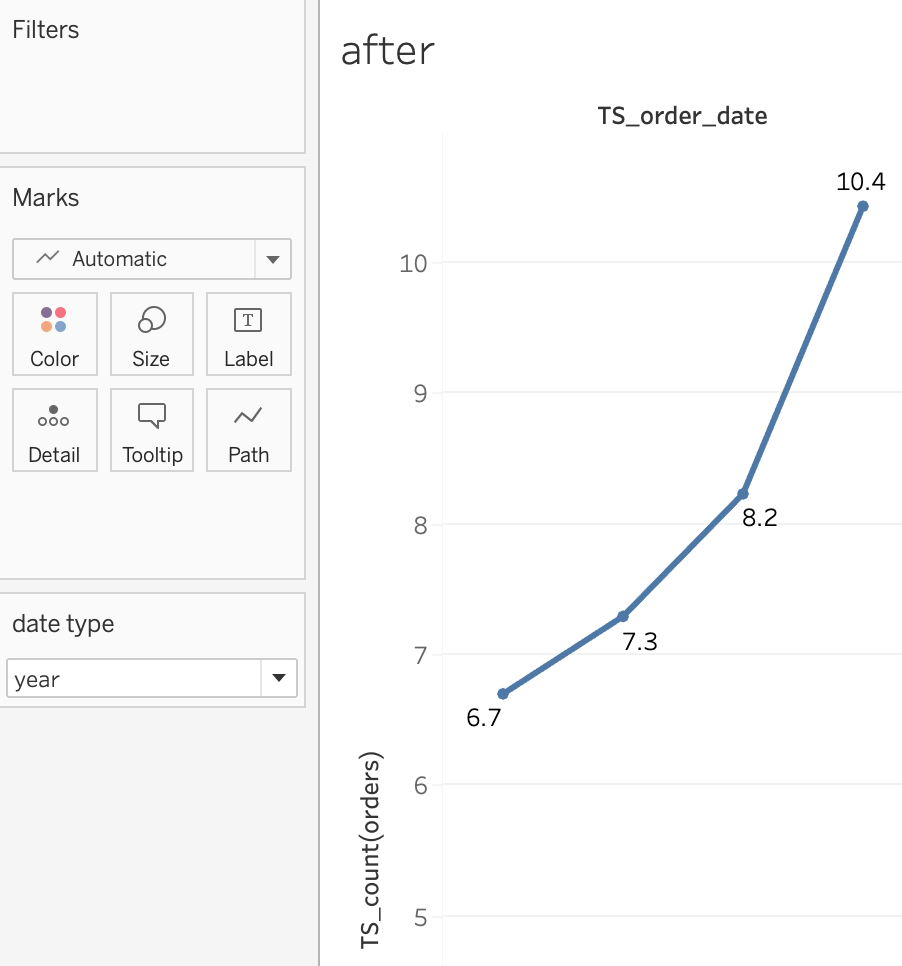
How to calculate the average count per day (not the totals)for the year and month?
For example: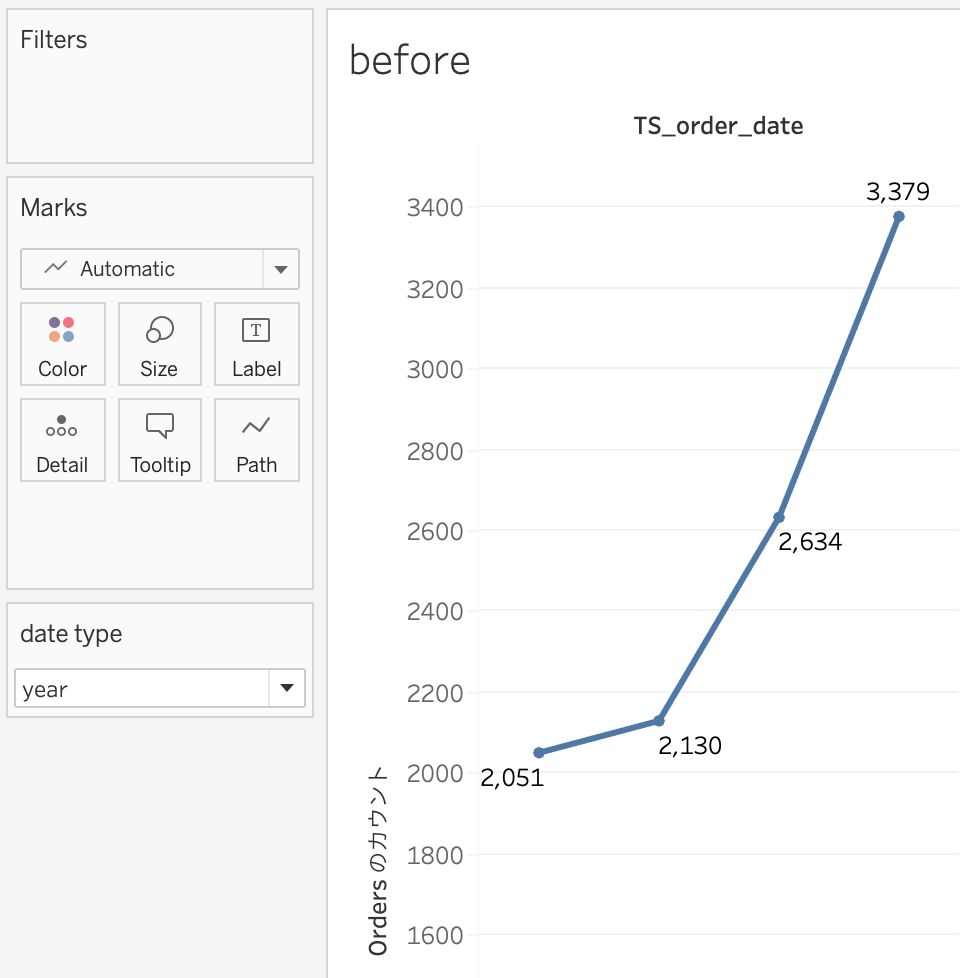
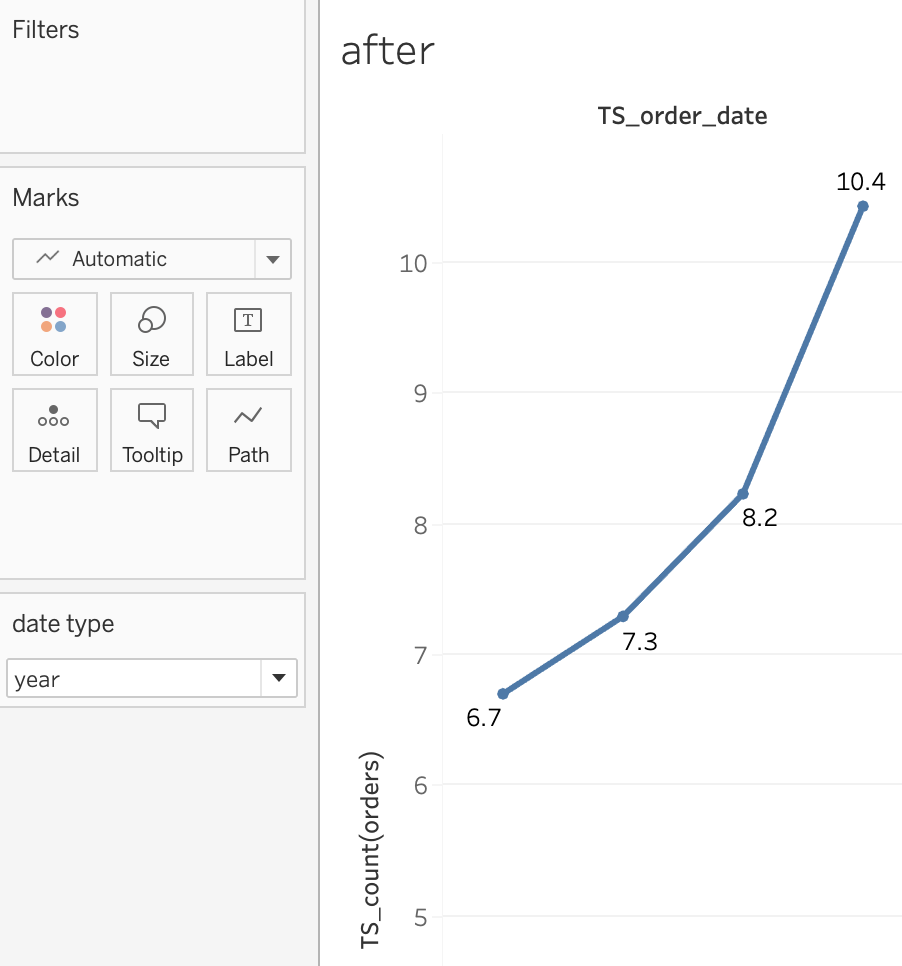
Trin
1. Create a Date Parameter.
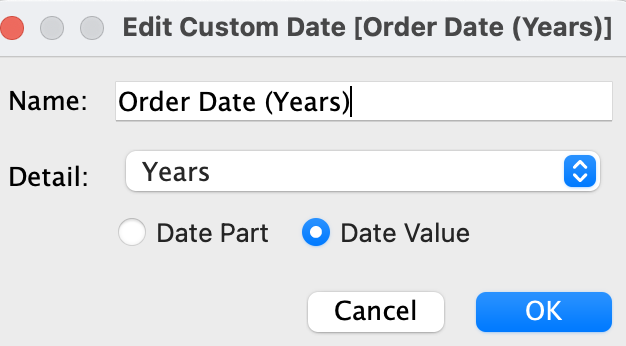
2. Create "Custom Date" fields for year/month/day.
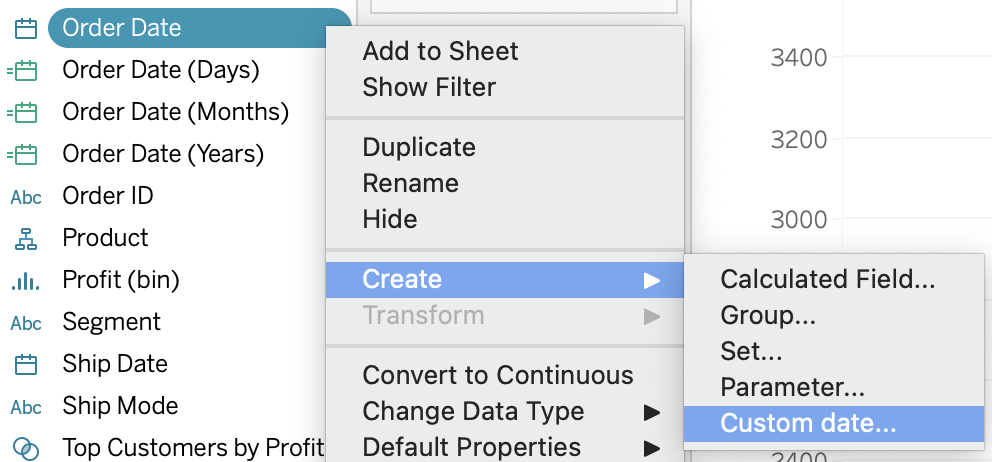
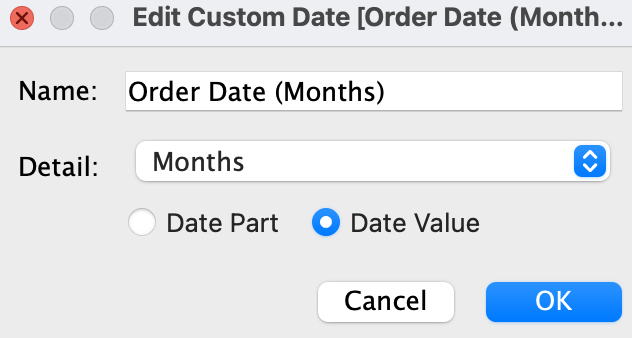
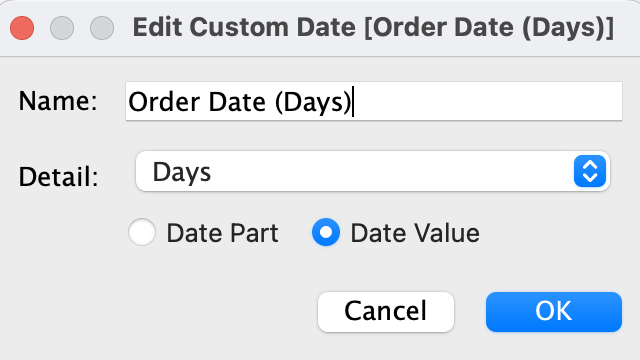
3. Create a calculated field.
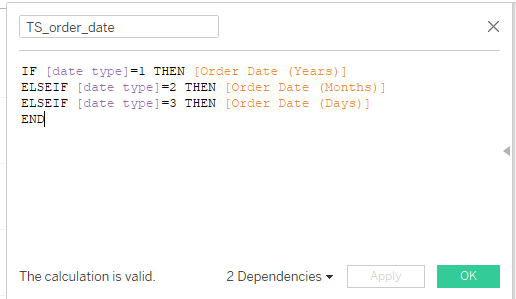
- name: TS_order_date
- formula:
IF [date type]=1 THEN [Order Date (Years)]
ELSEIF [date type]=2 THEN [Order Date (Months)]
ELSEIF [date type]=3 THEN [Order Date (Days)]
END
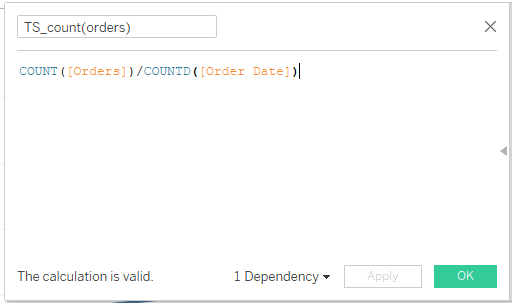
4. Create a calculated field.
- name: TS_count(orders)
- formula:
COUNT([Orders])/COUNTD([Order Date])
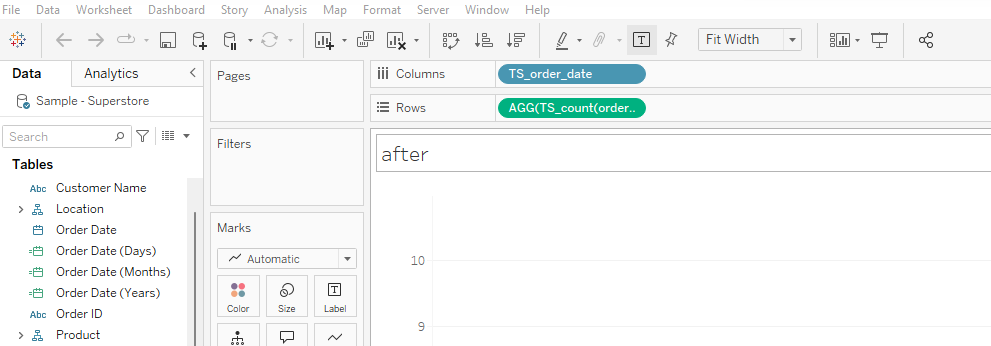
5. Drag the [TS_order_date] to the column and set it as discrete, and drag [TS_count(orders)] to the row.
6. Right-click the [date type] parameter and select [show parameter]. Select different values to check the results.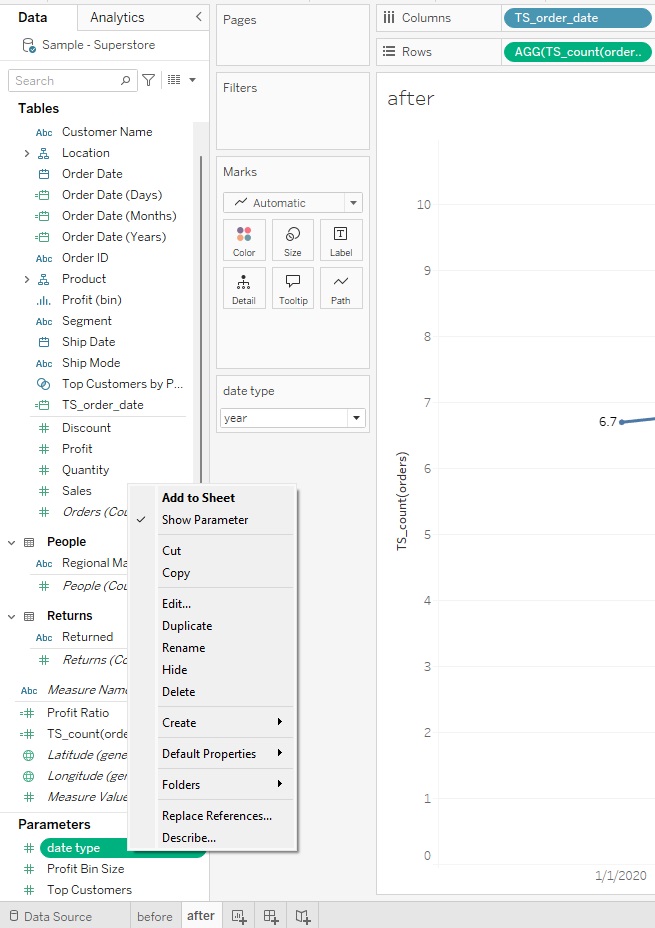
See the attached workbook.
Vidensartikelnummer
001458600
Løste denne artikel dit problem?
Giv os besked, så vi kan forbedre os!
