選擇組織
How to apply color condition to only one measure value
發佈日期: May 15, 2025
工作
How to apply color condition to only one measure value.
In this case, suppose you want to apply the color condition only to Profit and not to Sales.
The color condition should be "Blue" if Profit is greater than or equal to 0, and "Red" if Profit is negative.
<Current Behavior>
<Desired Behavior>
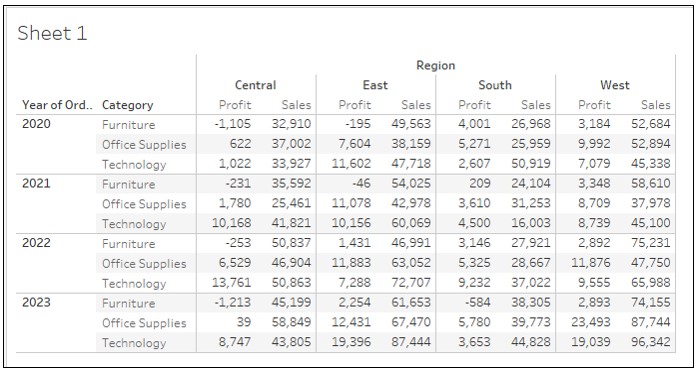
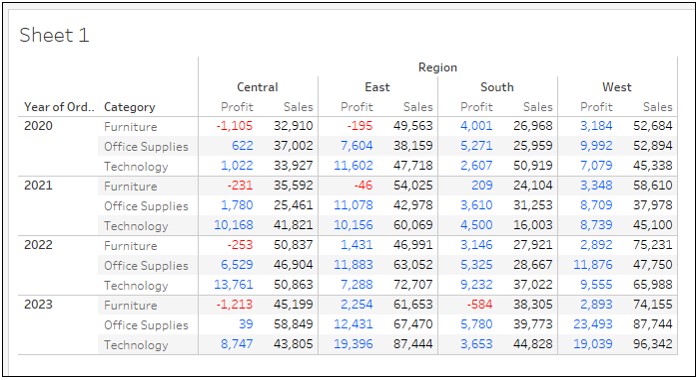
步驟
<STEP 1>
-Creating Crosstab-
1. Connect to Sample Superstore from Tableau Desktop.
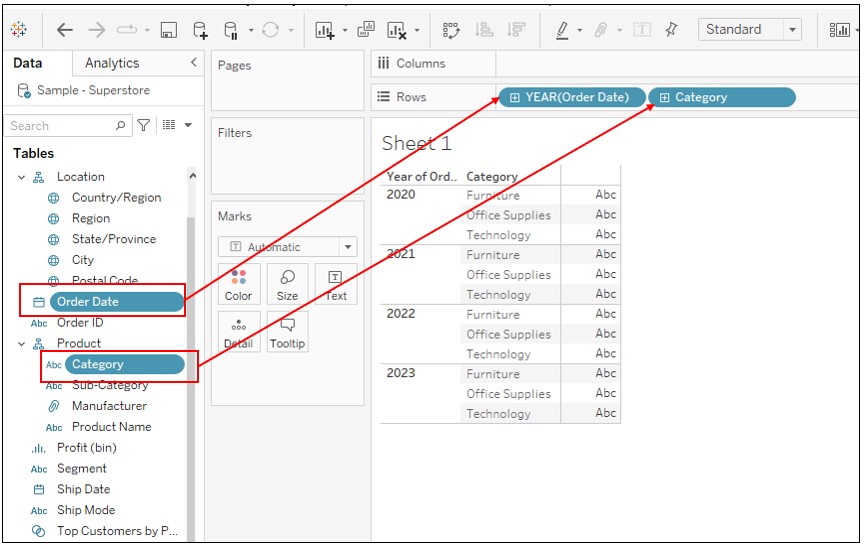
2. Drag [Order Date] and [Category] to Rows.
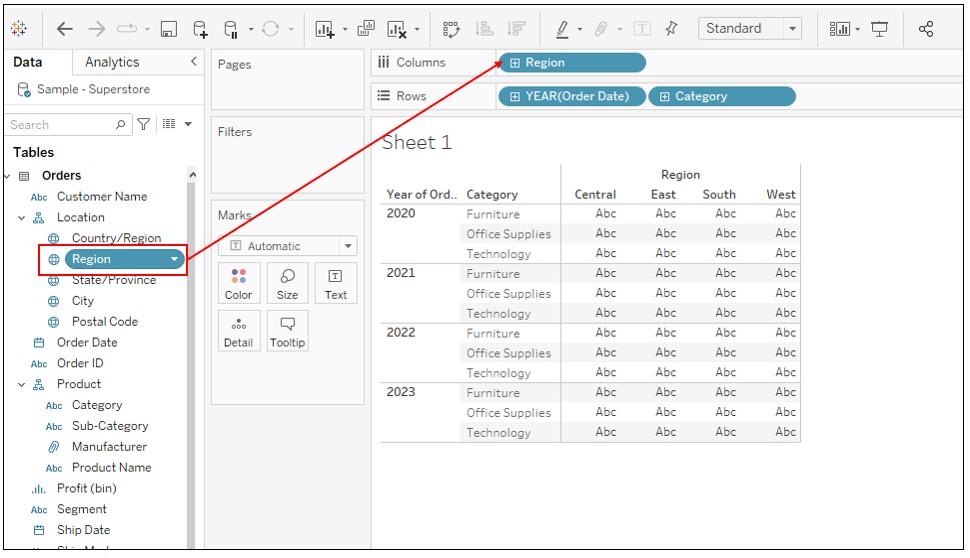
3. Drag [Region] to Columns.
4. Drag [Profit] to Text on Marks.
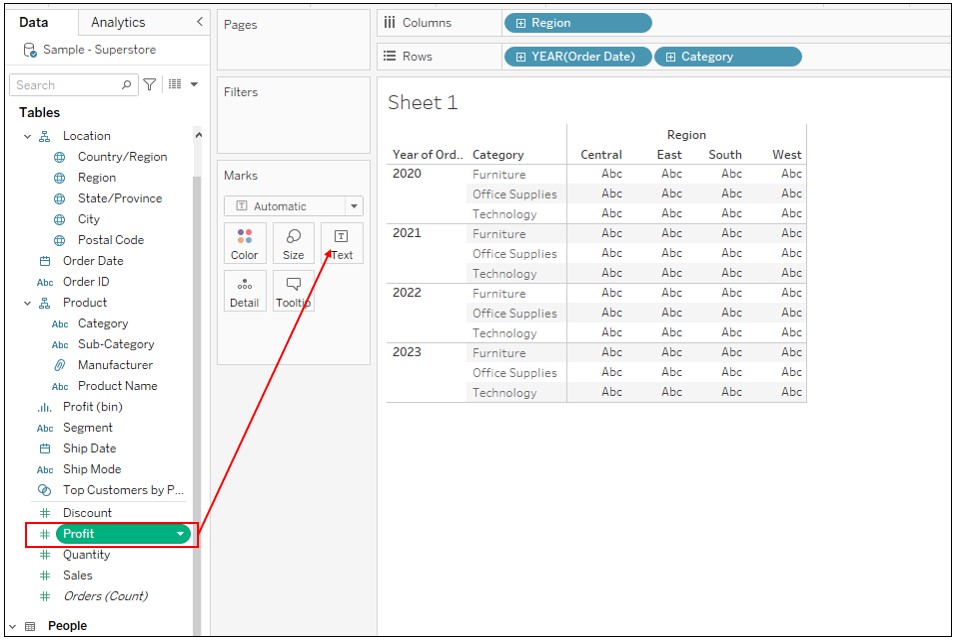
5. Drag [Sales] to crosstab as follows.
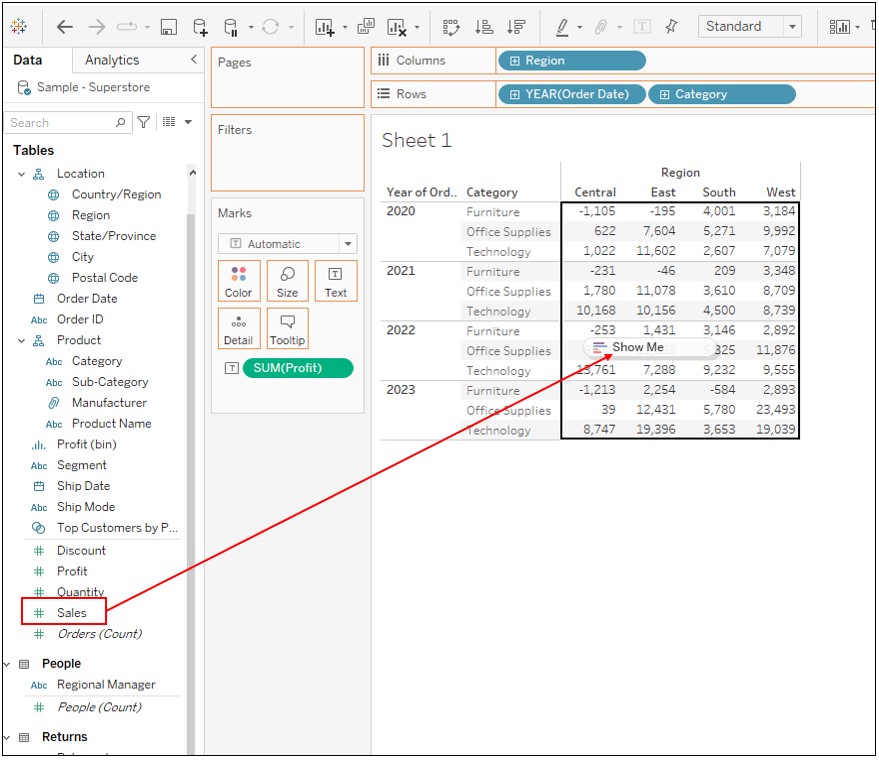
-Set the Color Condition to Profit-
6. Create a new calculated field as following,
Name :Profit Color Condition
Calculation : IF SUM([Profit])>=0
THEN "BLUE"
ELSE "RED"
END
7. Drag [Measure Names] to Color.
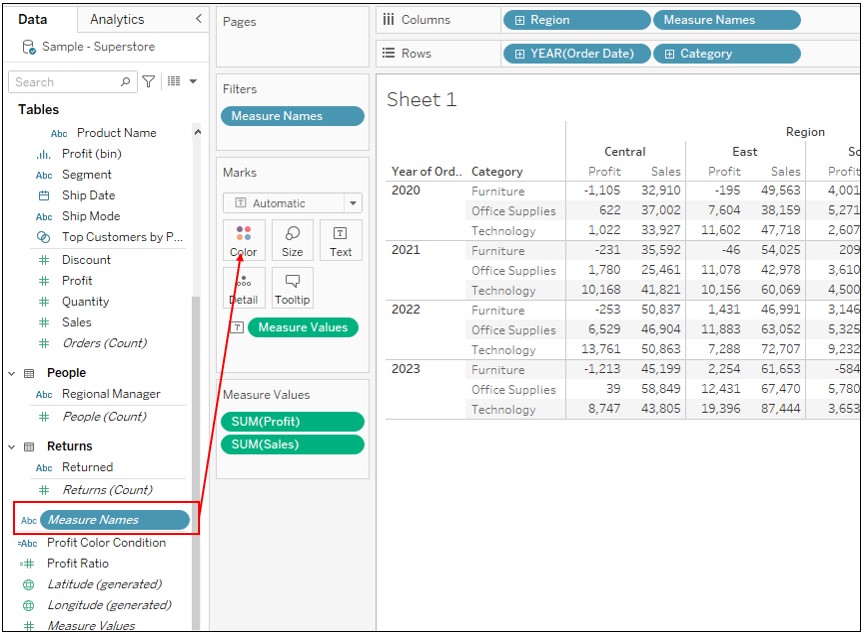
8. Drag [Profit Color Condition] to Detail.
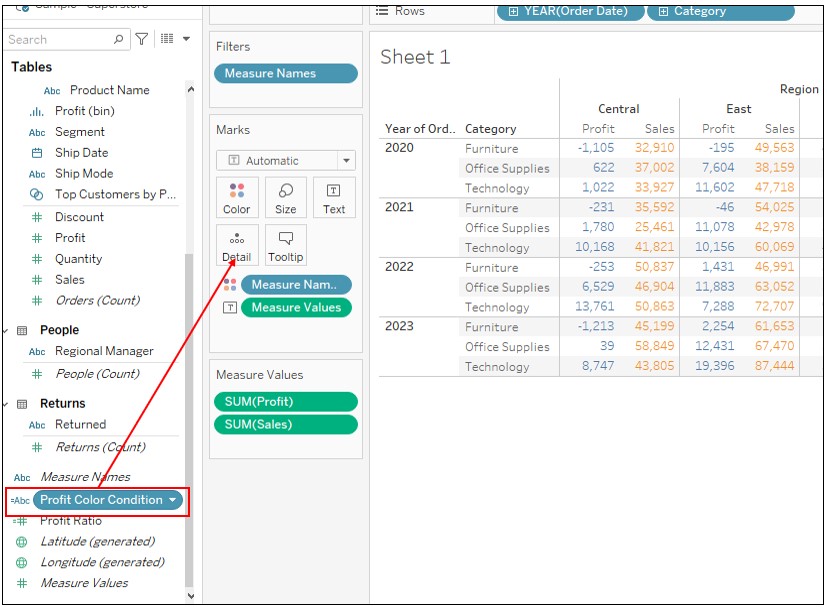
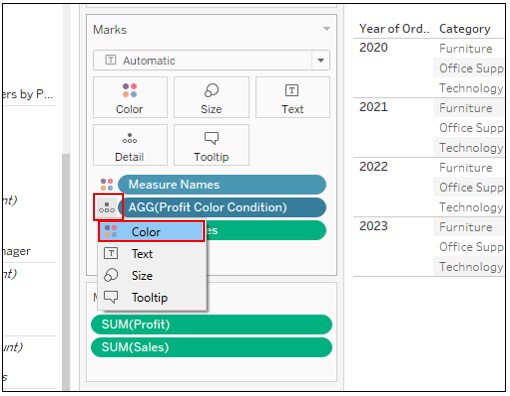
9. Click on Detail mark of [AGG(Profit Color Condition)] -> Select Color.
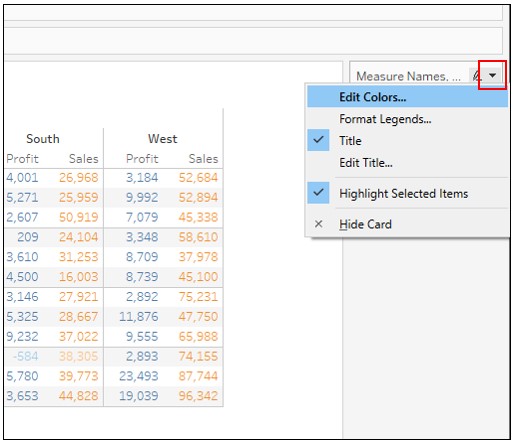
10. Click on Color Legend delta mark -> Edit Colors
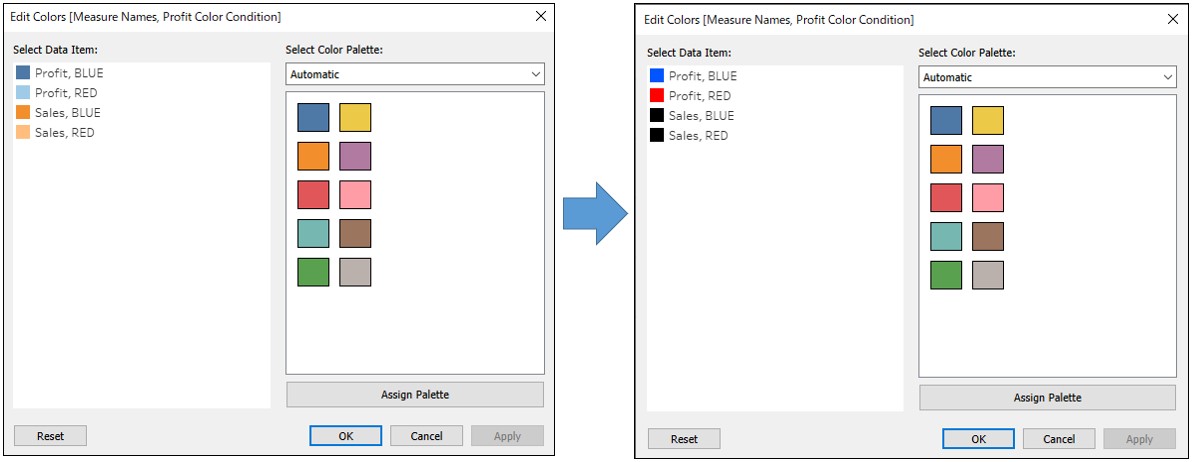
11.Change the color as follows
*Profit, BLUE -> Blue
*Profit, RED -> Red
*The others -> Black
知識文章編號
001458606
此文章是否解決您的問題?
請讓我們知道,以便我們改進!
