Vælg en organisation
Pass the Value From One Data Source to Another When There Are No Relations Between Them
Udgivelsesdato: Apr 26, 2025
Opgave
How to pass a value from one data source to another when there are no relations between them?
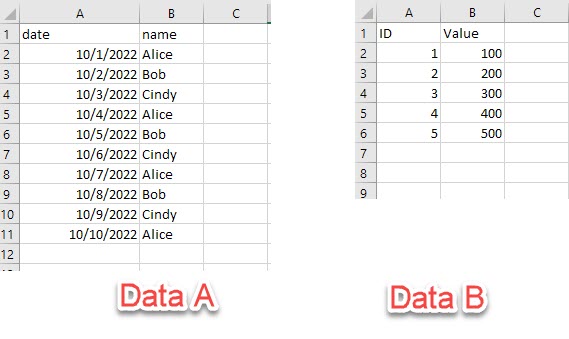
For example, there are 2 data sources like the below image.
Data A will update with the latest date every day. How do we pass the latest date in Data A to Data B and make calculations based on that?
Since Data A and Data B have no relation or common fields, it is difficult to Join them or Blend them.
Trin
Since the parameter is common in one workbook, using the parameter could pass value from one data source to another.
The steps could be as follows:
1. Use the FIXED function to get the latest date in Data A.
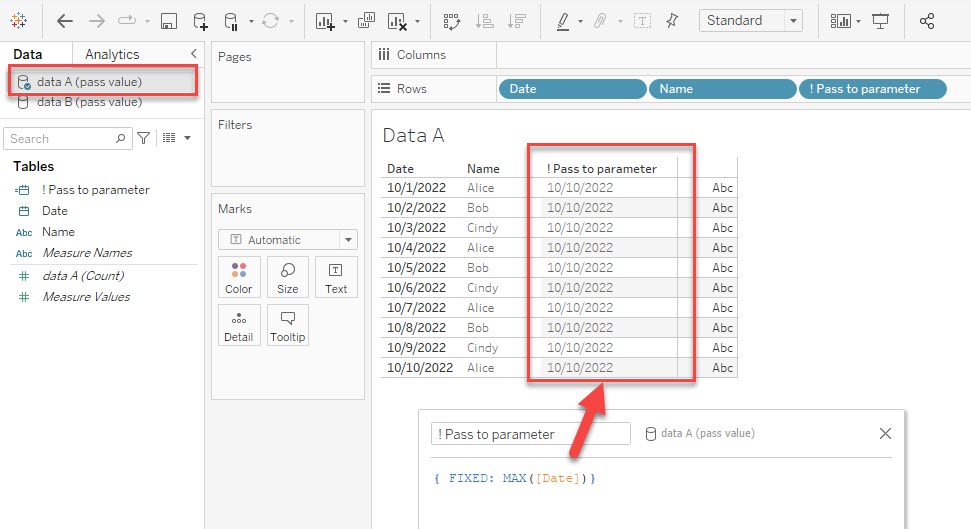
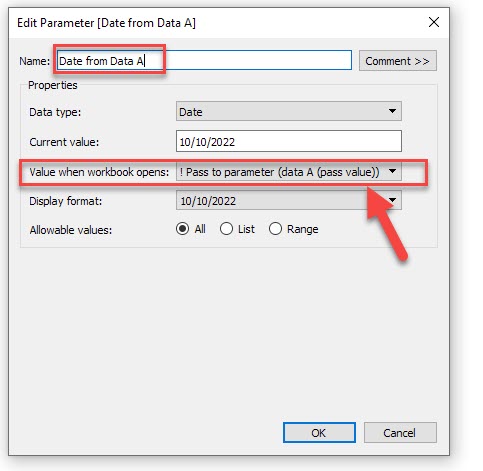
2. Create a parameter and set the calculation in Step 1 as [Values when workbook opens] value. This would let the parameter always get the latest date in Data A even if it is updated.
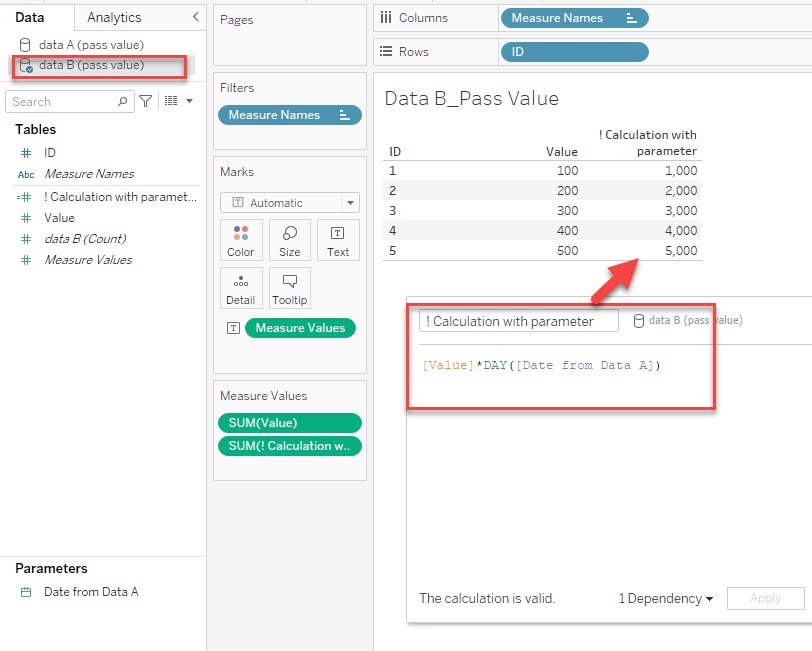
3. Use the parameter in Step 2 to make calculations in Date B. This passes the value from Data A to Data B.
Please also check the attached workbook for details.
Yderligere ressourcer
The calculation must also be view-independent so that the value won’t change as the viz changes. To do this, you can use a FIXED level of detail (LOD) expression that is not dependent on the structure of the viz.
Please check the details in the below product help.
Create Parameters
Vidensartikelnummer
001458634
Løste denne artikel dit problem?
Giv os besked, så vi kan forbedre os!
