Velg en organisasjon
How to Create Aliases for Aggregated Measure Fields That are Added to the View
Publiseringsdato: Apr 29, 2025
Oppgave
How to create aliases for aggregated measure fields that are added to the view?
For example, when we added the SUM(Sales) to the [Size] mark, how to make aliases like "10,000" to "first group"?
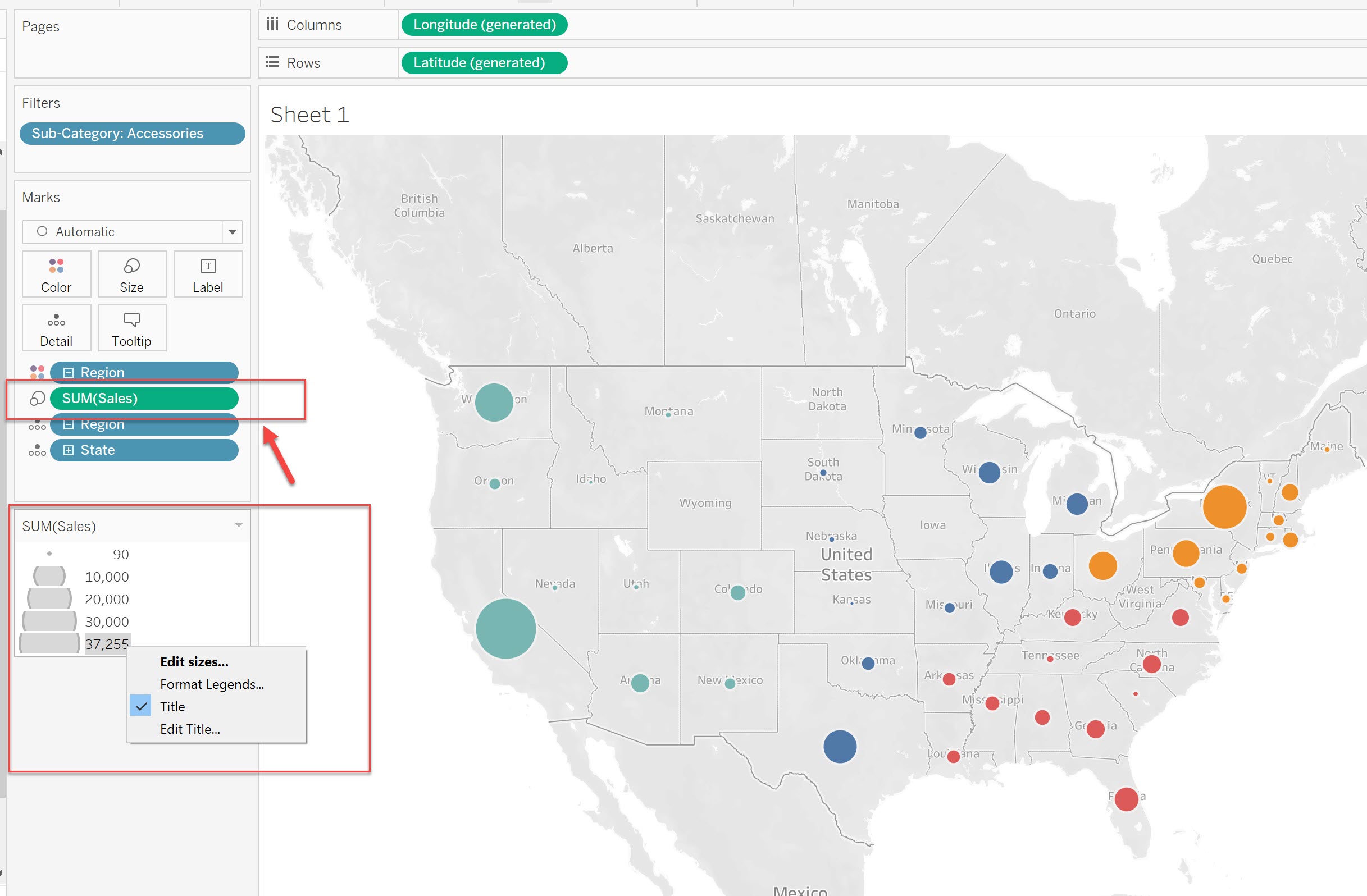
Trinn
Option 1
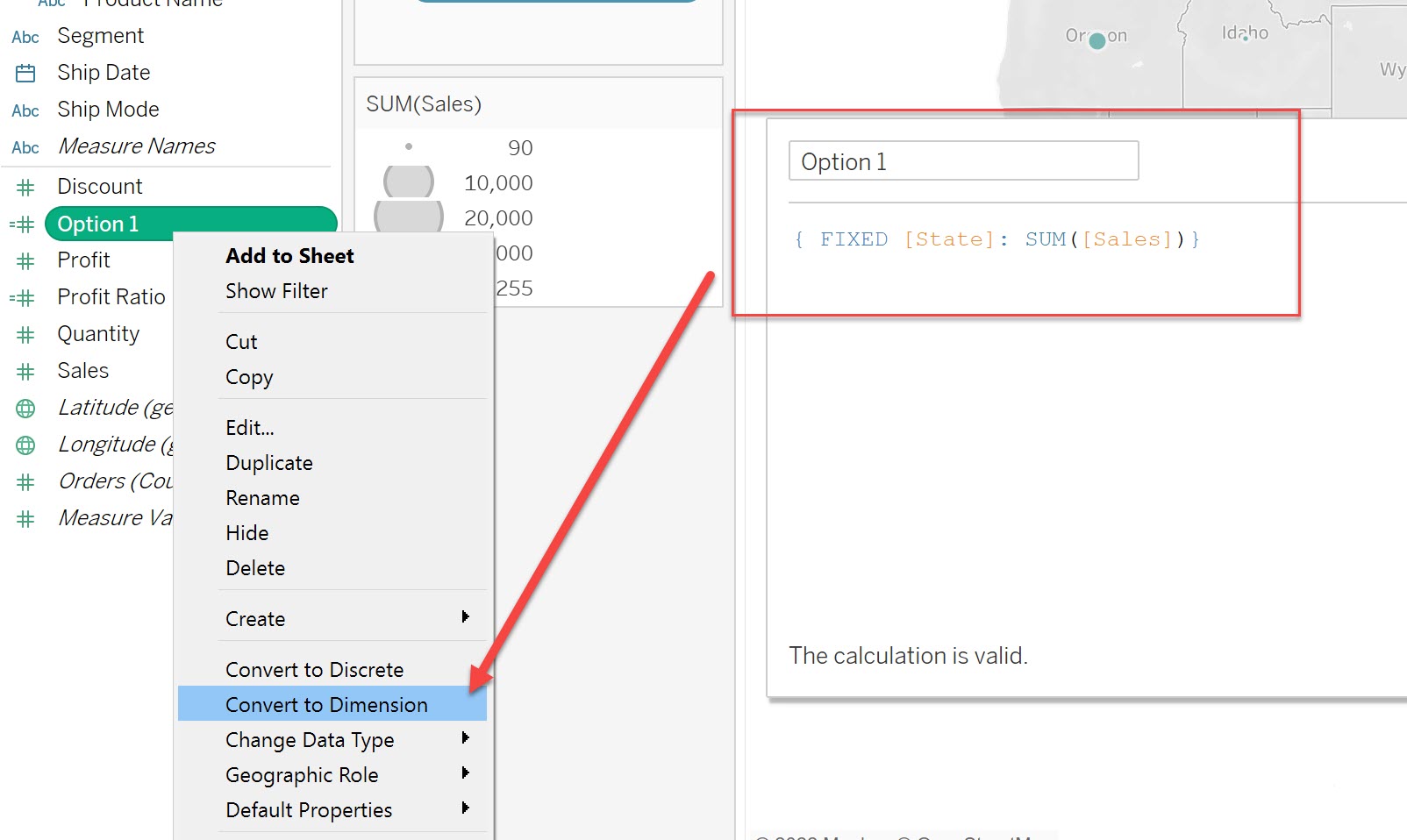
After using FIXED to calculate the aggregated value, change the field to "Dimension".
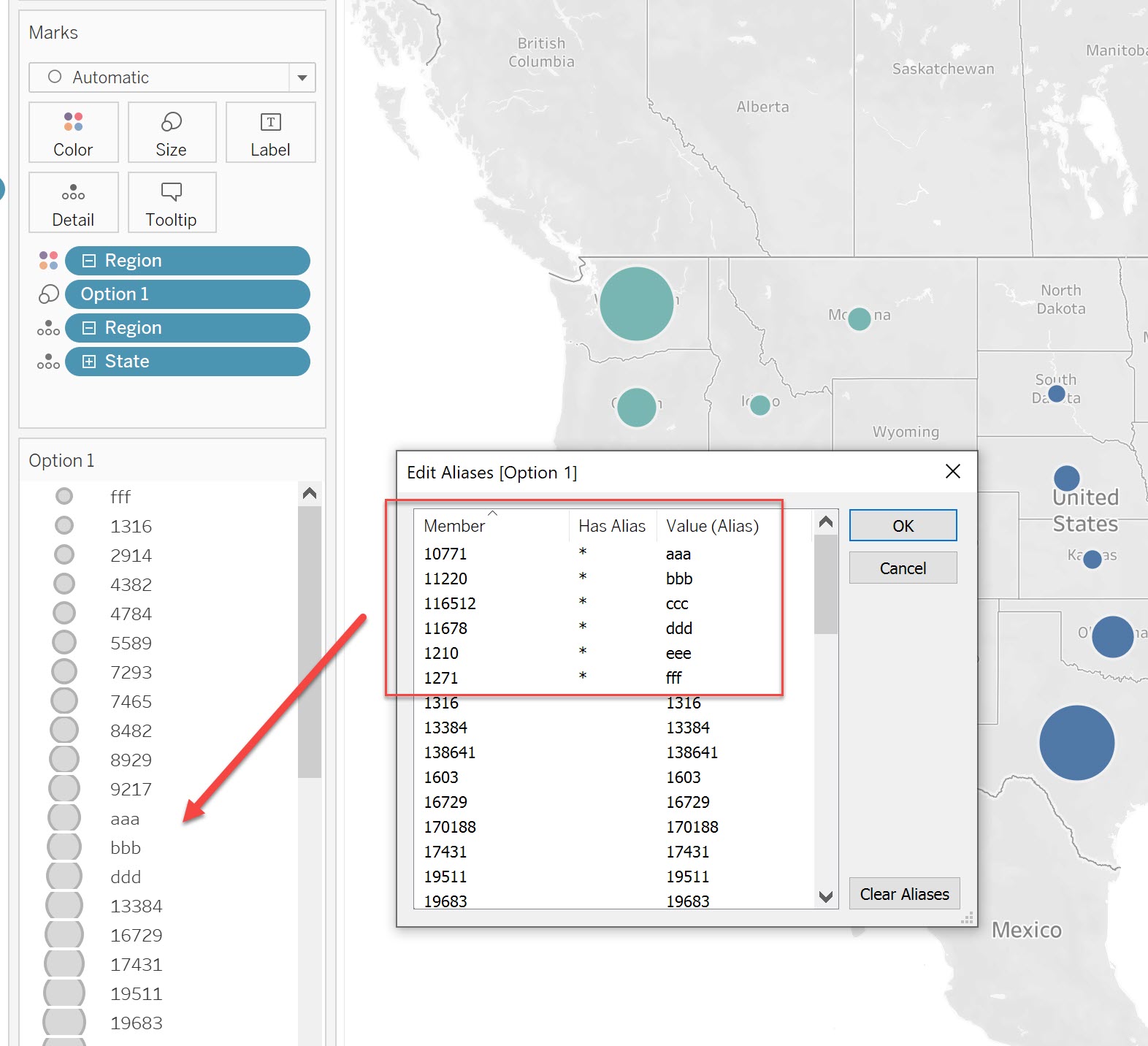
The legend can be changed by right-clicking on the dimension field and using the "Aliases" function.
Calculation:
Aliases:
Option 2
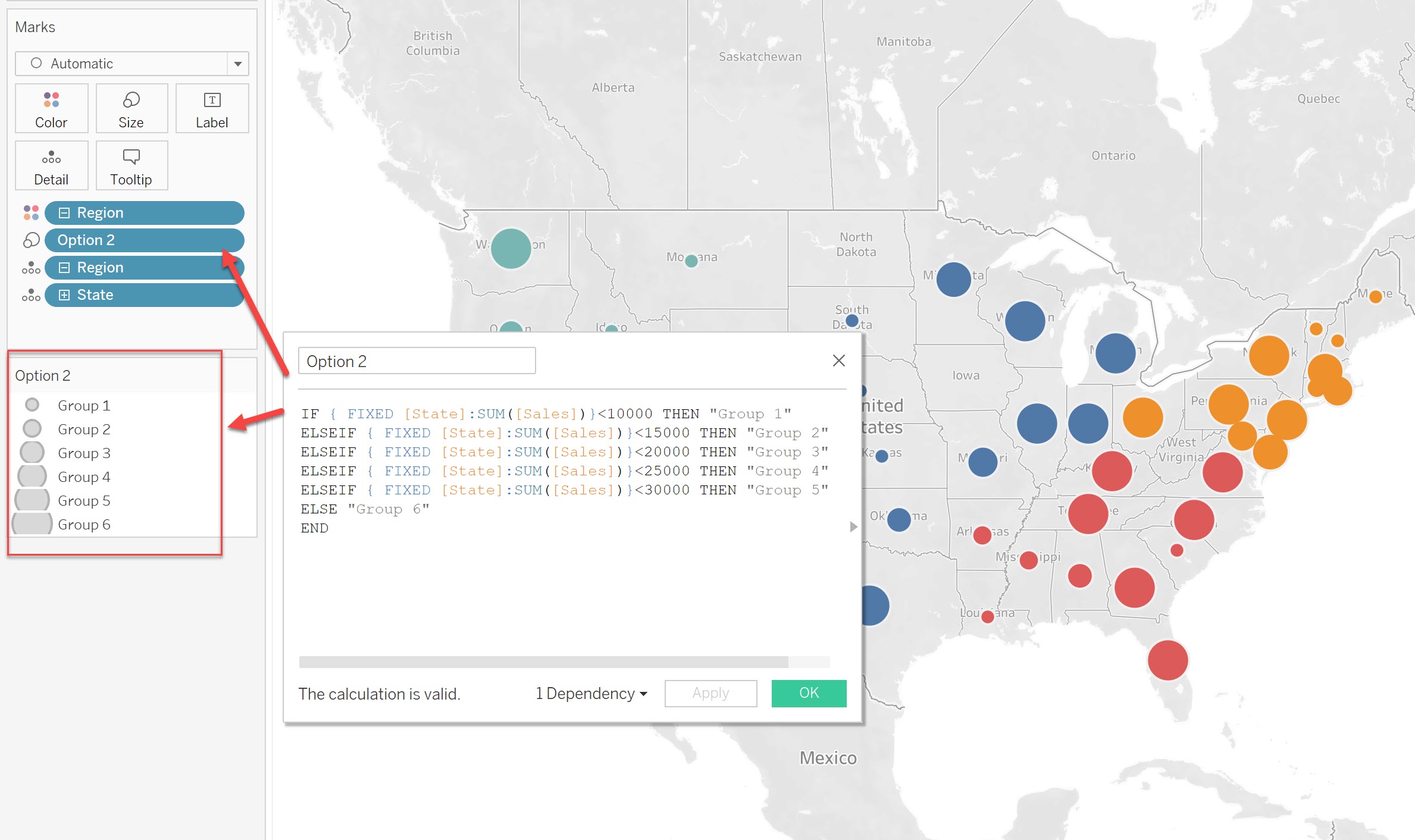
Manually set the labels for the aggregated value with an IF statement.
Please refer to the sample calculation below:
IF { FIXED [State]:SUM([Sales])}<10000 THEN "Group 1"
ELSEIF { FIXED [State]:SUM([Sales])}<15000 THEN "Group 2"
ELSEIF { FIXED [State]:SUM([Sales])}<20000 THEN "Group 3"
ELSEIF { FIXED [State]:SUM([Sales])}<25000 THEN "Group 4"
ELSEIF { FIXED [State]:SUM([Sales])}<30000 THEN "Group 5"
ELSE "Group 6"
END
Knowledge-artikkelnummer
001458651
Hjalp denne artikkelen med å løse problemet ditt?
La oss få vite det slik at vi kan forbedre!
