Välj en organisation
Adjusting Space Between Panes When Using a Bar Chart in Tableau Desktop
Publiceringsdatum: Apr 30, 2025
Uppgift
How to adjust the space between panes when using a bar chart in Tableau Desktop.
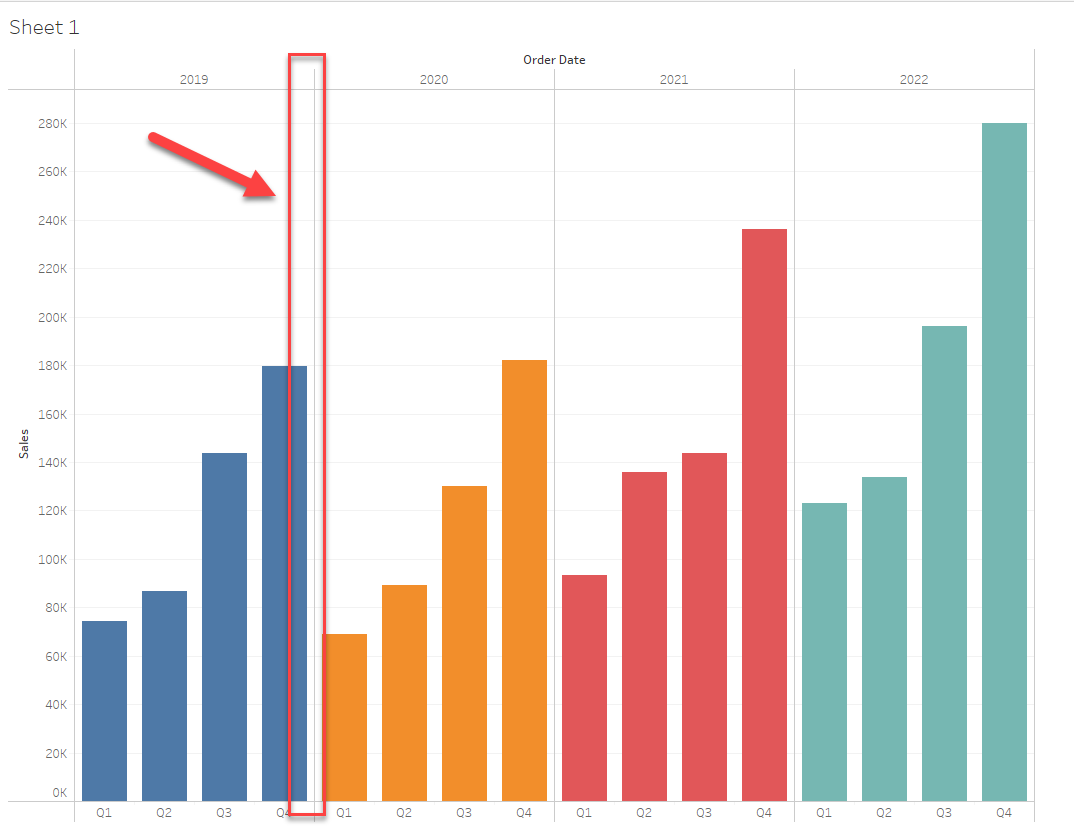
In the below chart, the space between years is too small. We want to adjust this space to be wider.
Steg
Please consider the below 2 workarounds.
Option 1:
Update the Quarter field to be Continuous and adjust the size of the bar graph in the Marks card.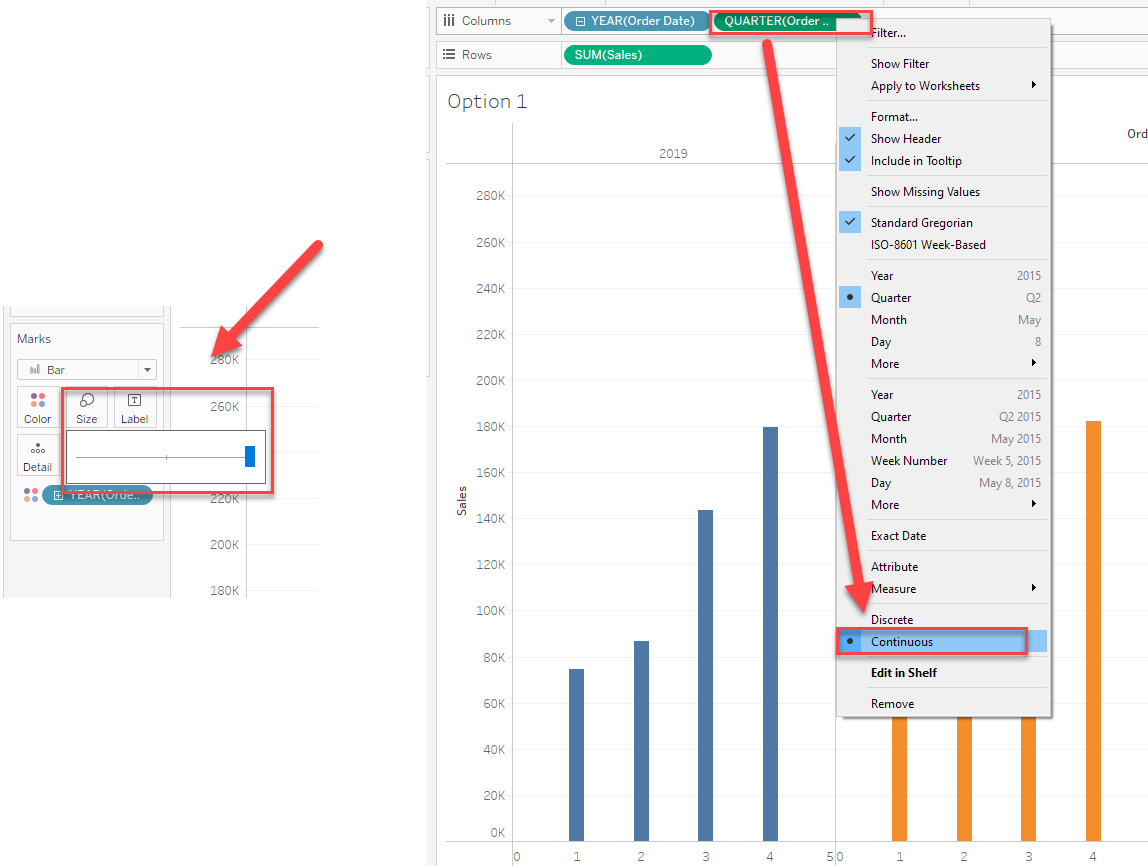
Option 2:
Set the Column Divider by right-clicking a blank space in the chart and selecting Format.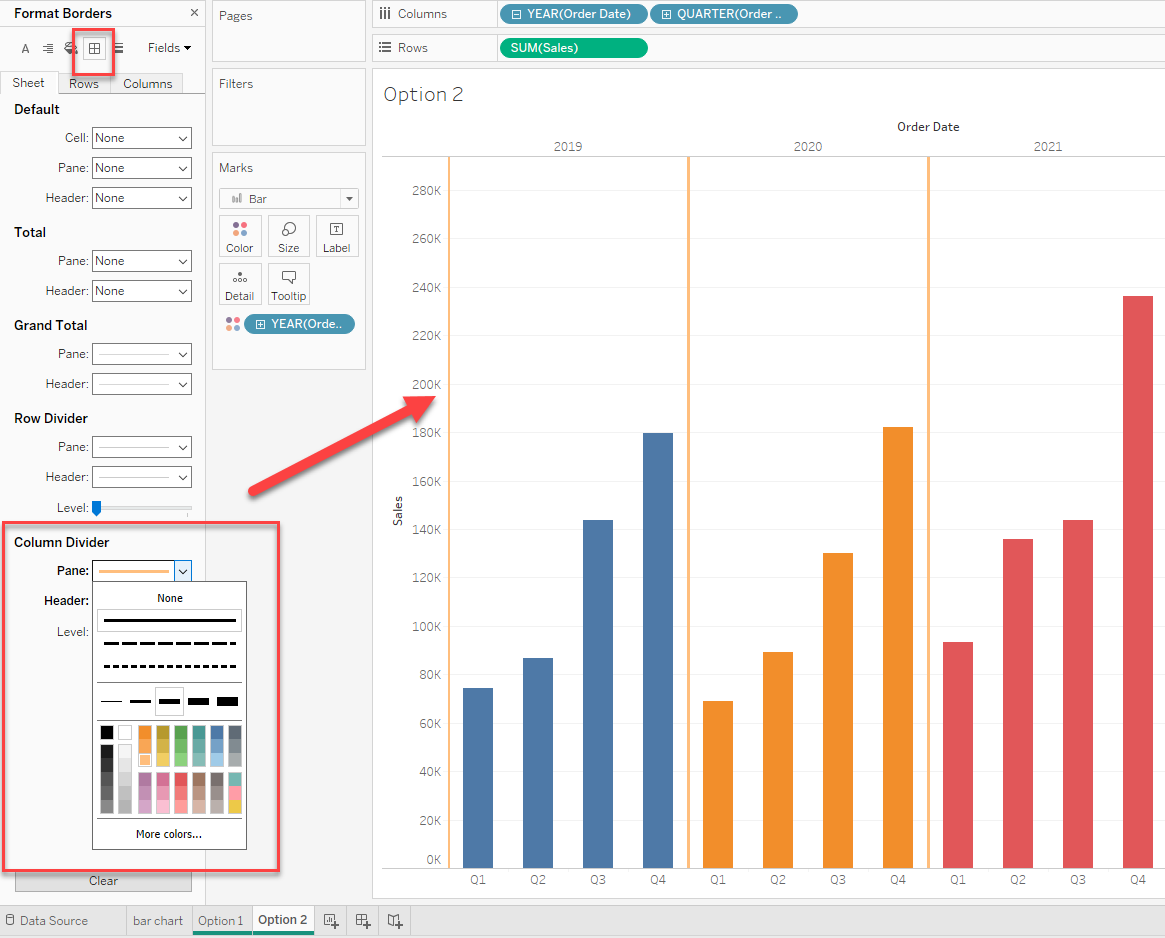
See the attached workbook for details.
Ytterligare resurser
To voice your support for the inclusion of this feature in the future release of the product, vote for the following Community Idea:
Ability to adjust space between panes
Knowledge-artikelnummer
001458700
Löste denna artikel ditt problem?
Berätta för oss vad vi kan förbättra!
