Valitse organisaatio
How to Group Multiple Measure Fields and Add Them in to View Together at Once?
Julkaisupäivä: Apr 30, 2025
Tehtävä
How to group (package) multiple measure fields and add them into view together?
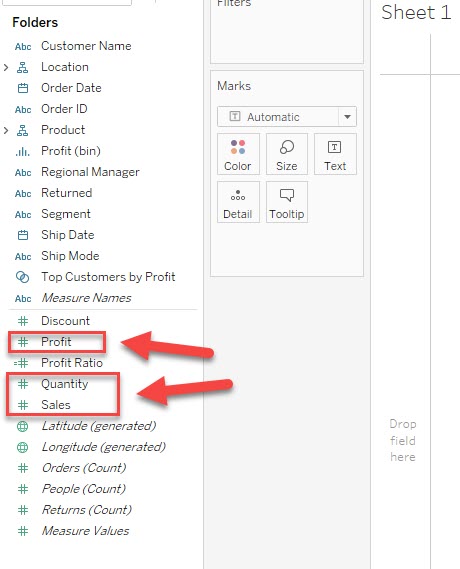
For example, group [Sales] [Profit] [Quantity] fields and add them into view at the same time.
Vaiheet
Please consider the following workarounds.
Option 1
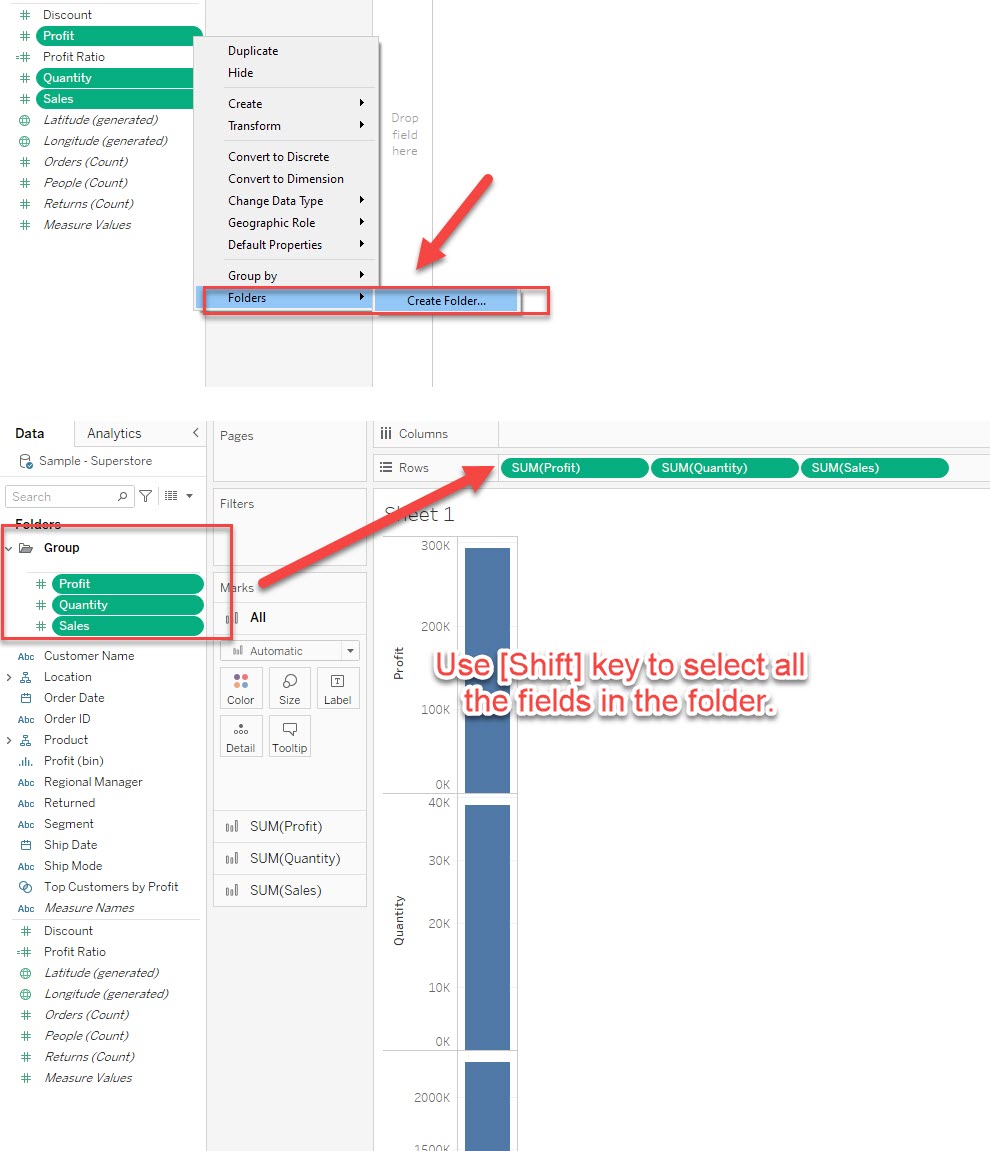
Make a folder to group the measure fields and select multiple fields together using the "Shift" key and add them to the view.
Option 2
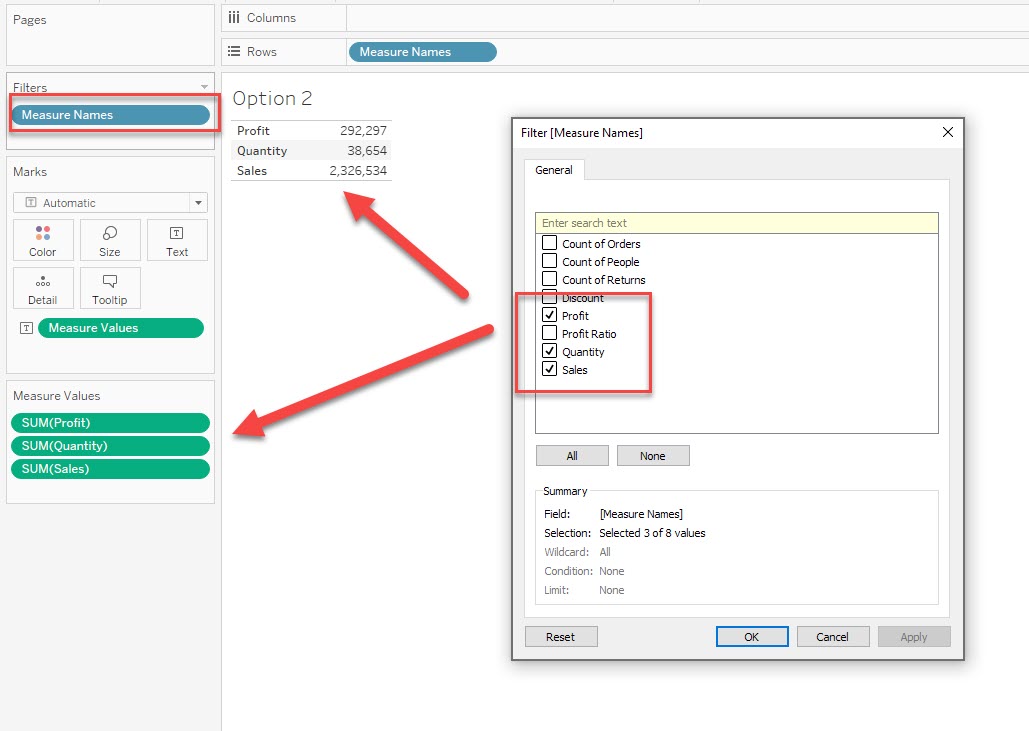
After adding "Measure Names" and "Measure Values" to the view, edit the filter for "Measure Names" and select only the appropriate fields.
Please refer to the figure below for the filter settings.
Please also refer to the attached workbook for details.
Knowledge-artikkelin numero
001458730
Ratkaisiko tämä artikkeli ongelmasi?
Anna palautetta, jotta voimme kehittyä!
