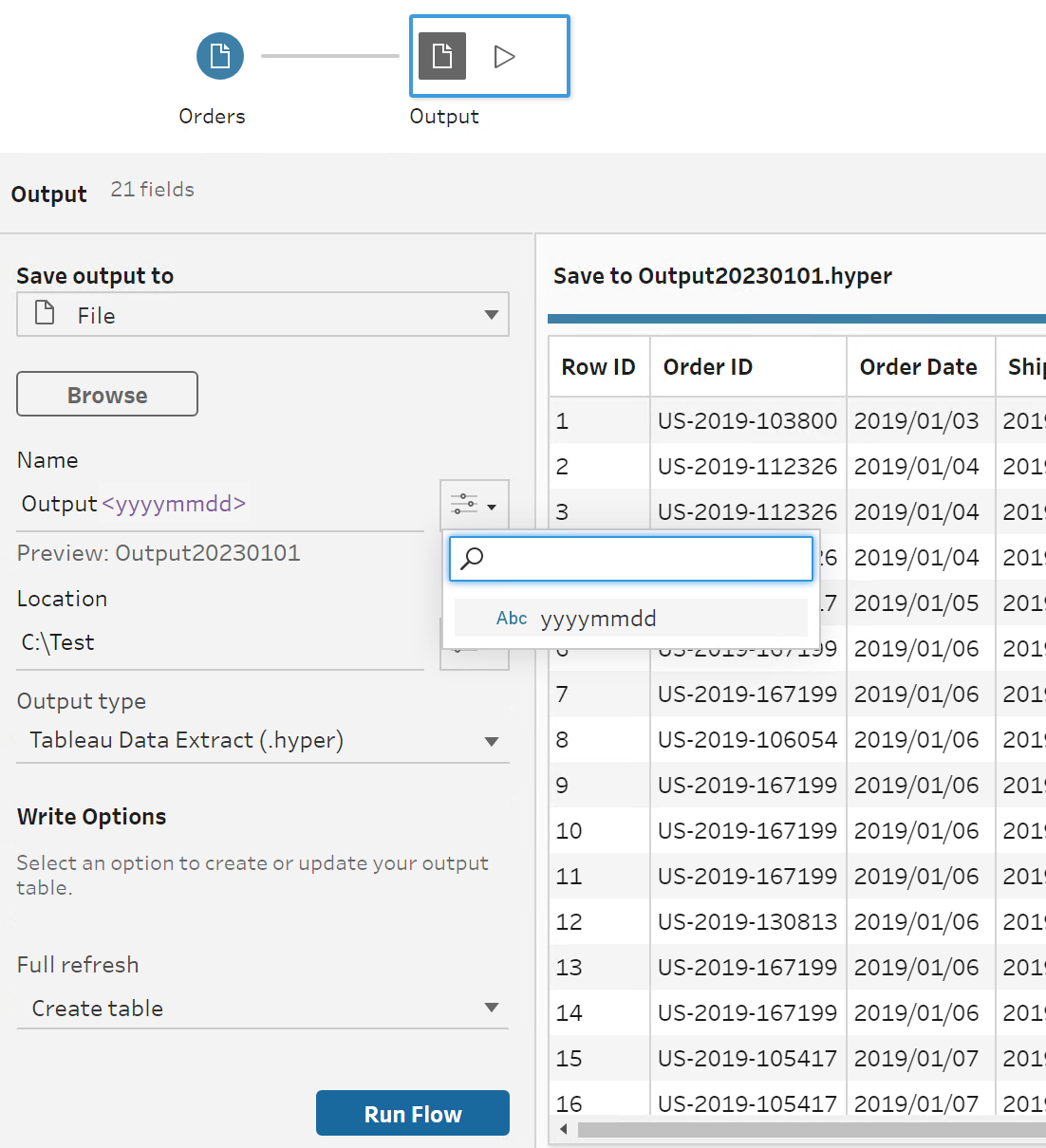
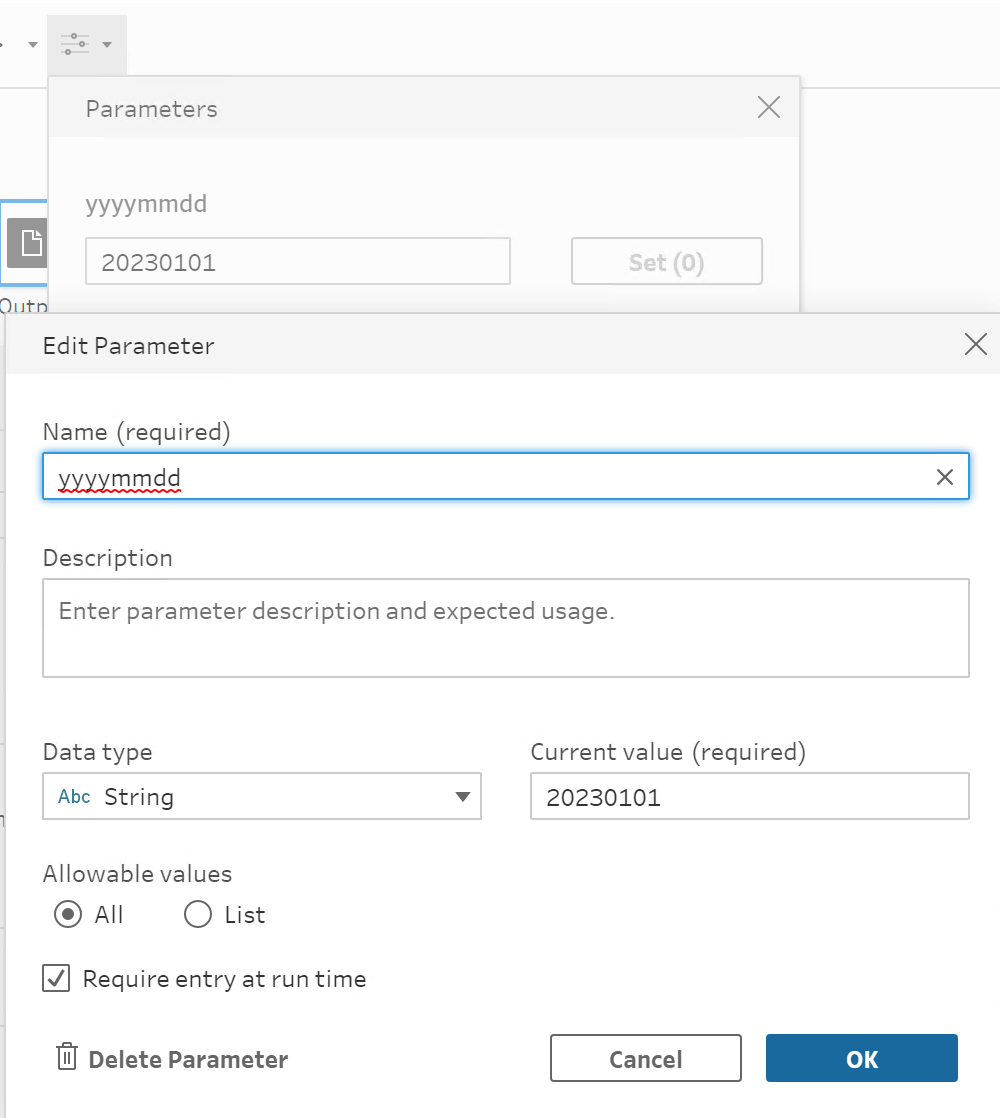
1.Tableau Prep Builder GUI でフローを開き、パラメーターを作成します。
サンプルのスクリーンショット:
2.出力名でパラメーターを設定します。
サンプルのスクリーンショット:
3.今日の日付を取得するバッチファイルを作成し、parameters.override.json を作成します (json ファイルはバッチファイルの実行時に指定したパスに自動作成されるため、手動で作成する必要はありません。これは単なる空のファイルであり、ファイル名は何でも構いません。日付はバッチファイルを実行すると書き込み/保存されます)。
バッチファイルを実行すると、出力ファイル名が今日の日付として保存されます。
サンプルバッチファイル:
SET YYYYMMDD=%DATE:/=%ECHO { "yyyymmdd": "%YYYYMMDD%" } > C:\Test\parameters.override.sample.json"C:\Program Files\Tableau\Tableau Prep Builder <version>\scripts\tableau-prep-cli.bat" -t C:\Test\Output.tflx -p C:\Test\parameters.override.sample.json サンプルとフローファイルはこの記事の一番下からダウンロードできます。
001458751

We use three kinds of cookies on our websites: required, functional, and advertising. You can choose whether functional and advertising cookies apply. Click on the different cookie categories to find out more about each category and to change the default settings.
Privacy Statement
Required cookies are necessary for basic website functionality. Some examples include: session cookies needed to transmit the website, authentication cookies, and security cookies.
Functional cookies enhance functions, performance, and services on the website. Some examples include: cookies used to analyze site traffic, cookies used for market research, and cookies used to display advertising that is not directed to a particular individual.
Advertising cookies track activity across websites in order to understand a viewer’s interests, and direct them specific marketing. Some examples include: cookies used for remarketing, or interest-based advertising.