Выбрать организацию
How To Use Today's Date As Output File Name By Tableau Prep CLI
Дата публикации: Apr 30, 2025
Задача
Действия
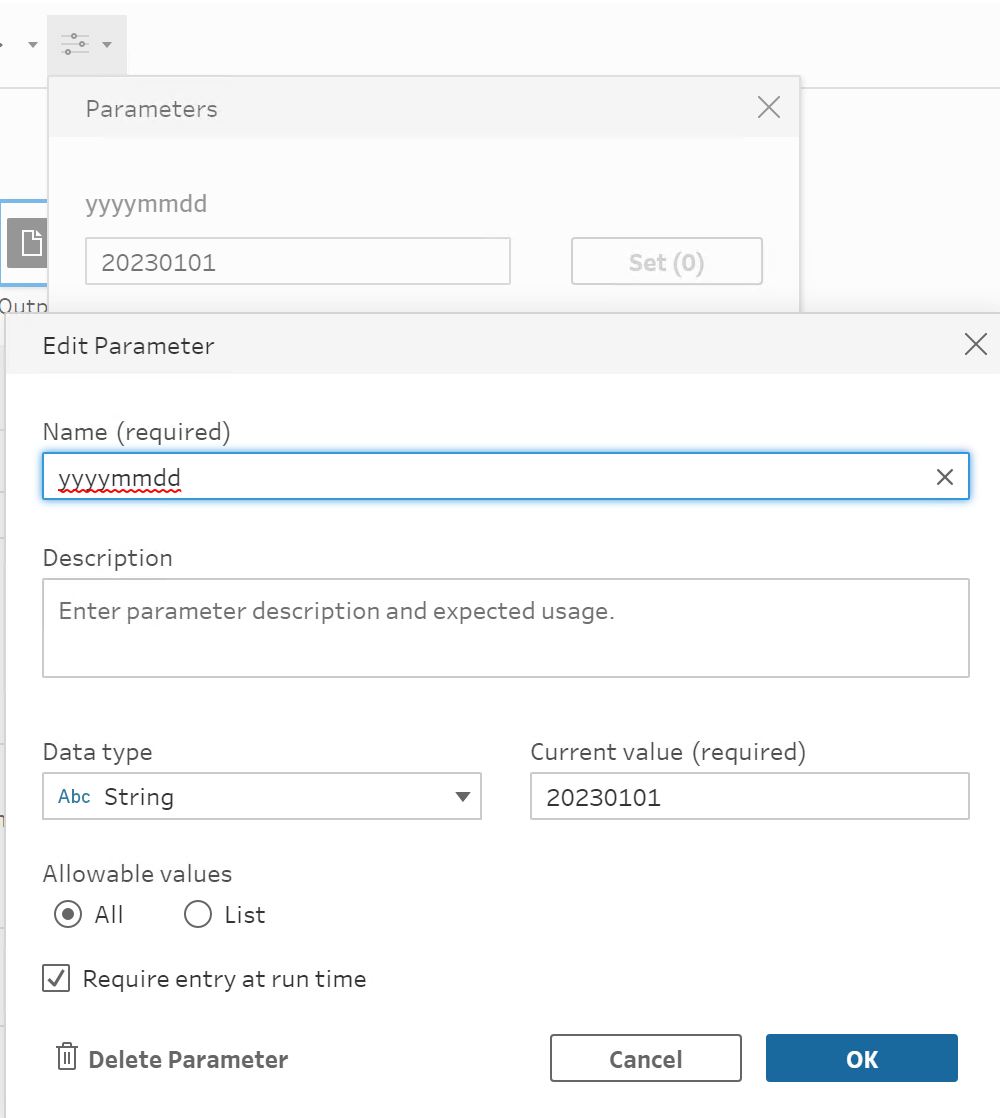
1. Open the flow with Tableau Prep Builder GUI and create the parameter.
Sample screenshot:
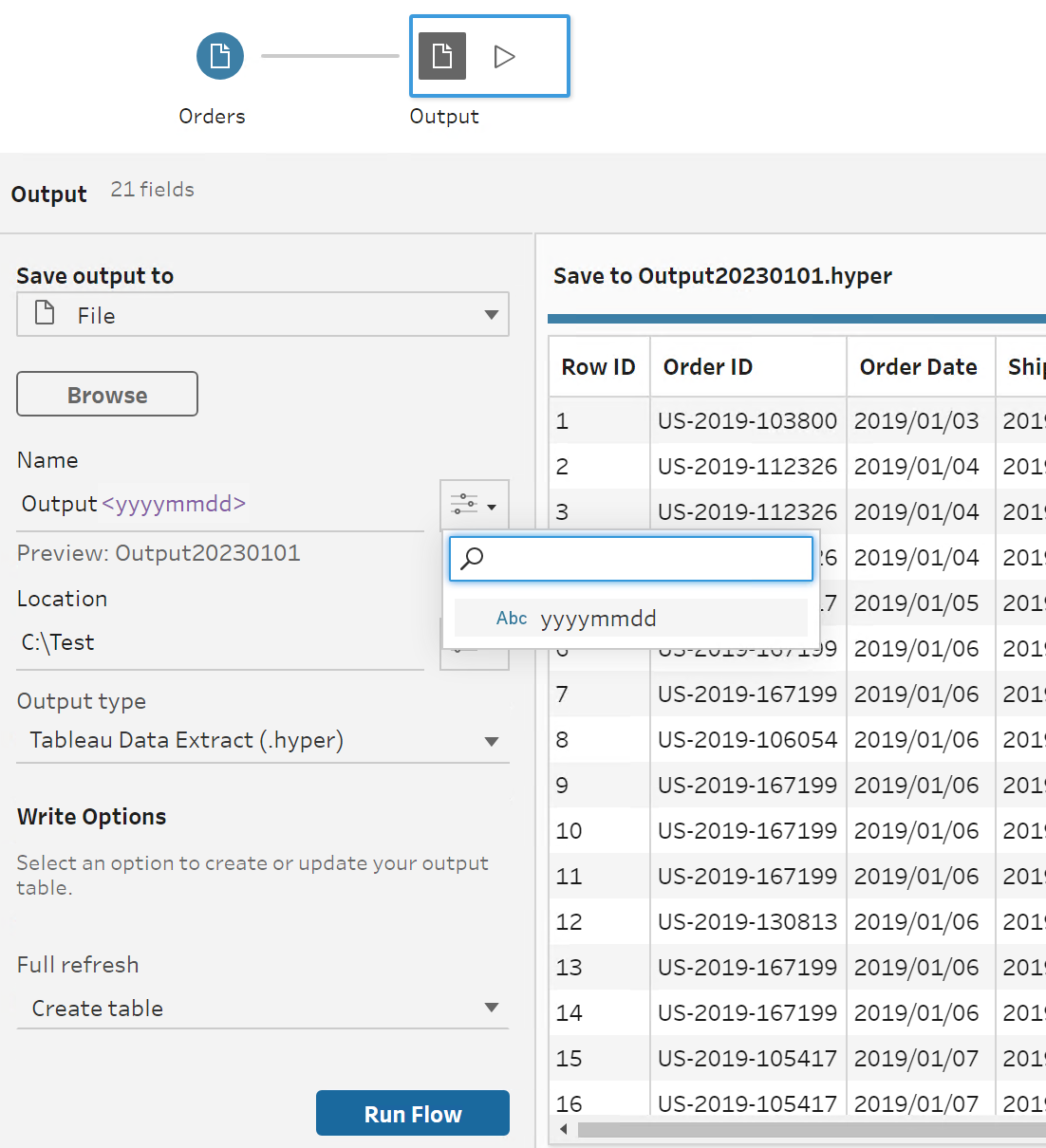
2. Set parameter in the output name.
Sample screenshot:
3. Create a batch file that gets today's date and create parameters.override.json. (json file is auto created in the path specified upon running the batch file so there is no need to manually create it. It is just an empty file that can be any filename, and the date will be written/stored upon running the batch file.)
After running the batch file, it will save the output file name as today's date.
Sample batch file:
SET YYYYMMDD=%DATE:/=%
ECHO { "yyyymmdd": "%YYYYMMDD%" } > C:\Test\parameters.override.sample.json
"C:\Program Files\Tableau\Tableau Prep Builder <version>\scripts\tableau-prep-cli.bat" -t C:\Test\Output.tflx -p C:\Test\parameters.override.sample.json
The sample and the flow file can be downloaded from the bottom of this article.
Номер статьи базы знаний
001458751
Эта статья решила вашу проблему?
Оставьте свой отзыв, чтобы мы могли стать лучше!
