Vælg en organisation
How to Remove White Border Lines in a Bar Chart Generated When Adding Dimension Field(s) To the "Details" Mark Card
Udgivelsesdato: Feb 25, 2026
Opgave
When a dimension field has been added to the "Details" mark card, then the bar chart appears to be divided.
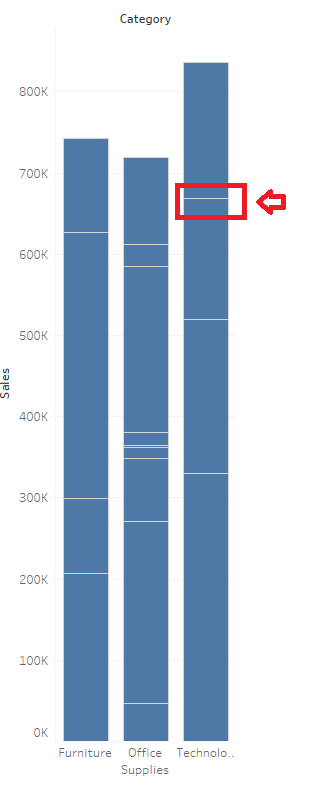
Trin
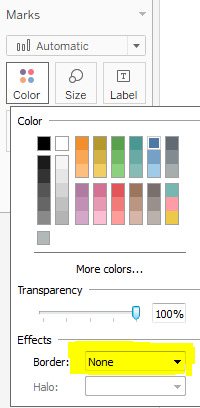
To remove the white border lines generated after adding dimension(s) to the Detail Marks card, change "Boarder" to "None"
1. From the Marks card, select Color > Effects > Border.
2. Select None from the option list.
Yderligere ressourcer
Vidensartikelnummer
001458755
Løste denne artikel dit problem?
Giv os besked, så vi kan forbedre os!
