Seleccionar una organización
How to Remove White Border Lines in a Bar Chart Generated When Adding Dimension Field(s) To the "Details" Mark Card
Fecha de publicación: Feb 25, 2026
Tarea
When a dimension field has been added to the "Details" mark card, then the bar chart appears to be divided.
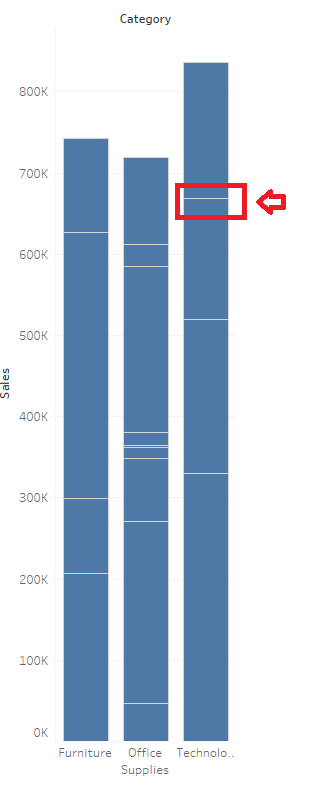
Pasos
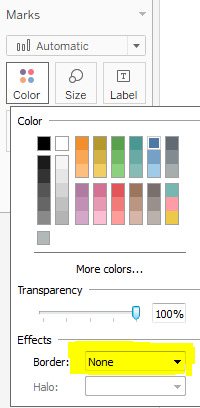
To remove the white border lines generated after adding dimension(s) to the Detail Marks card, change "Boarder" to "None"
1. From the Marks card, select Color > Effects > Border.
2. Select None from the option list.
Recursos adicionales
Número del artículo de conocimiento
001458755
¿Resolvió este artículo su problema?
¡Háganos saber cómo podemos mejorar!
