Sélectionner une organisation
How to Remove White Border Lines in a Bar Chart Generated When Adding Dimension Field(s) To the "Details" Mark Card
Date de publication: Feb 25, 2026
Tâche
When a dimension field has been added to the "Details" mark card, then the bar chart appears to be divided.
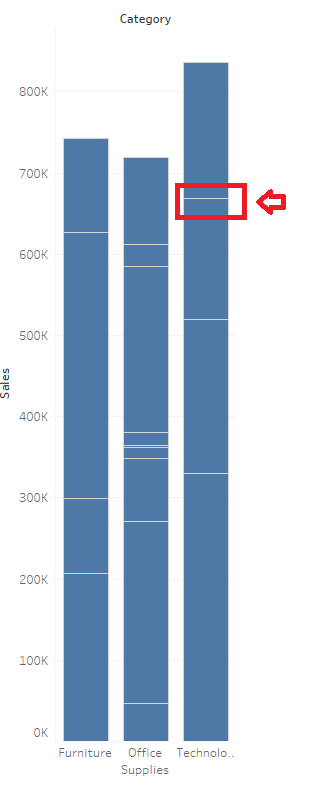
Étapes
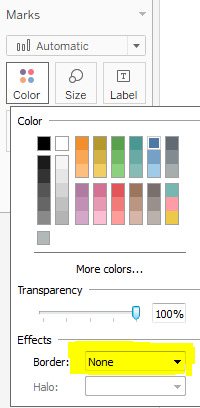
To remove the white border lines generated after adding dimension(s) to the Detail Marks card, change "Boarder" to "None"
1. From the Marks card, select Color > Effects > Border.
2. Select None from the option list.
Ressources supplémentaires
Numéro d’article de la base de connaissances
001458755
Cet article a-t-il résolu votre problème ?
Dites-nous ce que nous pouvons améliorer !
