組織を選択
How to Remove White Border Lines in a Bar Chart Generated When Adding Dimension Field(s) To the "Details" Mark Card
公開日: Feb 25, 2026
タスク
When a dimension field has been added to the "Details" mark card, then the bar chart appears to be divided.
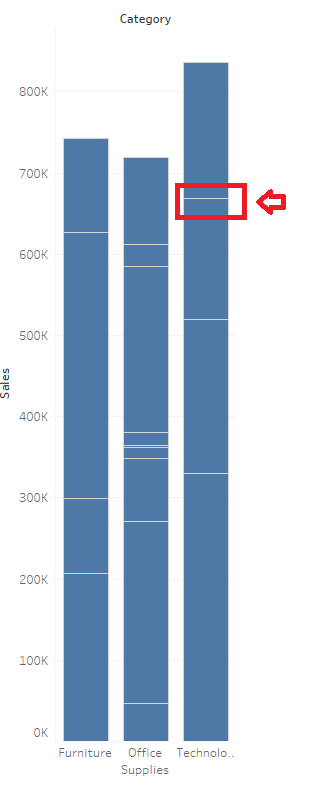
ステップ
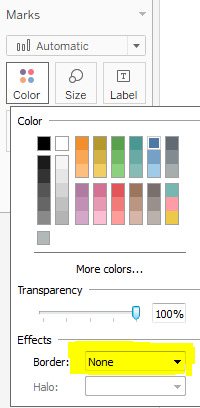
To remove the white border lines generated after adding dimension(s) to the Detail Marks card, change "Boarder" to "None"
1. From the Marks card, select Color > Effects > Border.
2. Select None from the option list.
ナレッジ記事番号
001458755
この記事で問題は解決されましたか?
ご意見をお待ちしております。
