조직 선택
How to Remove White Border Lines in a Bar Chart Generated When Adding Dimension Field(s) To the "Details" Mark Card
게시 일자: Feb 25, 2026
과업
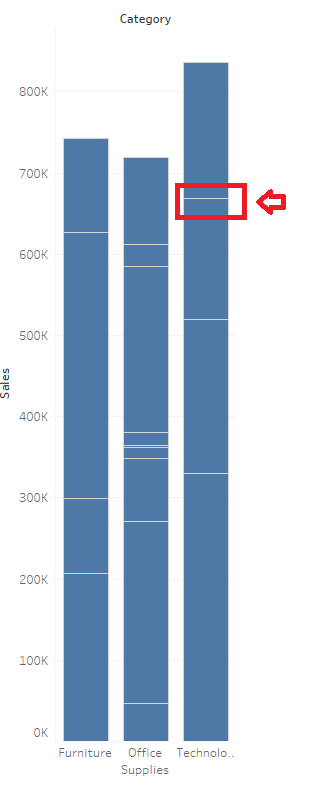
When a dimension field has been added to the "Details" mark card, then the bar chart appears to be divided.
단계
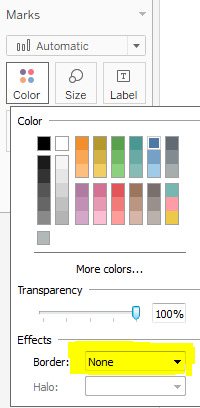
To remove the white border lines generated after adding dimension(s) to the Detail Marks card, change "Boarder" to "None"
1. From the Marks card, select Color > Effects > Border.
2. Select None from the option list.
Knowledge 기사 번호
001458755
이 기사를 통해 문제를 해결했습니까?
개선을 위한 의견을 보내주세요.
