Выбрать организацию
How to Remove White Border Lines in a Bar Chart Generated When Adding Dimension Field(s) To the "Details" Mark Card
Дата публикации: Feb 25, 2026
Задача
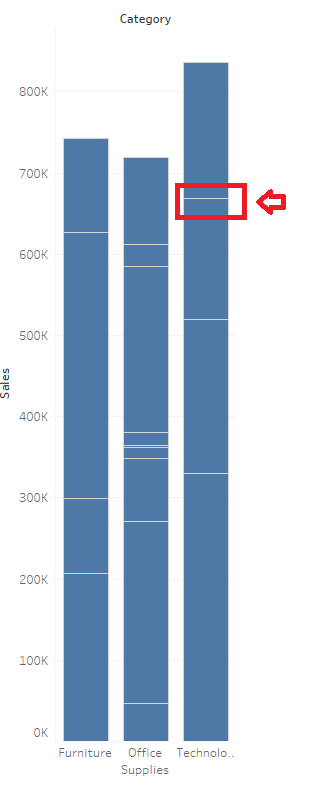
When a dimension field has been added to the "Details" mark card, then the bar chart appears to be divided.
Действия
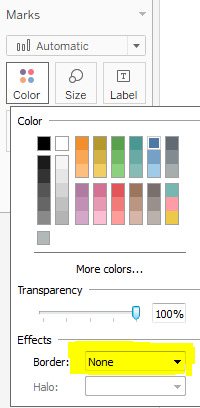
To remove the white border lines generated after adding dimension(s) to the Detail Marks card, change "Boarder" to "None"
1. From the Marks card, select Color > Effects > Border.
2. Select None from the option list.
Дополнительные ресурсы
Номер статьи базы знаний
001458755
Эта статья решила вашу проблему?
Оставьте свой отзыв, чтобы мы могли стать лучше!
