選擇組織
How to Remove White Border Lines in a Bar Chart Generated When Adding Dimension Field(s) To the "Details" Mark Card
發佈日期: Feb 25, 2026
工作
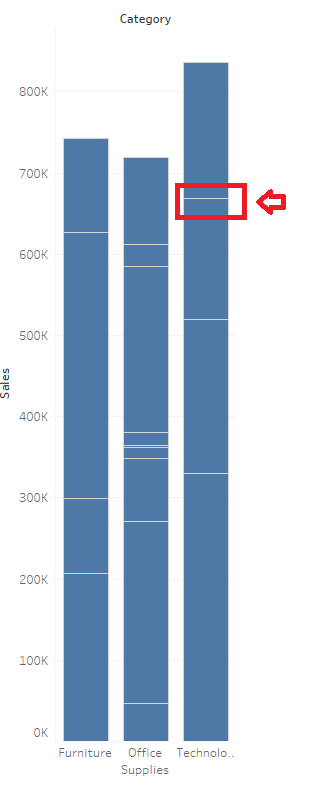
When a dimension field has been added to the "Details" mark card, then the bar chart appears to be divided.
步驟
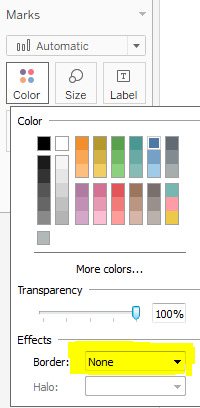
To remove the white border lines generated after adding dimension(s) to the Detail Marks card, change "Boarder" to "None"
1. From the Marks card, select Color > Effects > Border.
2. Select None from the option list.
知識文章編號
001458755
此文章是否解決您的問題?
請讓我們知道,以便我們改進!
