Valitse organisaatio
How to display sales totals for the past N days
Julkaisupäivä: Apr 13, 2024
Tehtävä
How to display sales totals for the past N days.
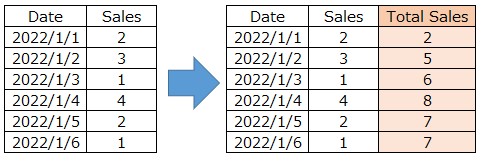
For example,
If N is 3 , the output results as follows.
Vaiheet
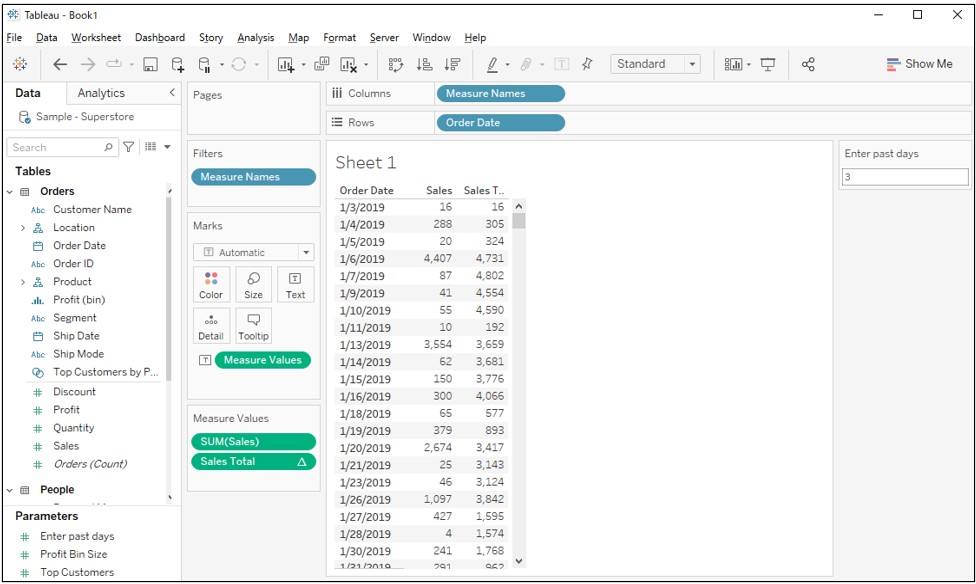
<STEP 1 >
-Preparation-
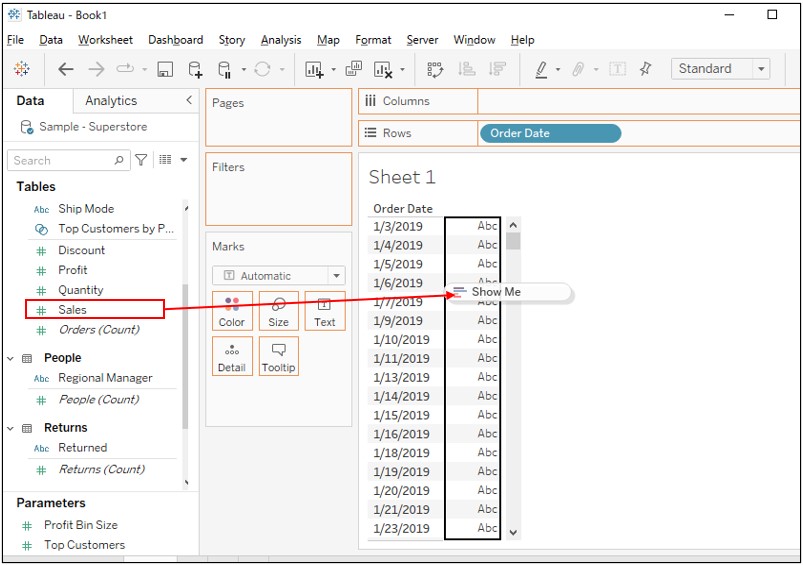
1. Connect to Sample Superstore.
2. While right-clicking drag [Order Date] to Rows > Select 'Order Date (Discrete)'.
3. Drag [Sales] to the cross tab.
<STEP 2 >
-Calculate sales totals for the past N days-
4. Create a new parameter as following.
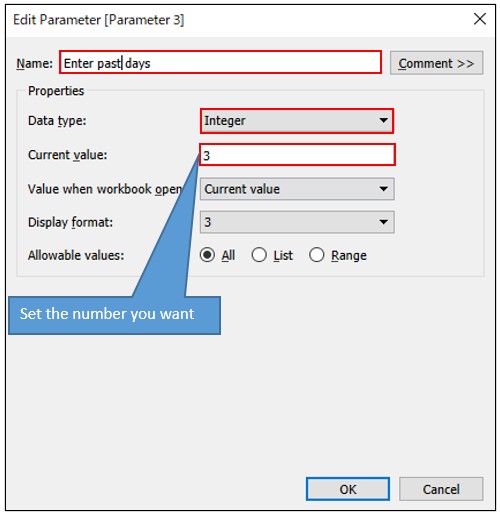
5. Right click on [Enter past days] > Show parameter
6. Create a new calculated field as following.
Name : Sales Total
Calculation : WINDOW_SUM((SUM([Sales])),-[Enter past days],0)
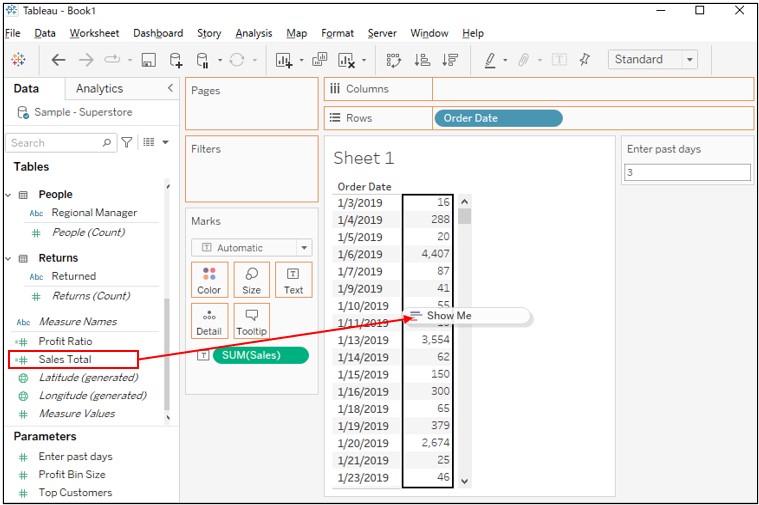
7. Drag [Sales Total] to the cross tab.
Knowledge-artikkelin numero
001458768
Ratkaisiko tämä artikkeli ongelmasi?
Anna palautetta, jotta voimme kehittyä!
