Välj en organisation
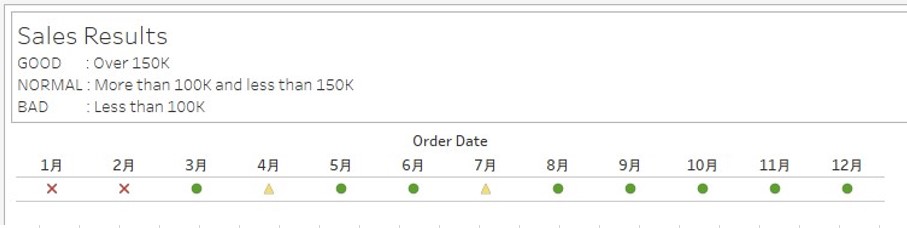
How to Change The Shape of The Graph Depending On The Value
Publiceringsdatum: Apr 28, 2025
Uppgift
Steg
- Connect to Sample - Superstore.
- While right-clicking drag and drop [Order Date] to the Columns and select [MONTH(Order Date)].
- Change the graph type to Shape.
- Create a Calculation field named "Sales Results" with the following calculations.
IF SUM([Sales])>= 150000 THEN "GOOD" ELSEIF 100000 <= SUM([Sales]) and SUM([Sales])< 150000 THEN "NORMAL" ELSE "BAD" END - Drag and drop [Sales Results] to the Shape.
- In Edit Shape dialog, select the item and select the shape palette appropriately.
Knowledge-artikelnummer
001459710
Löste denna artikel ditt problem?
Berätta för oss vad vi kan förbättra!
