Organisation auswählen
How to reload all data to show the all data distributions in preview in Tableau Prep Builder without reopening the flow
Veröffentlichungsdatum: Apr 13, 2026
Aufgabe
How to reload the input data to show the data distributions of all data in preview in Tableau Prep Builder without reopening the flow?
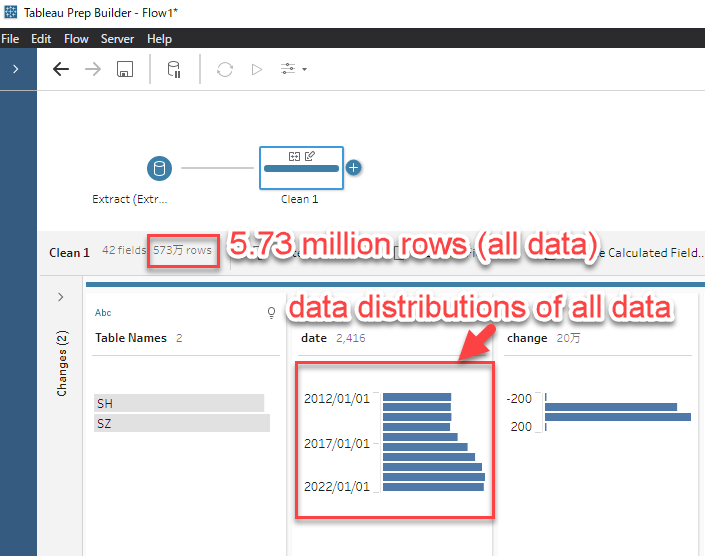
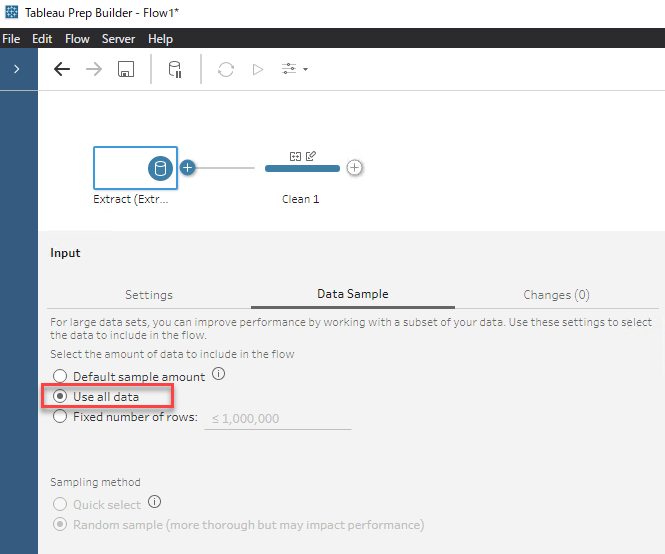
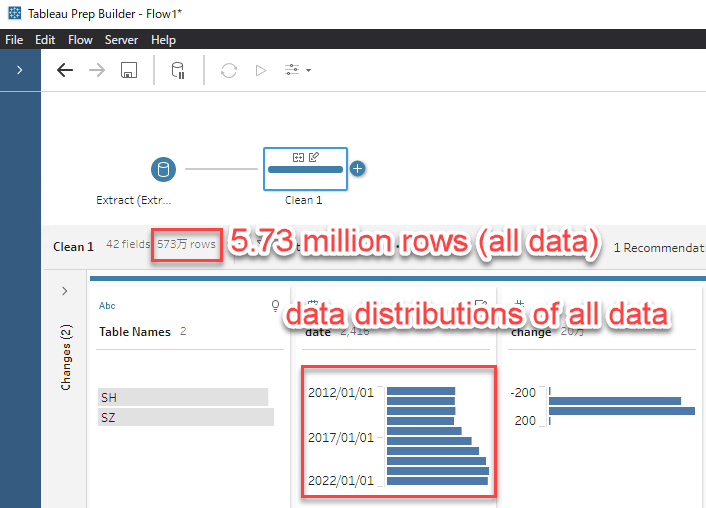
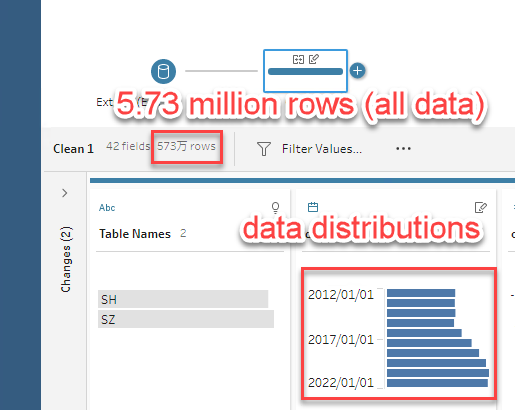
When openning a flow which has more than 1 million rows (for this example, it is 5.73 million rows) and has been set to [Use all data] under [Data Sample] pane on Input Step, at this time we can see the data distributions of all data in preview of clean step like below.
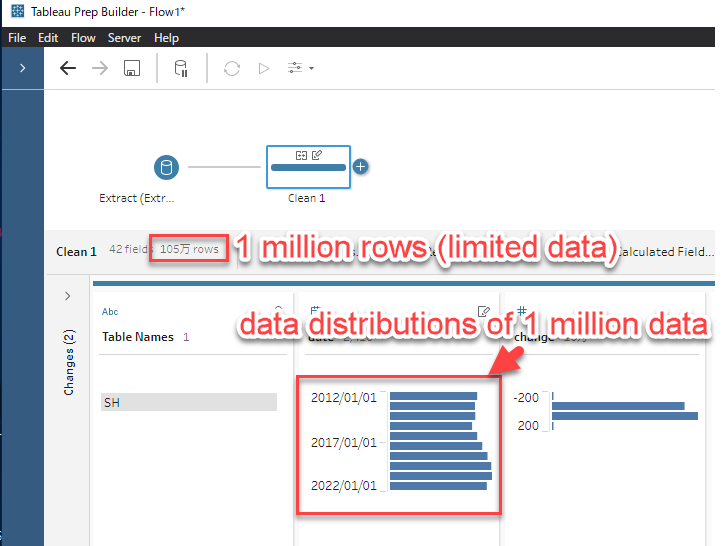
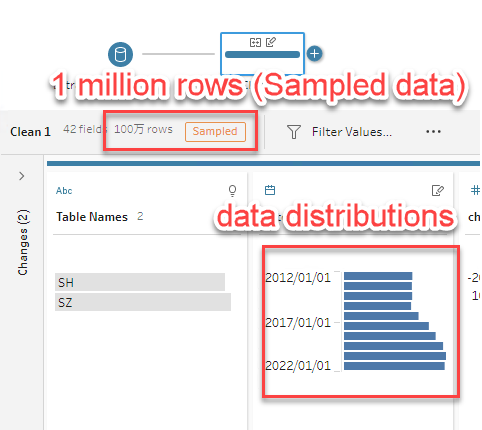
After start editing the flow, the data distributions in preview of clean step is limited to 1 million size like below.
However, sometimes we want to review the data distributions of all data in preview of clean step to confirm if our flow is edited as expected.
Is there any way to review the data distributions of all data in preview of clean step again without reopening the flow?
Schritte
There is a workaround to reload the all data again without reopening the flow.
Note: Please save your flow editing work before you try the workaround since to using [Use all data] can impact performance or cause Tableau Prep Builder to time out.
=====
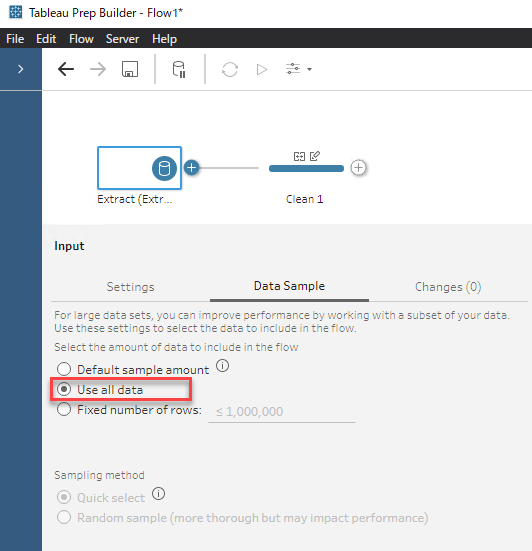
1. In Tableau Prep Builder, at Input Step, confirm your current [Data Sample] setting is [Use all data].
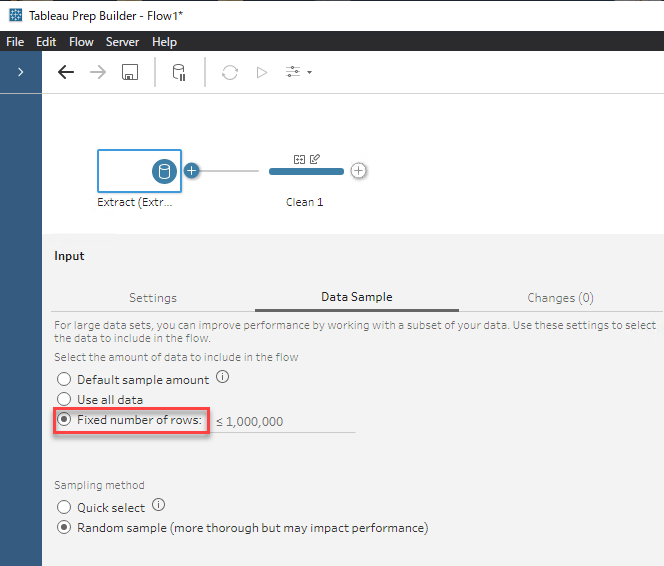
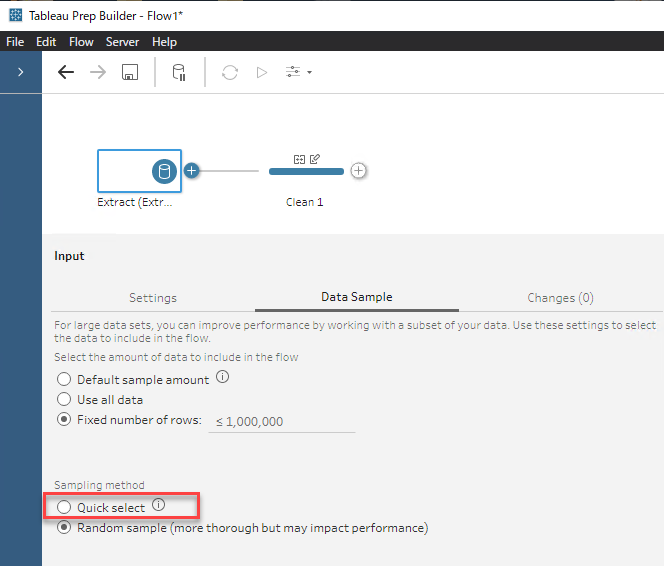
2. In the same Input Step, change [Data Sample] setting to [Fixed number of rows], and keep the row limit value as blank.
3. In the same Input Step, change [Sampling method] from current one to another one.
In this example, change it from [Random sample] to [Quick select].
4. Confirm the [Data Sample] setting is returned back to [Use all data] automatically.
Note: By design, when changing [Sampling method] with the row limit value as blank, this setting is invalid and returned back to previous [Data Sample] setting.
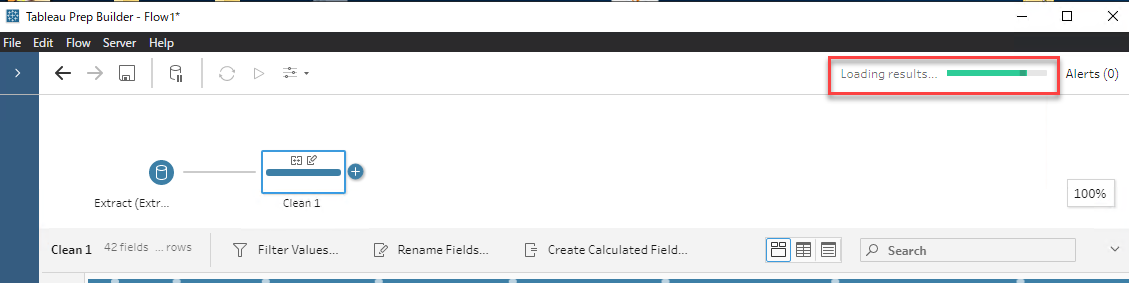
5. Return to the clean step which you want to review the data distributions of all data, then wait till the data loading is finished.
6. Confirm the data distributions shows all data size again.
Zusätzliche Ressourcen
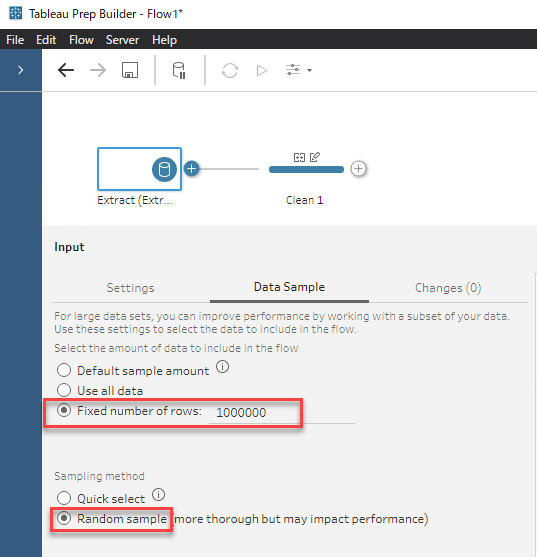
Here is the comparison of the data distributions of the limited data ([Fixed number of rows] :1,000,000 with Random sample]) and the one of all data.
The data distributions of the limited data ([Fixed number of rows] :1,000,000 with Random sample]):
The data distributions of all data:
Nummer des Knowledge-Artikels
001462820
Konnten Sie Ihr Problem mithilfe dieses Artikels lösen?
Geben Sie uns Feedback, damit wir uns verbessern können.
