Sélectionner une organisation
Obtain a 12 Month rolling average and display the last 12 months data only
Date de publication: Apr 28, 2025
Tâche
Étapes
Please review the following step:
1. Create a calculated field with the following code:Name: Hide Month
Calculation: LOOKUP(MAX(DATETRUNC('month', [Ship Date])),0)
2. Drag the new calculated field to the Columns shelf and right-click to Compute Using > Cell.
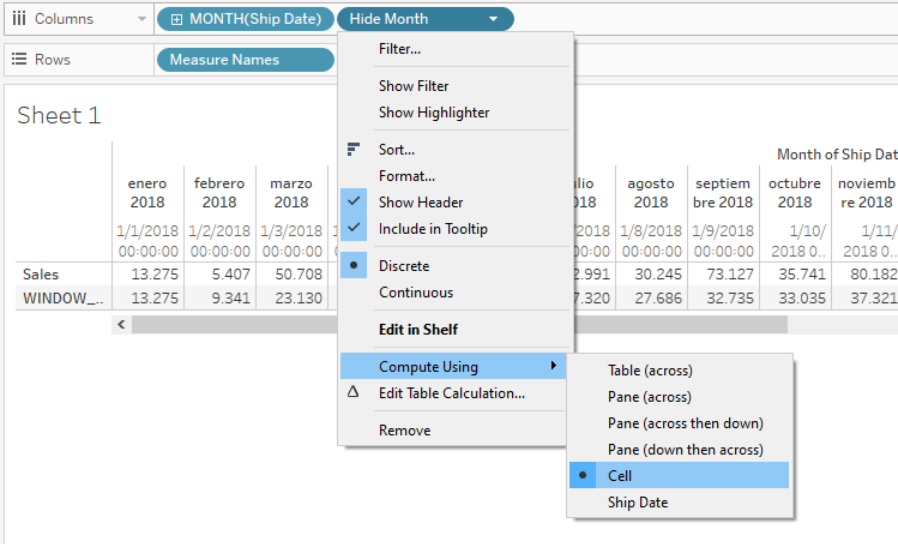
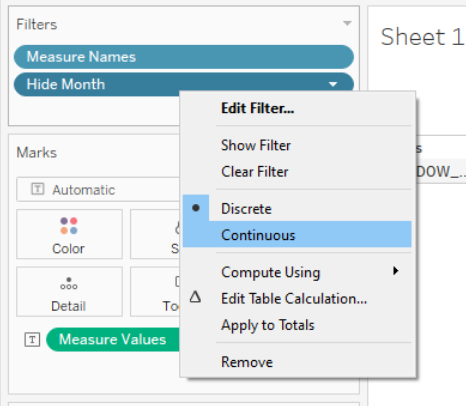
3. Drag the calculated field to the Filters shelf and select all values. Right-click to select Continuous.
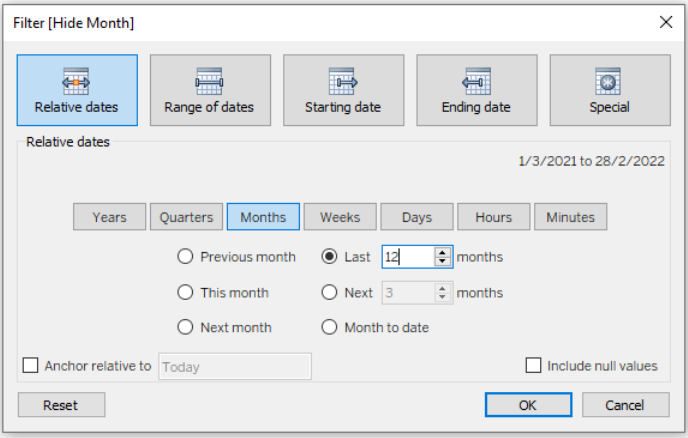
4. Set the filter as a Relative Date filter and select the last 12 months as shown below.
Numéro d’article de la base de connaissances
001463586
Cet article a-t-il résolu votre problème ?
Dites-nous ce que nous pouvons améliorer !
