Sélectionner une organisation
Convert only the first character of data to uppercase and the second and subsequent character to lowercase in Tableau Desktop
Date de publication: Apr 13, 2024
Tâche
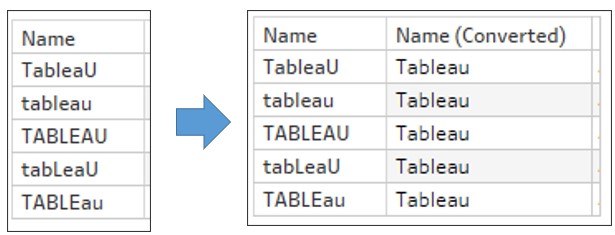
Étapes
1. Connect to the attached sample data source 'test.xlsx' from Tableau Desktop.
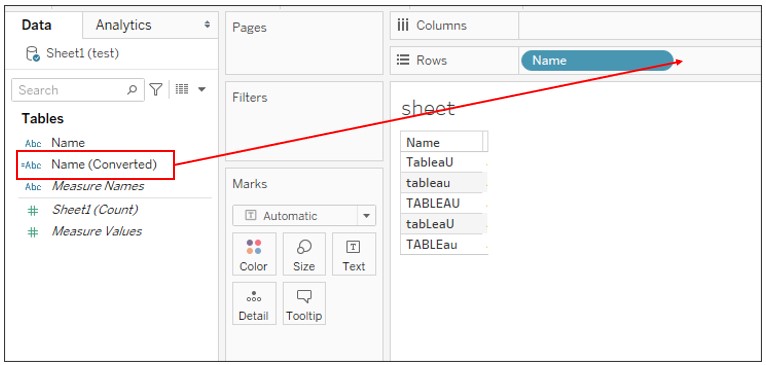
2. Drag Name to Rows.
3. Create a new calculated field with the following definition:
Name : Name (Converted)
Calculation : UPPER(LEFT([Name],1)) + LOWER(MID([Name],2))
4. Drag Name (Converted) to Rows next to Name.
Numéro d’article de la base de connaissances
001463670
Cet article a-t-il résolu votre problème ?
Dites-nous ce que nous pouvons améliorer !
