Sélectionner une organisation
Change Discrete Points Into A Line Chart
Date de publication: Mar 20, 2026
Tâche
When there is NULL data the marks in the Line chart are disconnected and displayed as dots. How can I connect them and show as the line chart without filtering the data?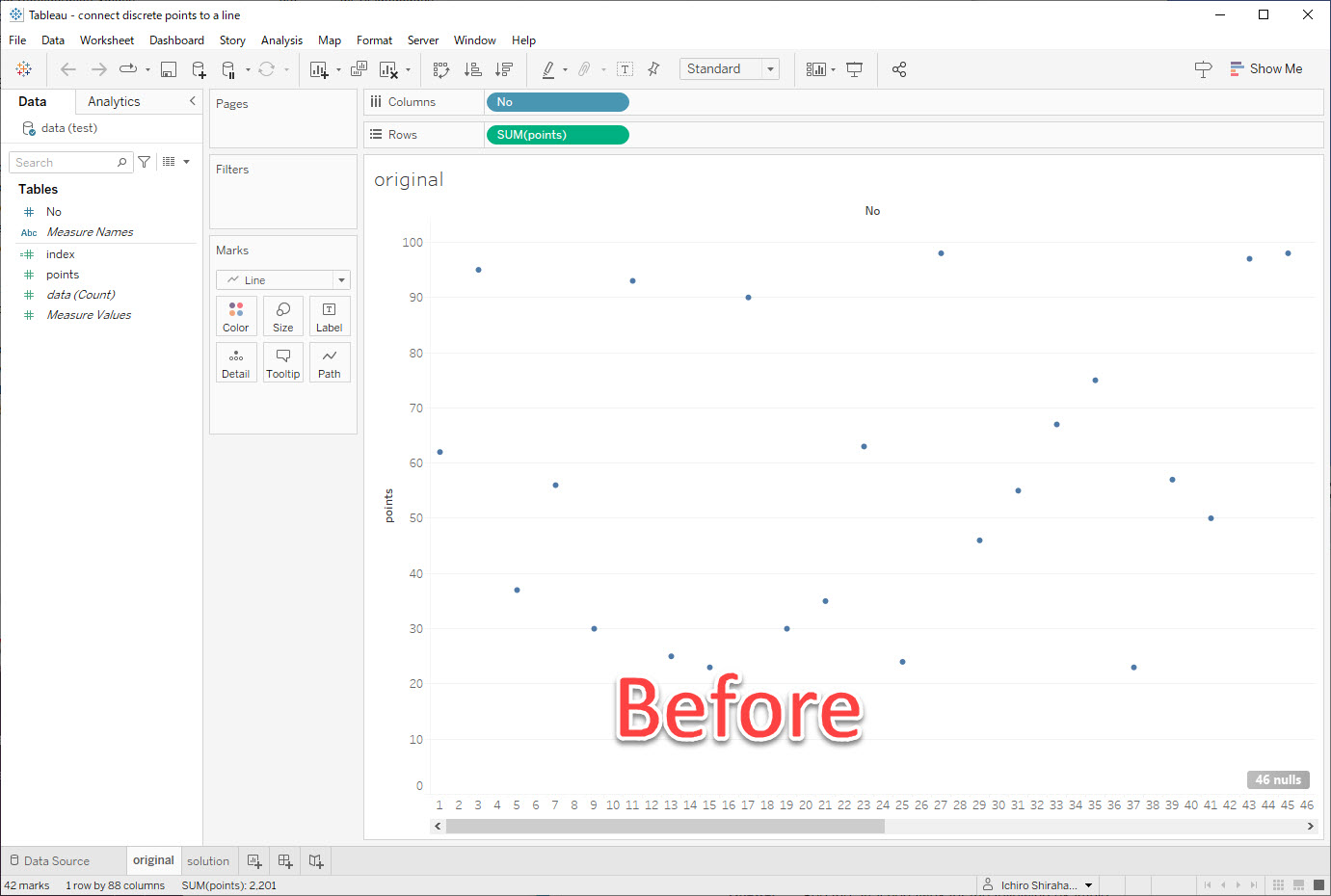
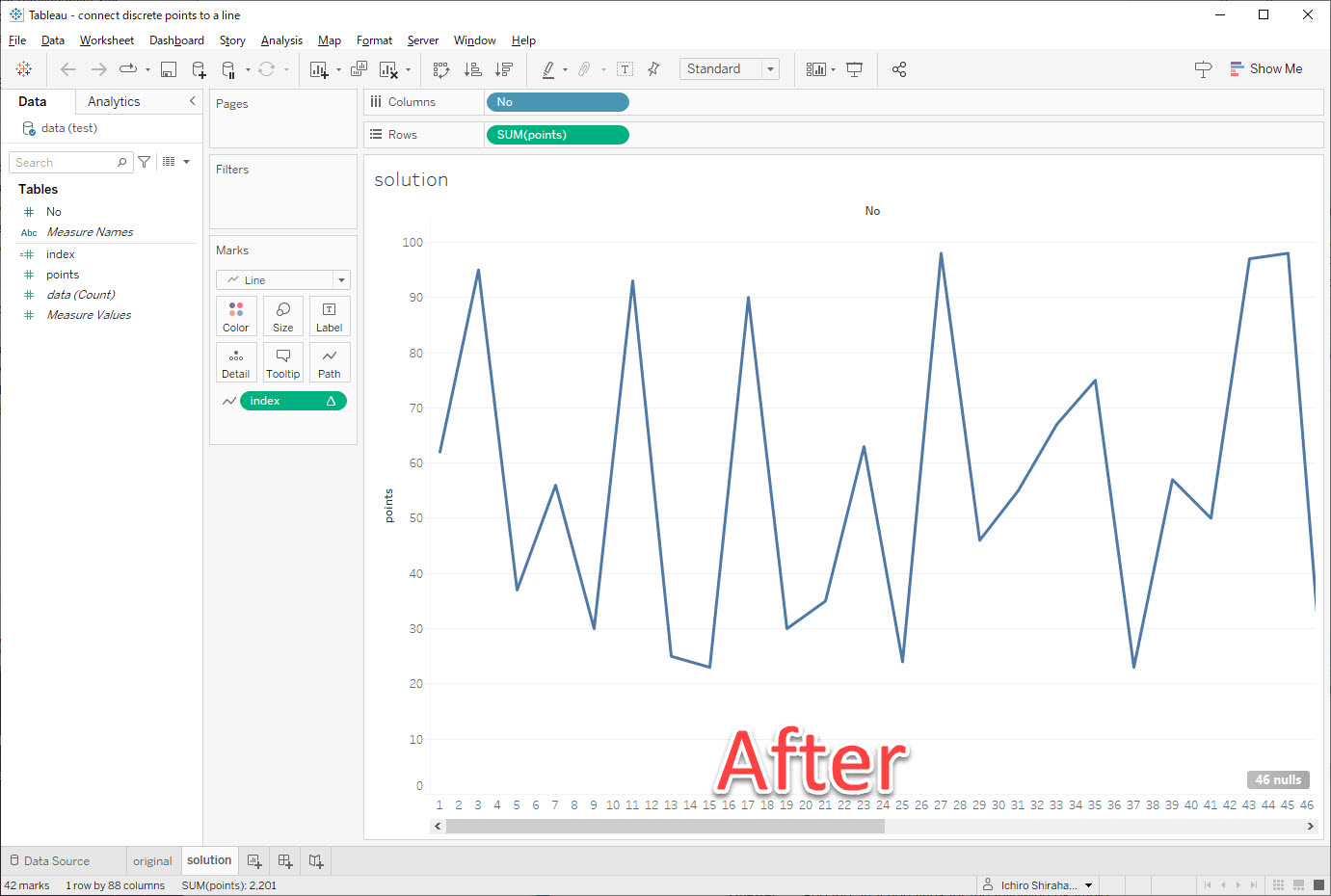
Étapes
1. Create a calculated field called index with the following calculation:
if isnull(SUM([points]))=false
then index()
END
2. Add index to Path on the Marks card.
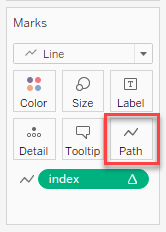
3. Confirm that index computes using Table(across).
Ressources supplémentaires
Index
Numéro d’article de la base de connaissances
001464326
Cet article a-t-il résolu votre problème ?
Dites-nous ce que nous pouvons améliorer !
