Vælg en organisation
Show Conditional Annotations with Filters
Udgivelsesdato: May 3, 2026
Opgave
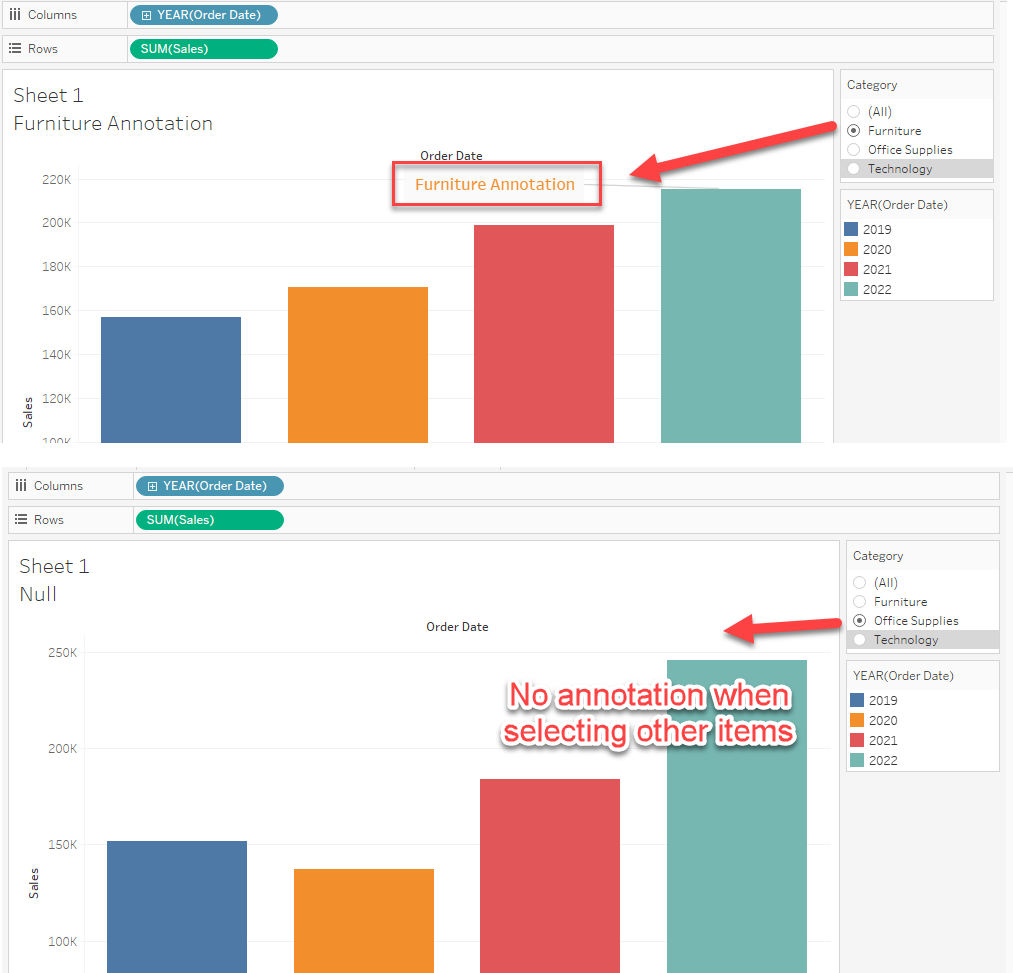
For example, if you select "Furniture" in the Category filter, the annotation should display. If you select other items in the filter, the annotation should be hidden.
Trin
1. Create a calculation with an IF statement to set the conditional annotation string.
IF [Category]="Furniture" THEN "Furniture Annotation"
END
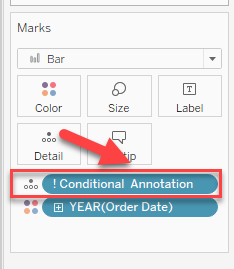
2. Add the calculation created in Step 1 to Detail as demonstrated in the below image.
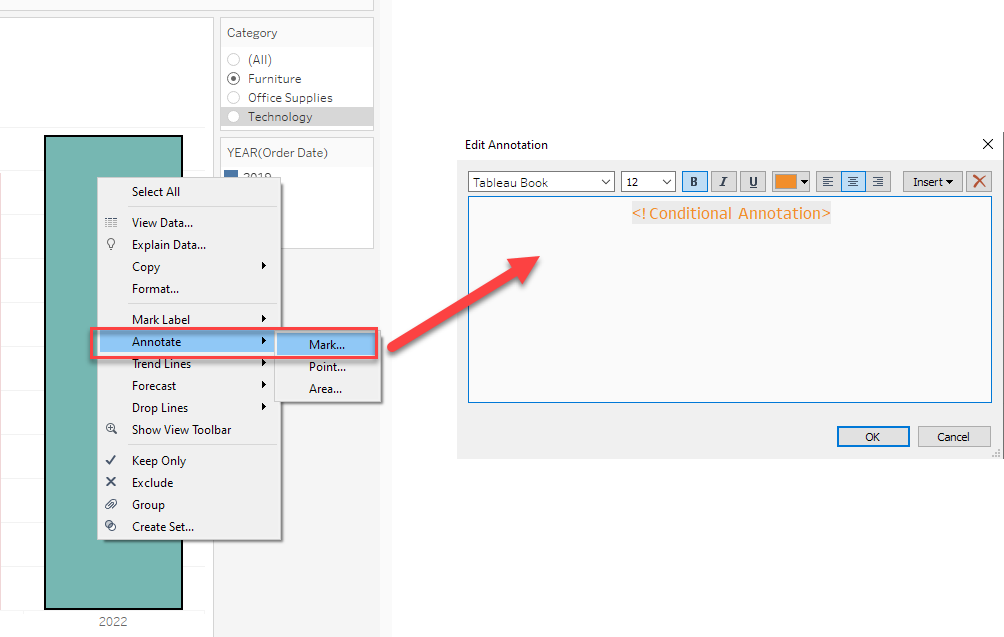
3. Add a Mark type annotation and modify the contents in Annotations as shown below.
Yderligere ressourcer
Vidensartikelnummer
001464377
Løste denne artikel dit problem?
Giv os besked, så vi kan forbedre os!
