Seleziona un'organizzazione
Show Conditional Annotations with Filters
Data pubblicazione: May 3, 2026
Operazione
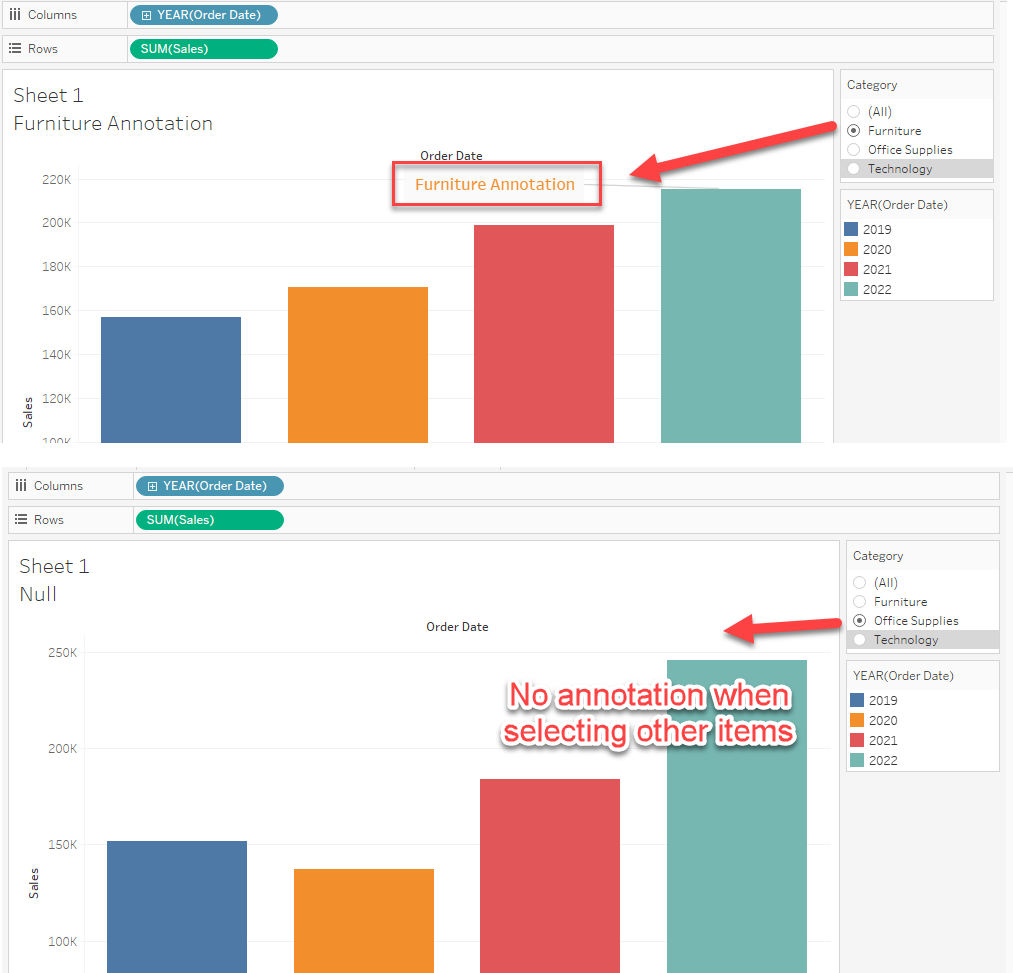
For example, if you select "Furniture" in the Category filter, the annotation should display. If you select other items in the filter, the annotation should be hidden.
Fasi
1. Create a calculation with an IF statement to set the conditional annotation string.
IF [Category]="Furniture" THEN "Furniture Annotation"
END
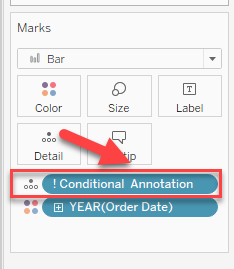
2. Add the calculation created in Step 1 to Detail as demonstrated in the below image.
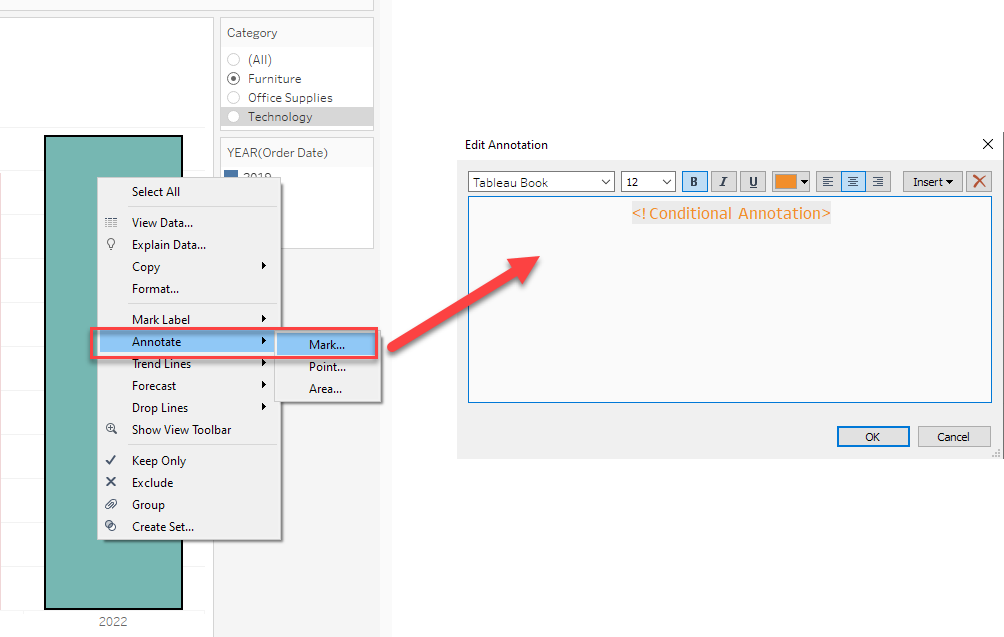
3. Add a Mark type annotation and modify the contents in Annotations as shown below.
Risorse aggiuntive
Numero articolo Knowledge
001464377
Questo articolo ha risolto il problema?
Facci sapere, così possiamo migliorare!
