Выбрать организацию
Show Conditional Annotations with Filters
Дата публикации: May 3, 2026
Задача
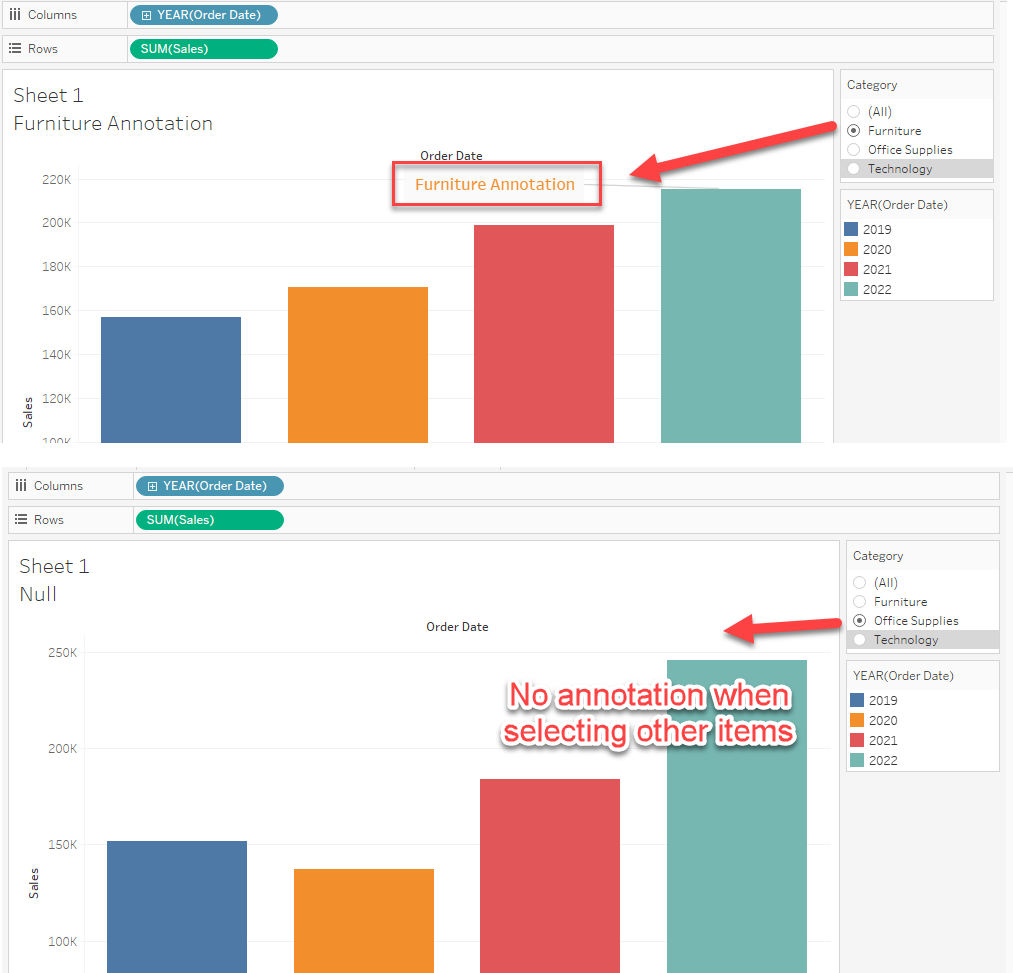
For example, if you select "Furniture" in the Category filter, the annotation should display. If you select other items in the filter, the annotation should be hidden.
Действия
1. Create a calculation with an IF statement to set the conditional annotation string.
IF [Category]="Furniture" THEN "Furniture Annotation"
END
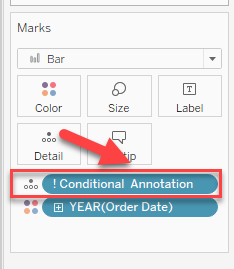
2. Add the calculation created in Step 1 to Detail as demonstrated in the below image.
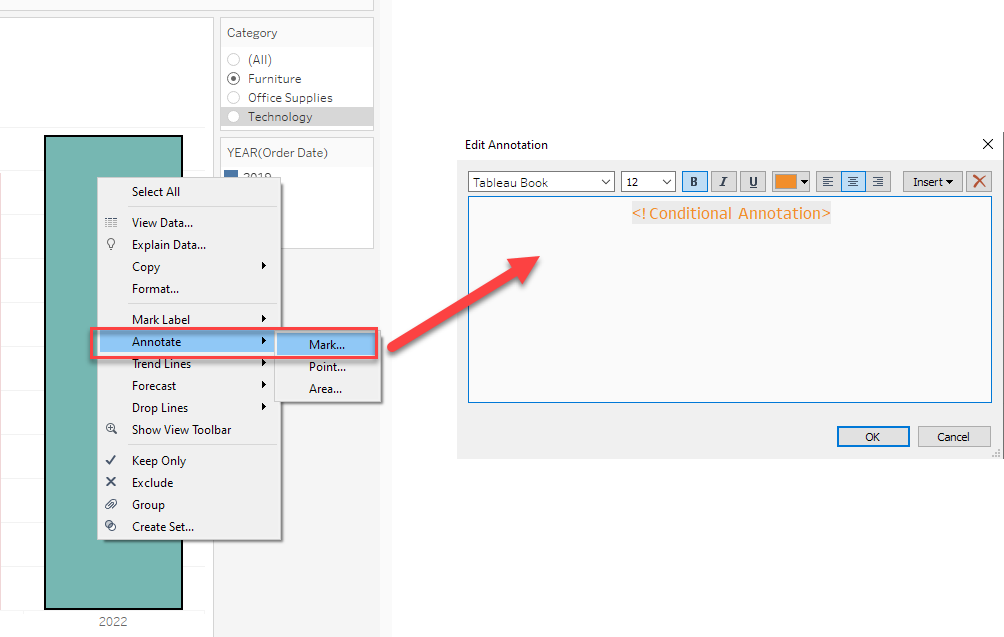
3. Add a Mark type annotation and modify the contents in Annotations as shown below.
Дополнительные ресурсы
Номер статьи базы знаний
001464377
Эта статья решила вашу проблему?
Оставьте свой отзыв, чтобы мы могли стать лучше!
