Выбрать организацию
Display the vertical axis of a graph on the right side in Tableau
Дата публикации: Apr 13, 2024
Задача
How to display the vertical axis of a graph on the right side of the view.
Current behavior
Desired behavior
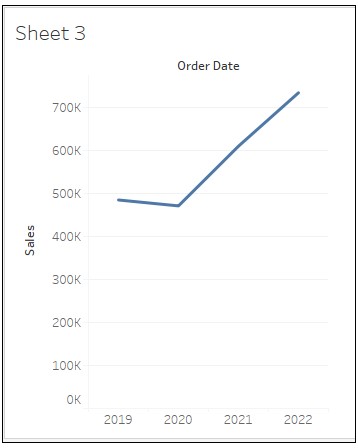
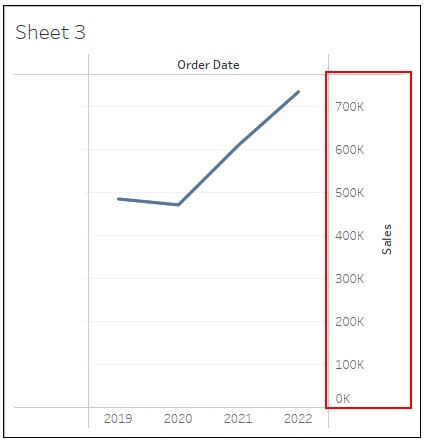
Действия
2. Drag Order Date to Columns and Sales to Rows.
3. In the Data pane, duplicate Sales and drag Sales (copy) to the left of Sales on Rows.
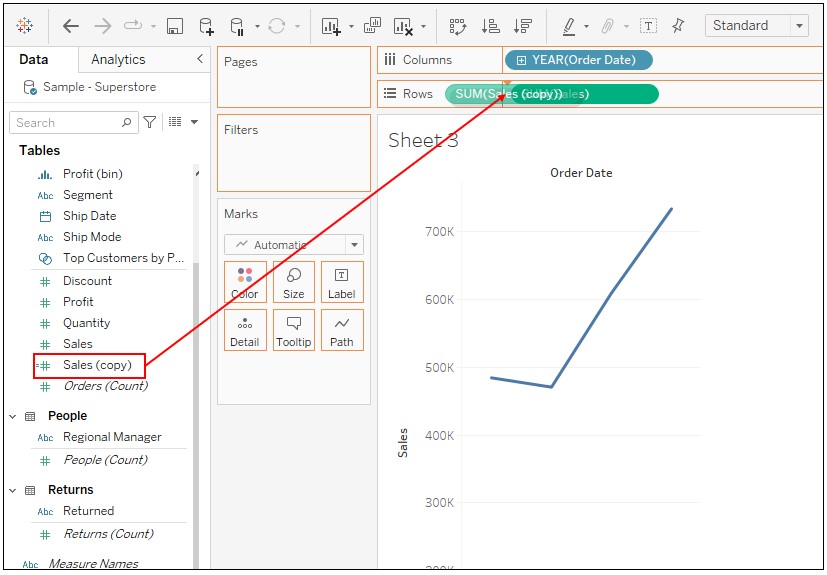
4. Right-click on Sales on Rows and select Dual Axis.
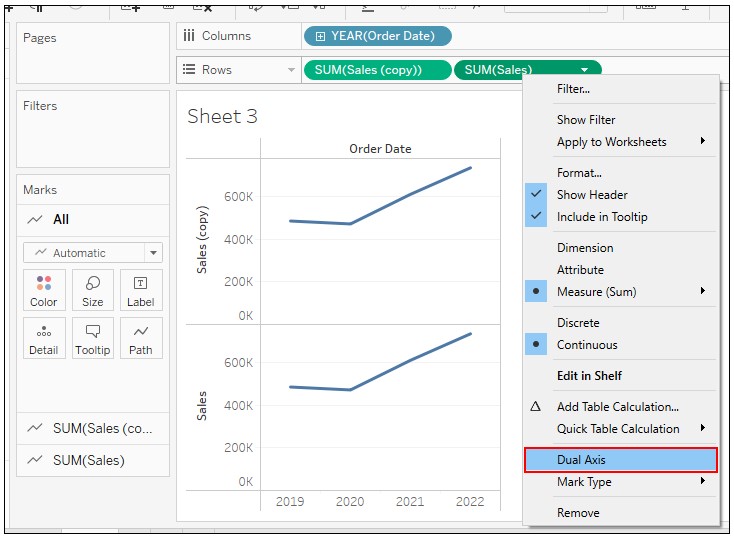
5. Right-click on the axis of Sales (copy) and select Format.
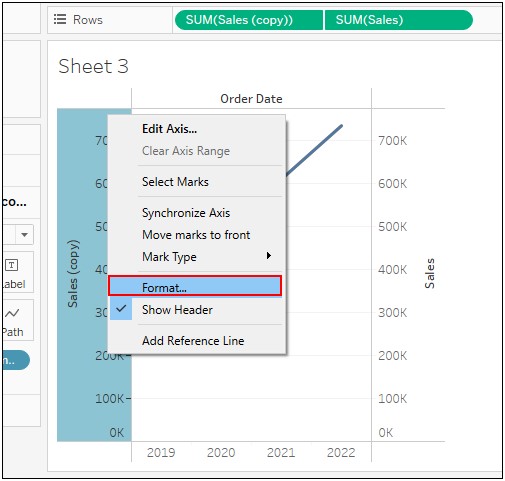
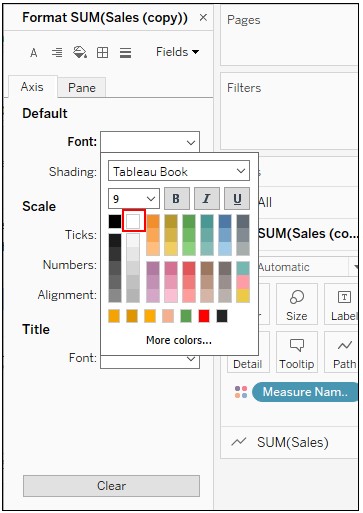
6. Change the setting of Default Font to the color white.
Номер статьи базы знаний
001465046
Эта статья решила вашу проблему?
Оставьте свой отзыв, чтобы мы могли стать лучше!
