Välj en organisation
How to Display the Sales Target Value on Stacked Bar Chart with Reference Line
Publiceringsdatum: May 6, 2025
Uppgift
How to display the sales target value on stacked bar chart with reference line.
Steg
Below is an example using Sample - Superstore data.
1. Create a stacked bar chart.
2. Create a calculated field and enter sales target value.
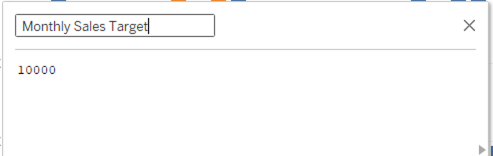
3. Drop Monthly Sales Target field to Detail.
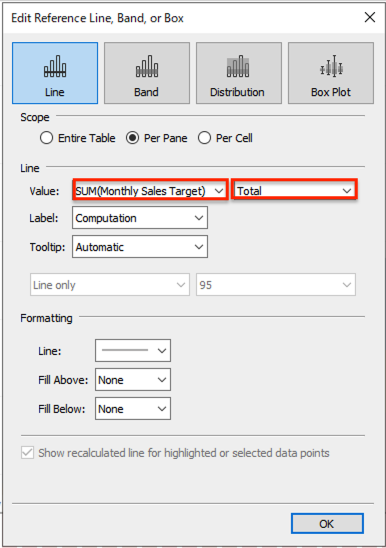
4. Open Analytics pane and drag and drop Reference Line to the view.
5. Set Reference Line as follows.
Ytterligare resurser
Knowledge-artikelnummer
001465268
Löste denna artikel ditt problem?
Berätta för oss vad vi kan förbättra!
