Valitse organisaatio
How to convert "hh:mm" data to decimal values.
Julkaisupäivä: Apr 29, 2025
Tehtävä
How to convert "hh:mm" data to decimal values.
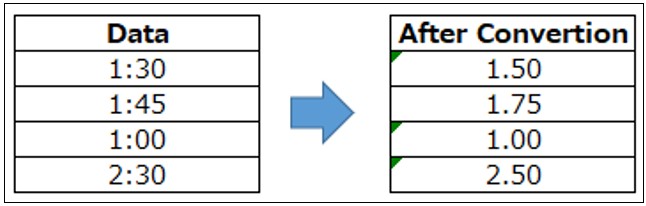
Vaiheet
2. Create a new calculated field as following.
Name : Convert to decimal value
Calculation : (DATEPART('hour',[Time])*60+DATEPART('minute',[Time])) / 60
3. Right click and drag [time] to Rows -> Select [time (discrete)].
4. Right click and drag [Convert to decimal value] to Text on Marks -> Select [SUM (Convert to decimal value)].
Knowledge-artikkelin numero
001465317
Ratkaisiko tämä artikkeli ongelmasi?
Anna palautetta, jotta voimme kehittyä!
