Seleccionar una organización
How to Rotate Axis Label for Continuous Date
Fecha de publicación: Mar 31, 2026
Tarea
How to rotate the axis labels for a continuous date.
Pasos

2. Change the Alignment to UP under the Axis pane on the Format menu.
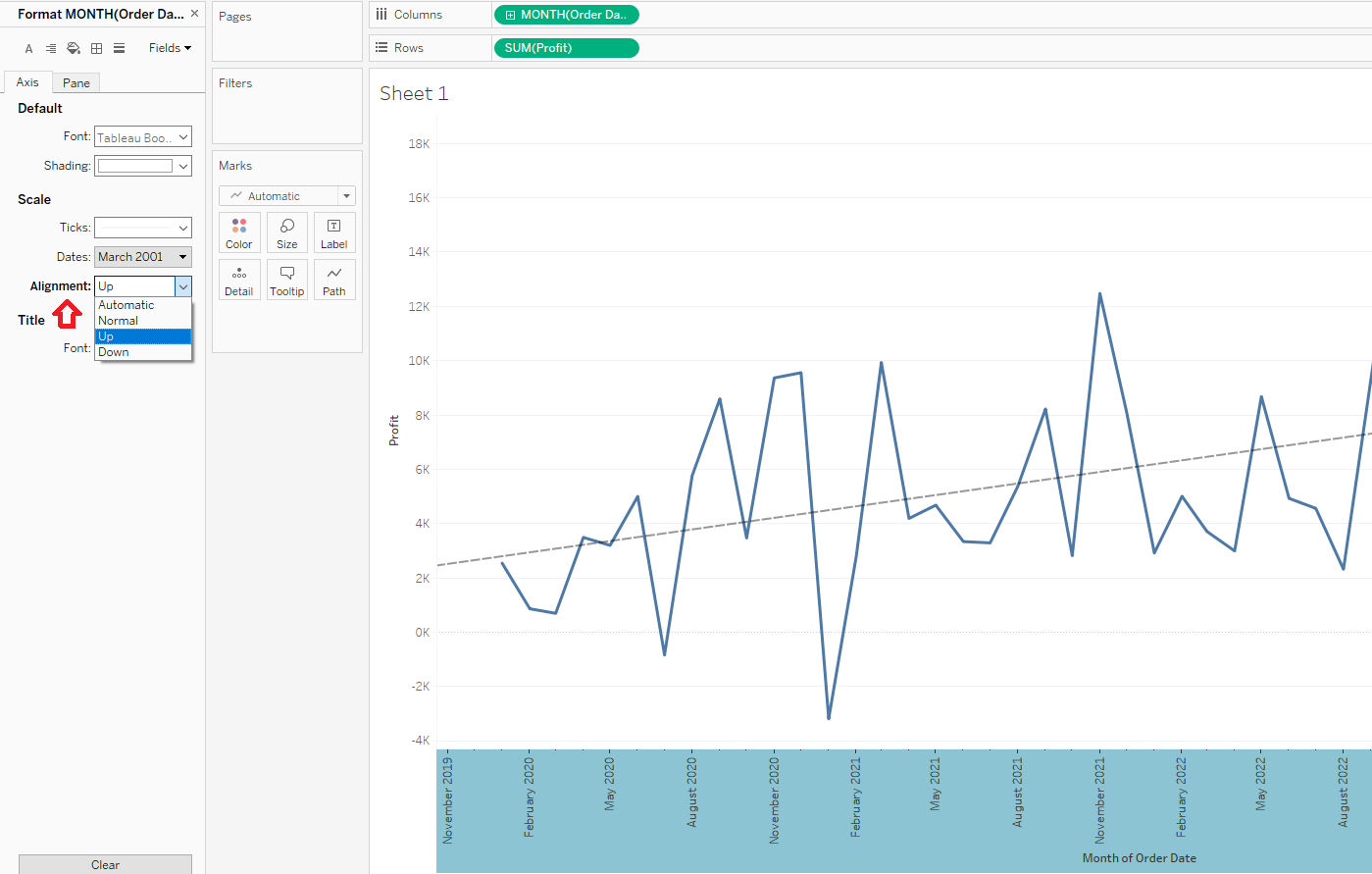
Please find the "RotateAxisSample.twbx" in the attachments section of this article to review the solution and sample data.
Recursos adicionales
Número del artículo de conocimiento
001467744
¿Resolvió este artículo su problema?
¡Háganos saber cómo podemos mejorar!
