Sélectionner une organisation
How to Rotate Axis Label for Continuous Date
Date de publication: Mar 31, 2026
Tâche
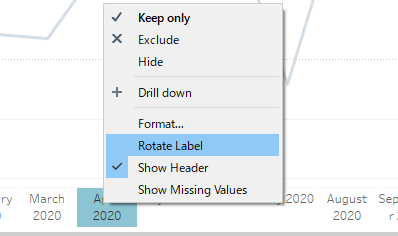
How to rotate the axis labels for a continuous date.
Étapes

2. Change the Alignment to UP under the Axis pane on the Format menu.
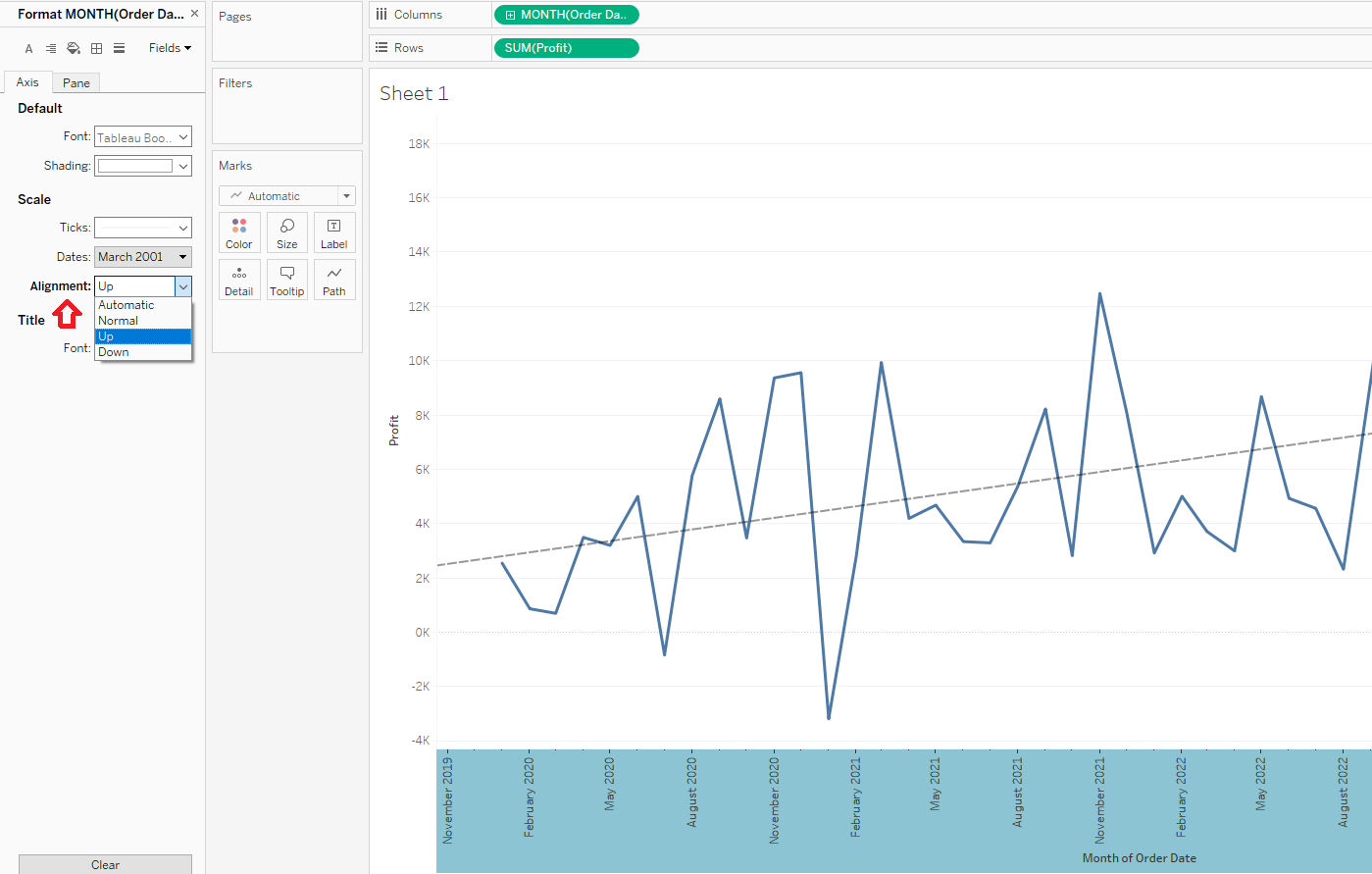
Please find the "RotateAxisSample.twbx" in the attachments section of this article to review the solution and sample data.
Ressources supplémentaires
Numéro d’article de la base de connaissances
001467744
Cet article a-t-il résolu votre problème ?
Dites-nous ce que nous pouvons améliorer !
