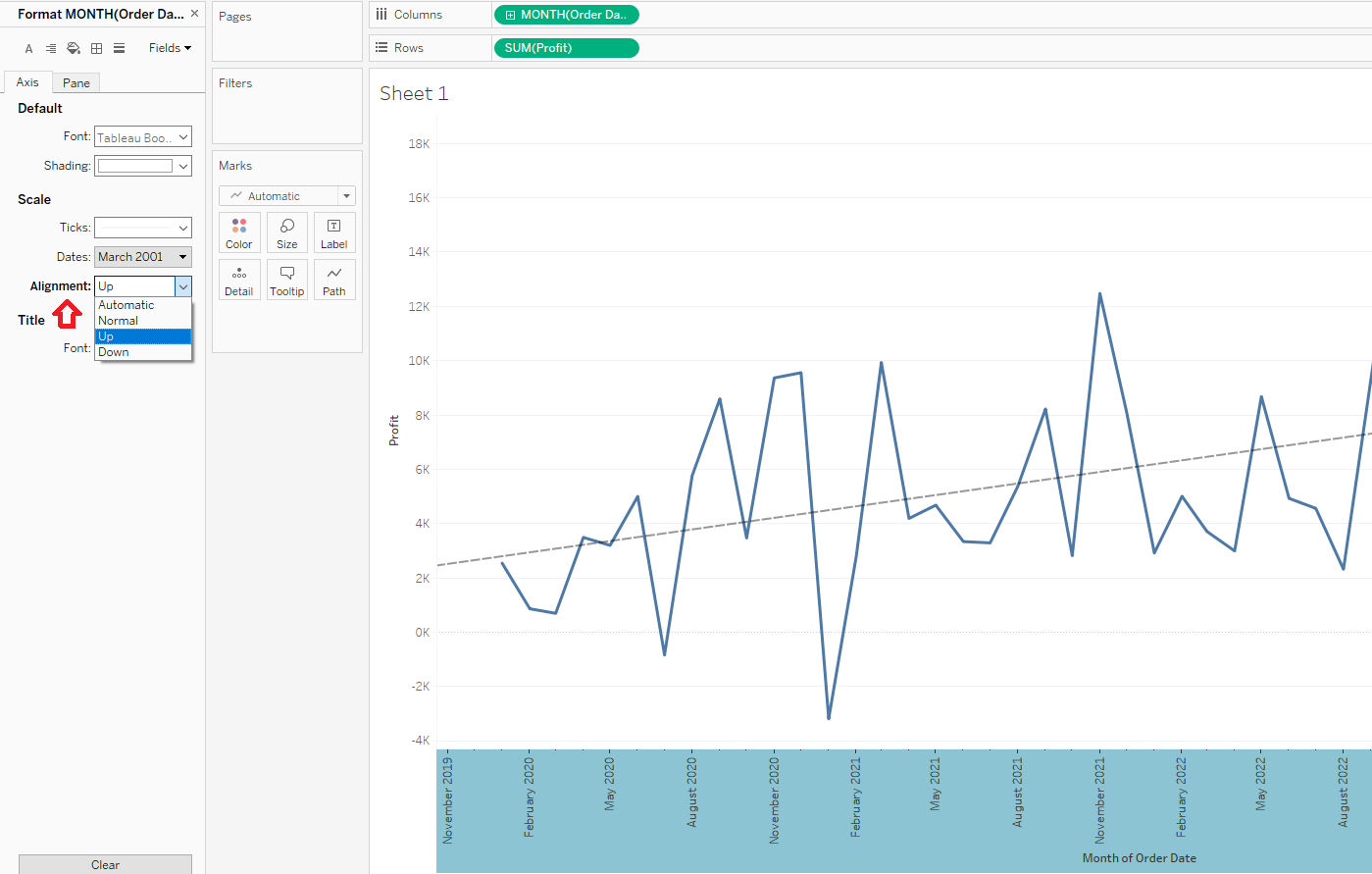
How to rotate the axis labels for a continuous date.
단계
1. Right-click on the Date axis and select Format.
2. Change the Alignment to UP under the Axis pane on the Format menu.
Please find the "RotateAxisSample.twbx" in the attachments section of this article to review the solution and sample data.
추가 자원
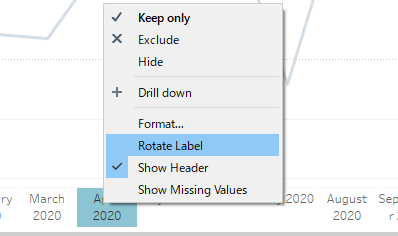
The "Rotate Label" option is available for the axis label of a discrete date without manually changing the format.
Knowledge 기사 번호
001467744
첨부 파일
RotateAxisSample.twbx
1155 KB
이 기사를 통해 문제를 해결했습니까?
개선을 위한 의견을 보내주세요.
로드 중
Salesforce Help | Article
Cookie Consent Manager
General Information
Required Cookies
Functional Cookies
Advertising Cookies
General Information
We use three kinds of cookies on our websites: required, functional, and advertising. You can choose whether functional and advertising cookies apply. Click on the different cookie categories to find out more about each category and to change the default settings.
Privacy Statement
Required Cookies
Always Active
Required cookies are necessary for basic website functionality. Some examples include: session cookies needed to transmit the website, authentication cookies, and security cookies.
Functional Cookies
Functional cookies enhance functions, performance, and services on the website. Some examples include: cookies used to analyze site traffic, cookies used for market research, and cookies used to display advertising that is not directed to a particular individual.
Advertising Cookies
Advertising cookies track activity across websites in order to understand a viewer’s interests, and direct them specific marketing. Some examples include: cookies used for remarketing, or interest-based advertising.