Seleziona un'organizzazione
How to Compute Year over Year Comparison with a Parameter to Change the Year
Data pubblicazione: Apr 13, 2024
Operazione
How to compute a YoY comparison with a parameter to switch the year.
Fasi
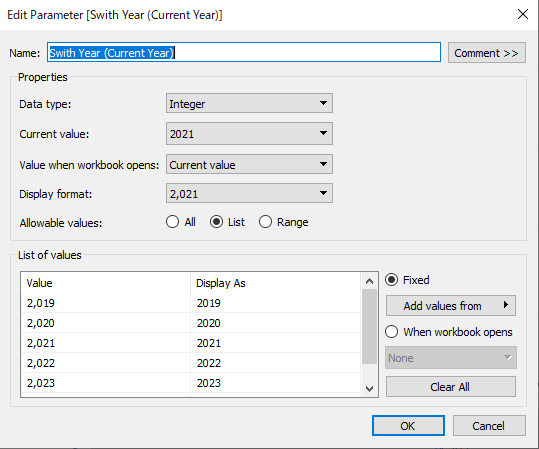
1. Create a parameter to change the year:
Name: Switch Year (Current Year)
Data type: Integer
Allowable values: List
2. Create a calculation called Sales - Current Year to get the sales of current year using the following example:
IF YEAR([Order Date])=[Swith Year (Current Year)] THEN [Sales] END
3. Create a calculation called Sales - Previous Year to get the sales of previous year:
IF YEAR([Order Date])=[Swith Year (Current Year)]-1 THEN [Sales] END
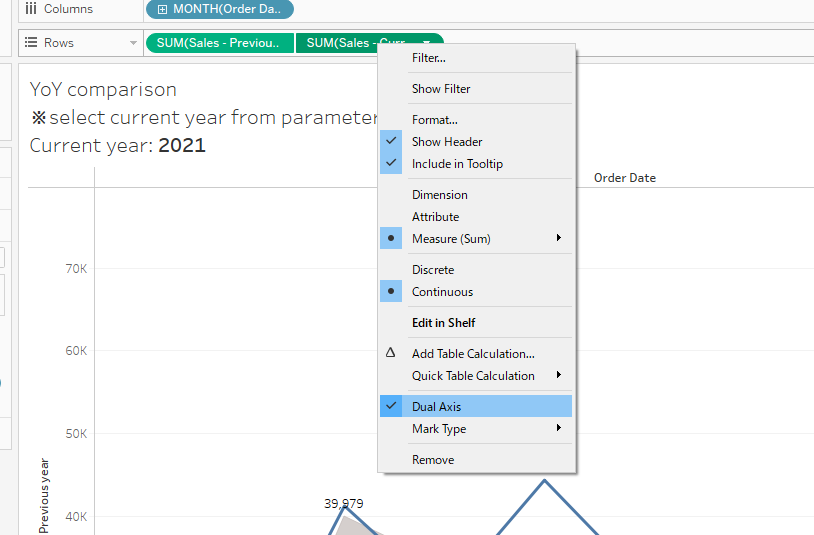
4. Add Sales - Current Year and Sales - Previous Year to Rows, then right-click on the second measure and select the Dual Axis option:
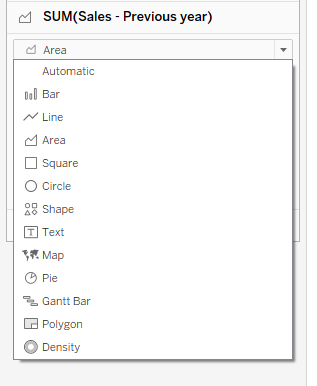
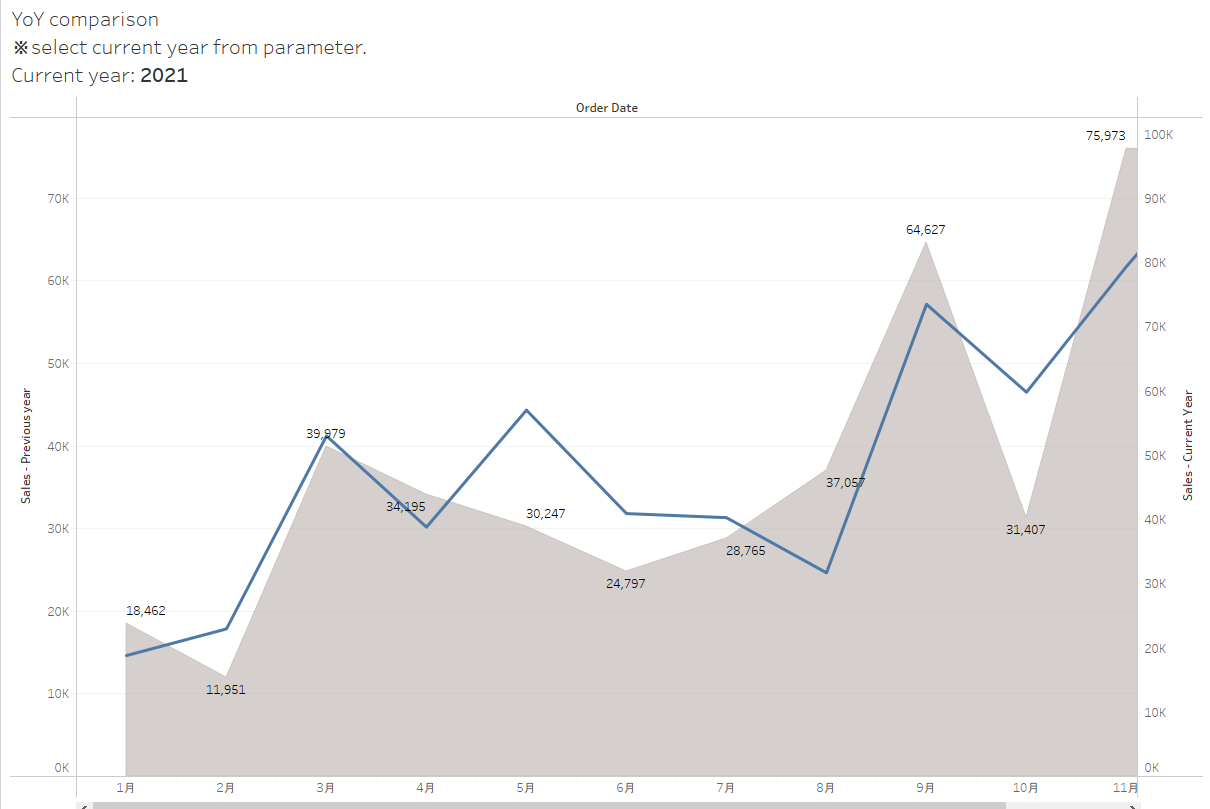
5. Change the Marks type to line or area chart on the Marks card to improve the visualization.
Numero articolo Knowledge
001467750
Questo articolo ha risolto il problema?
Facci sapere, così possiamo migliorare!
