Seleziona un'organizzazione
How to display all countries/regions (world map) in single phrase
Data pubblicazione: Feb 27, 2025
Operazione
How to display all countries/regions in a single phrase, such as "all countries/regions" by assigning it to country/region geographic role?
Fasi
1. Prepare a list of all country names
This list will hold a field for country names and a field for aliases for that country. See all countries_regions.csv in the sample workbook.In this case, we have a field describing aliases for the entire world. This can be applied to create aliases for Asia, Europe, etc.
2. Configure the relationship
Open Tableau Desktop, load the original data source you want to display, and relate the list of country names to that data (test.csv in the sample workbook).The key field for this is the country name in the original data source and the alias field in the list of countries.
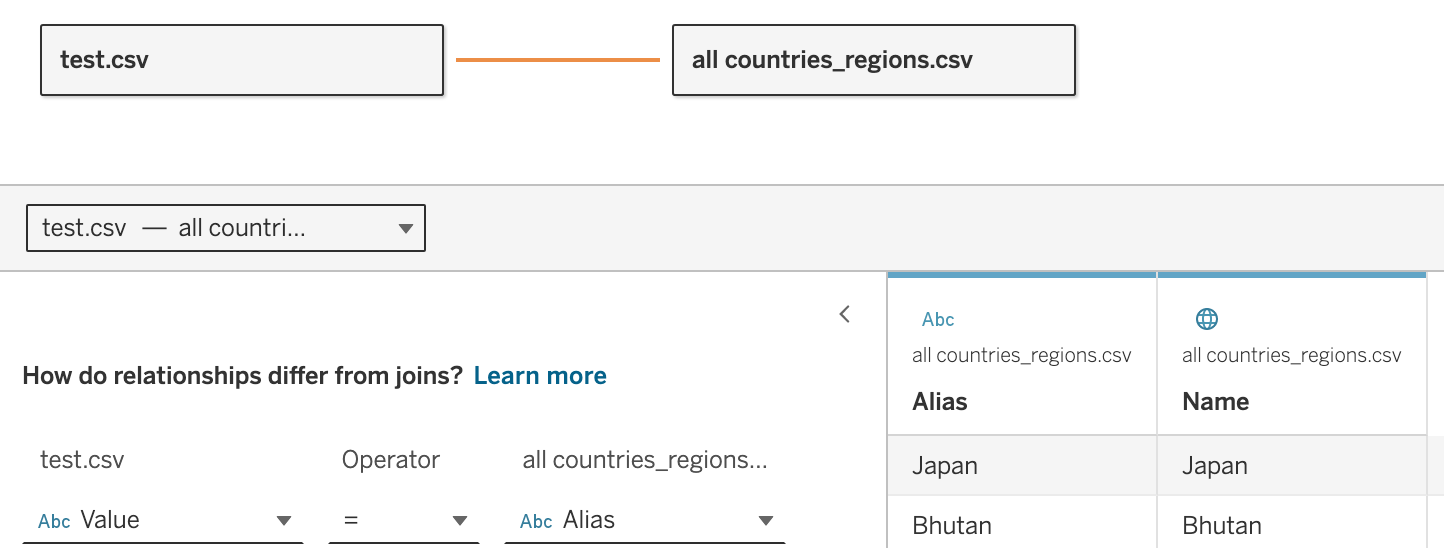
3. Set the geographic role
Set 'Country/Region' for the Country Name field in the Country Name list.Next, set the Country field in the List of Country Names from "Create from" for the Country field in the original data source.
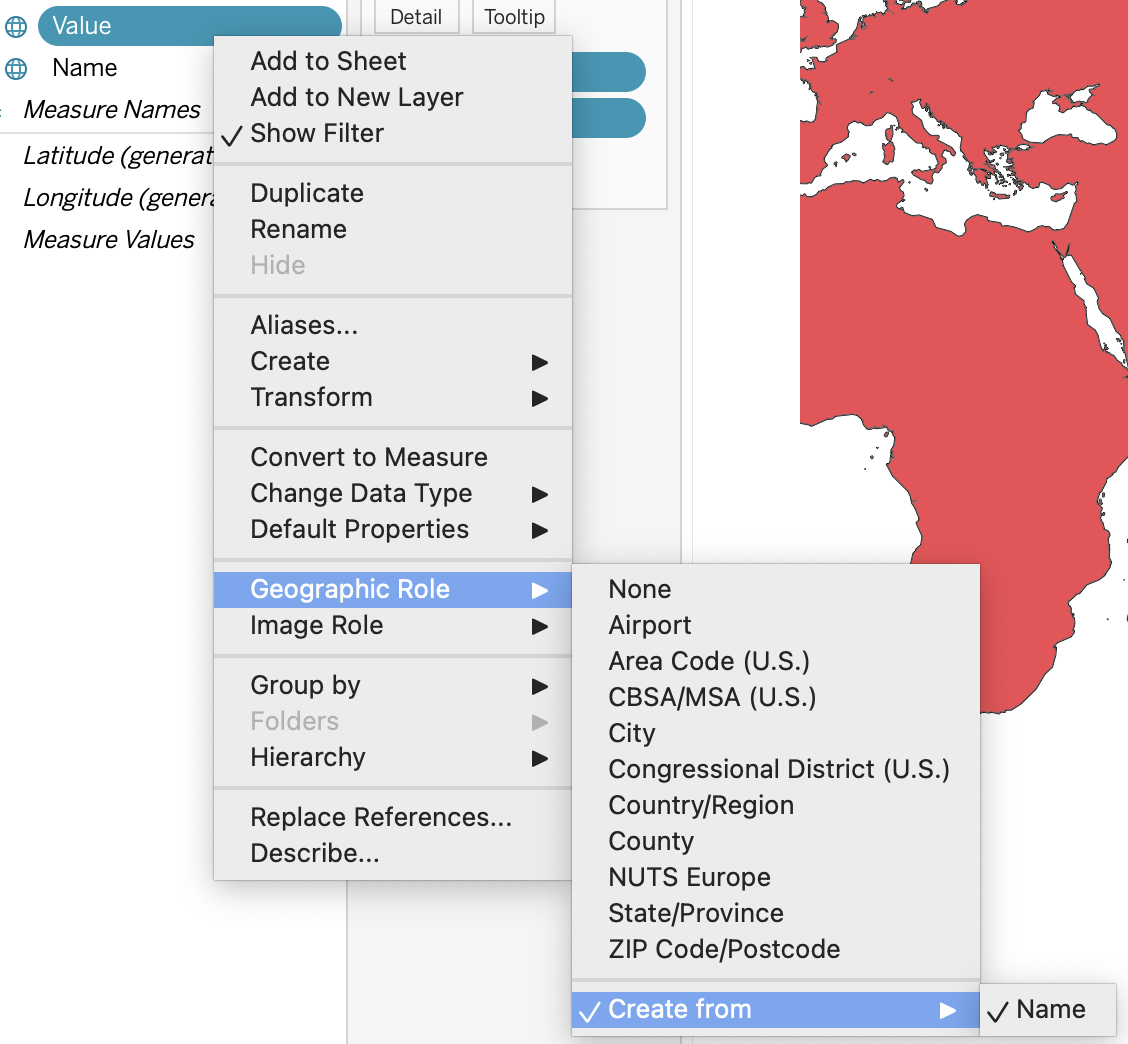
4. The map is displayed using the country name field in the original data source
Even if the original data source is "all countries/regions", the map display will be collated from the list of country names, so that all countries/regions of the world can be displayed at once.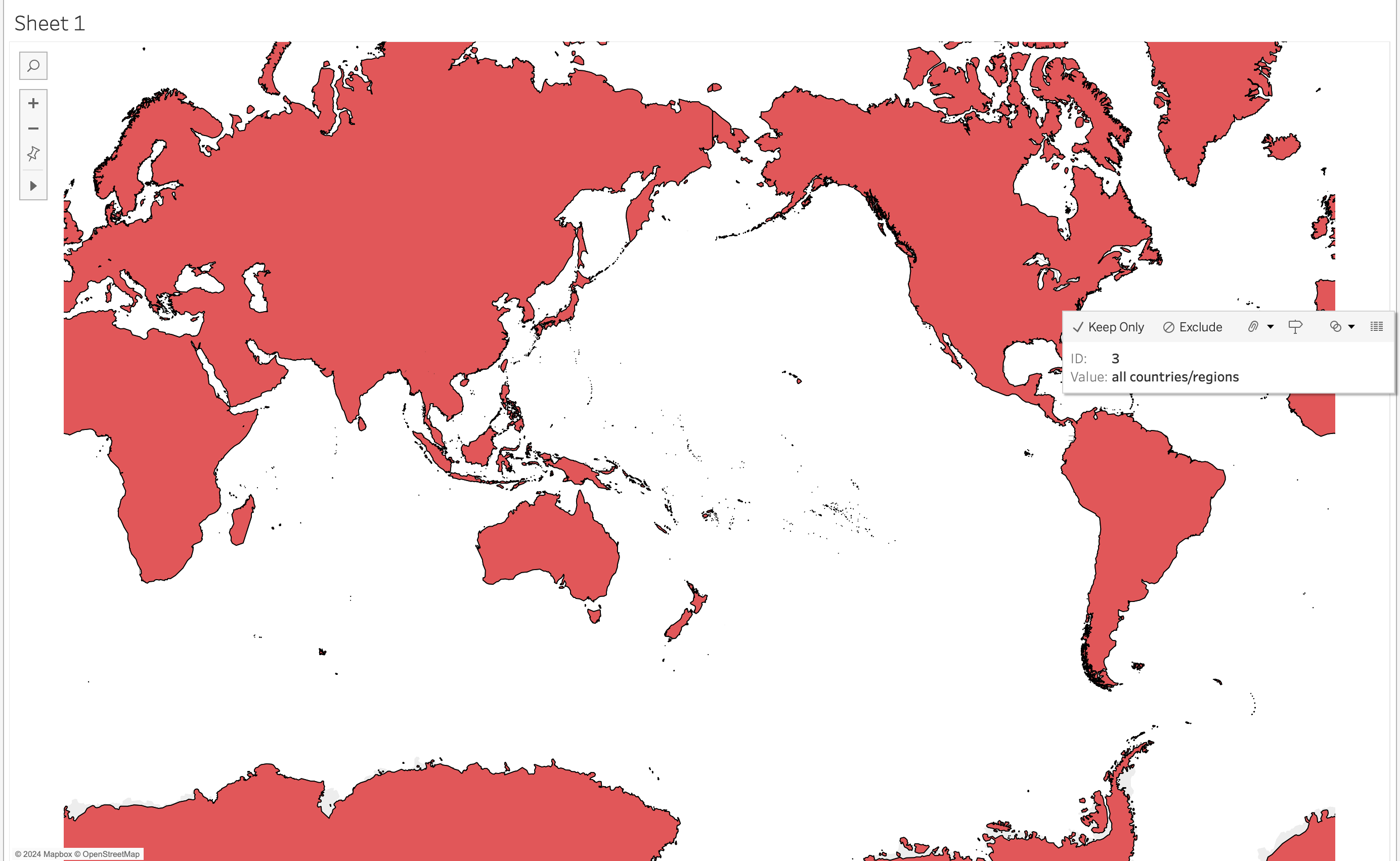
Risorse aggiuntive
Numero articolo Knowledge
001467888
Questo articolo ha risolto il problema?
Facci sapere, così possiamo migliorare!
