Organisation auswählen
Update of Columns in Pivot Table When Updated in Data Source with Tableau Prep Builder
Veröffentlichungsdatum: Apr 30, 2025
Aufgabe
How to dynamically add and/or remove pivoted columns based on the data source (Excel etc.,).
Schritte
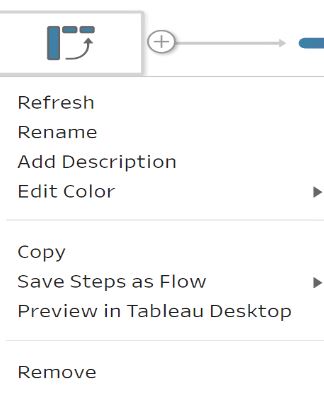
- Right-click the Pivot Table and select Refresh after the data source is updated.
Zusätzliche Ressourcen
Please vote on the Idea to Dynamically add and/or remove pivoted values.
Nummer des Knowledge-Artikels
001467894
Konnten Sie Ihr Problem mithilfe dieses Artikels lösen?
Geben Sie uns Feedback, damit wir uns verbessern können.
