Select An Org
Update of Columns in Pivot Table When Updated in Data Source with Tableau Prep Builder
Publish Date: Apr 30, 2025
Task
How to dynamically add and/or remove pivoted columns based on the data source (Excel etc.,).
Steps
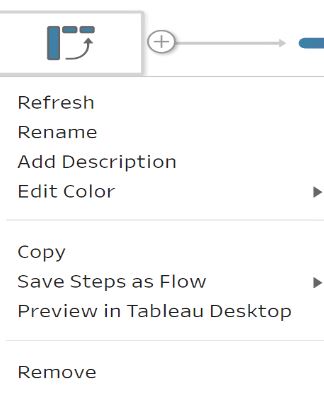
- Right-click the Pivot Table and select Refresh after the data source is updated.
Additional Resources
Please vote on the Idea to Dynamically add and/or remove pivoted values.
Knowledge Article Number
001467894
Did this article solve your issue?
Let us know so we can improve!
