Organisation auswählen
How to make an Excel list of Tableau Desktop Aliases
Veröffentlichungsdatum: Apr 13, 2024
Aufgabe
How can I make an Excel list of Tableau Desktop Aliases for references?
Schritte
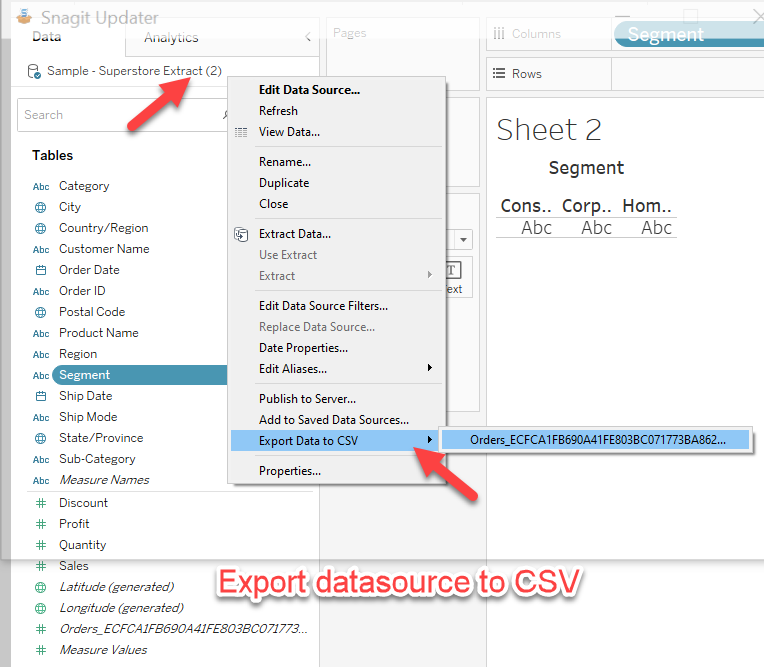
2. Export the data to CSV on these 2 data sources.
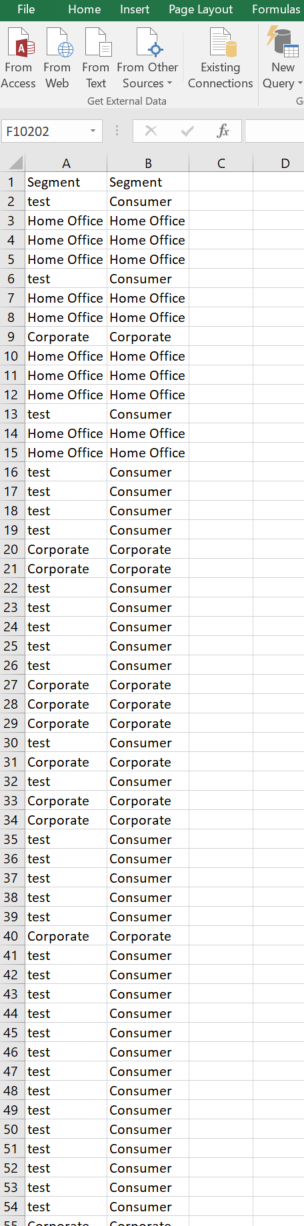
3. Open these 2 CSV in Excel, and copy the columns with the aliases into one Excel file.
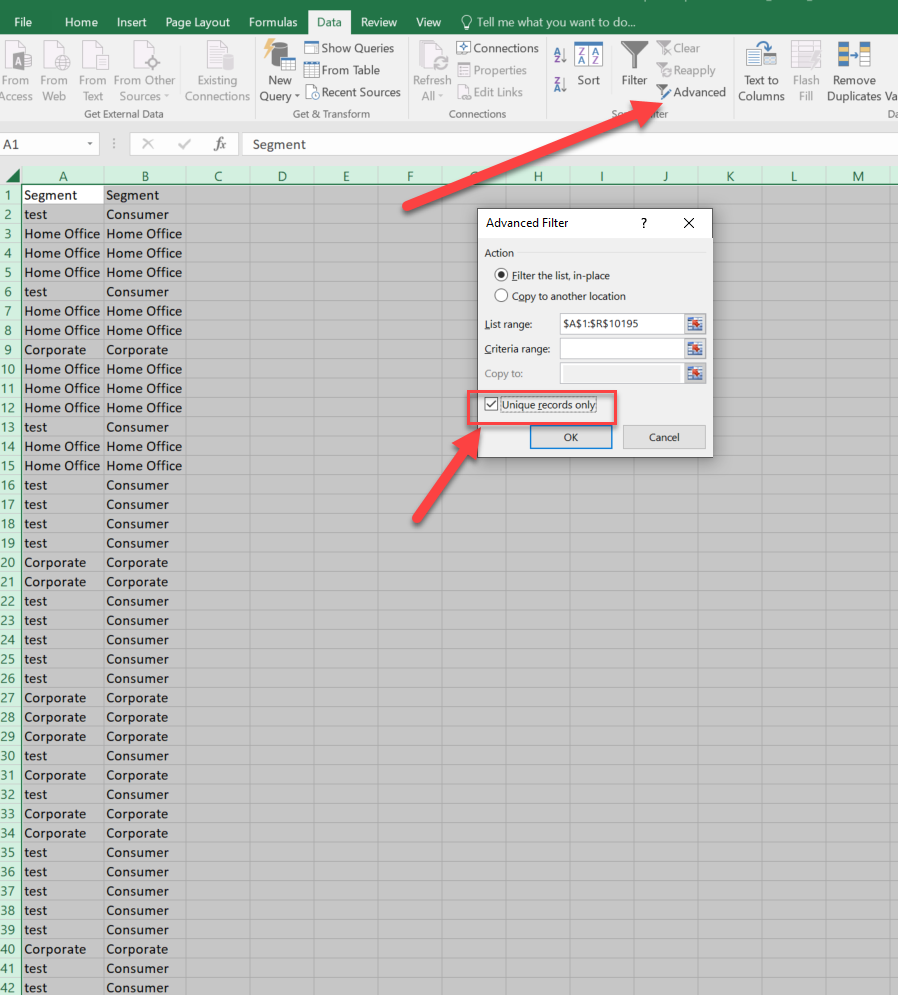
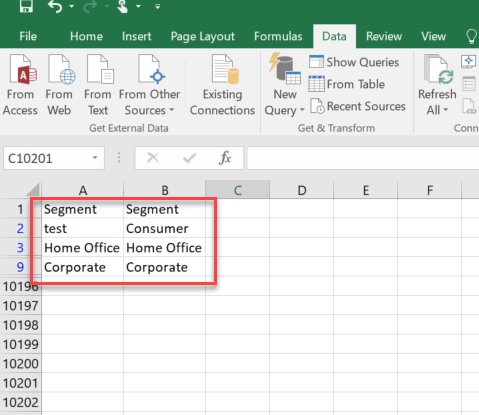
4. Select these 2 columns and click advanced - Unique records only.
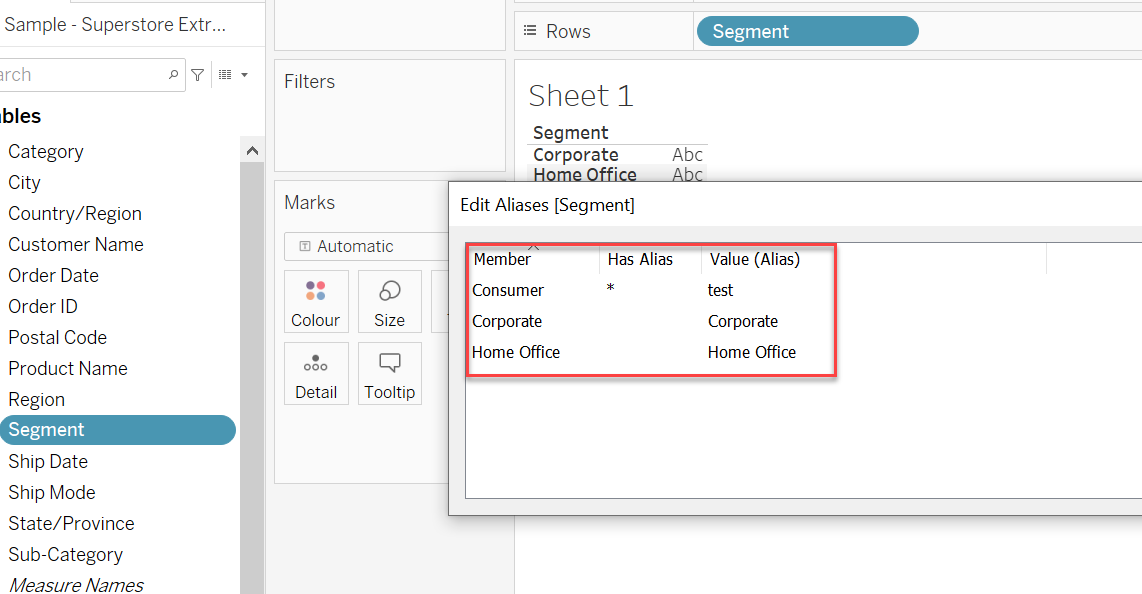
5. You will get a list of Aliases changes chart.
Zusätzliche Ressourcen
Transfer Aliases and Color Settings with Replace Data Source
Nummer des Knowledge-Artikels
001468268
Konnten Sie Ihr Problem mithilfe dieses Artikels lösen?
Geben Sie uns Feedback, damit wir uns verbessern können.
