Select An Org
How to make an Excel list of Tableau Desktop Aliases
Publish Date: Apr 13, 2024
Task
How can I make an Excel list of Tableau Desktop Aliases for references?
Steps
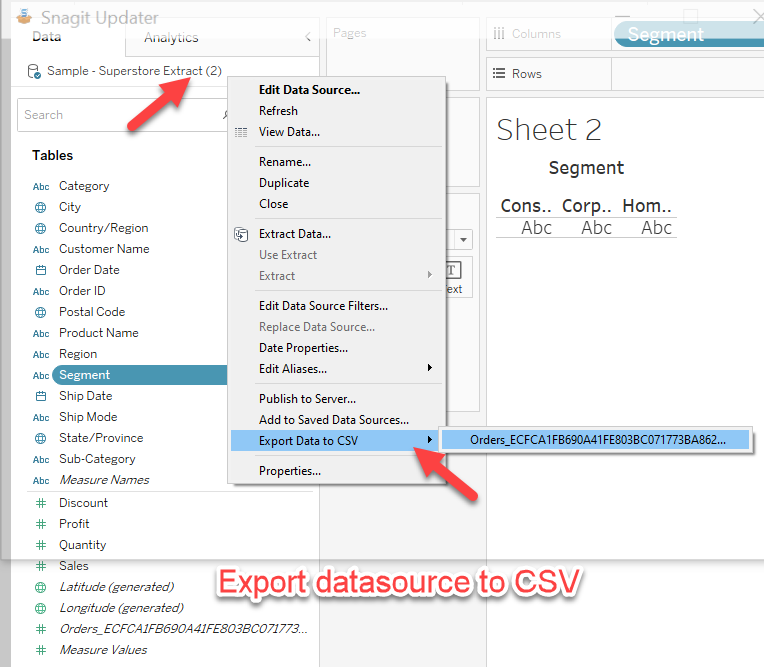
2. Export the data to CSV on these 2 data sources.
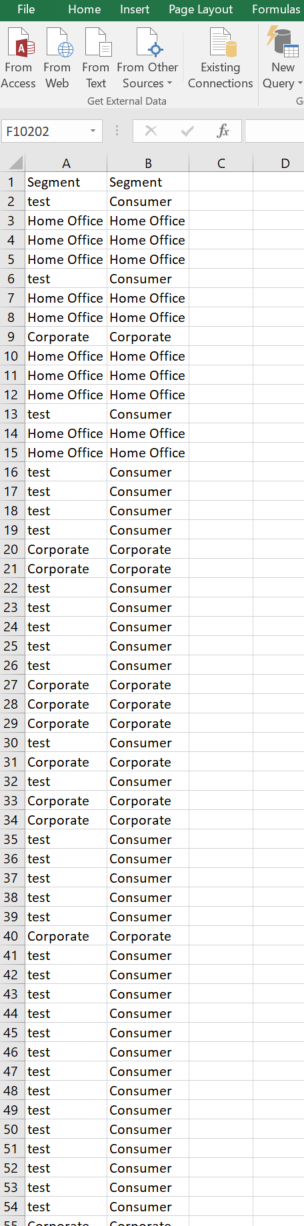
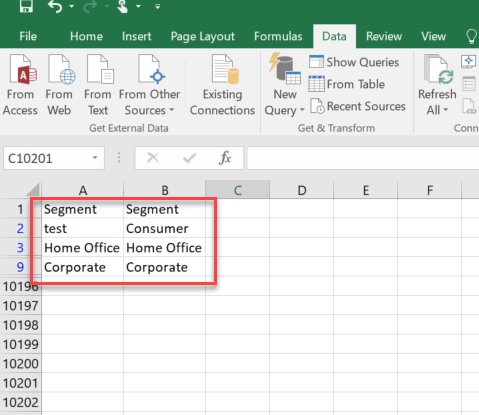
3. Open these 2 CSV in Excel, and copy the columns with the aliases into one Excel file.
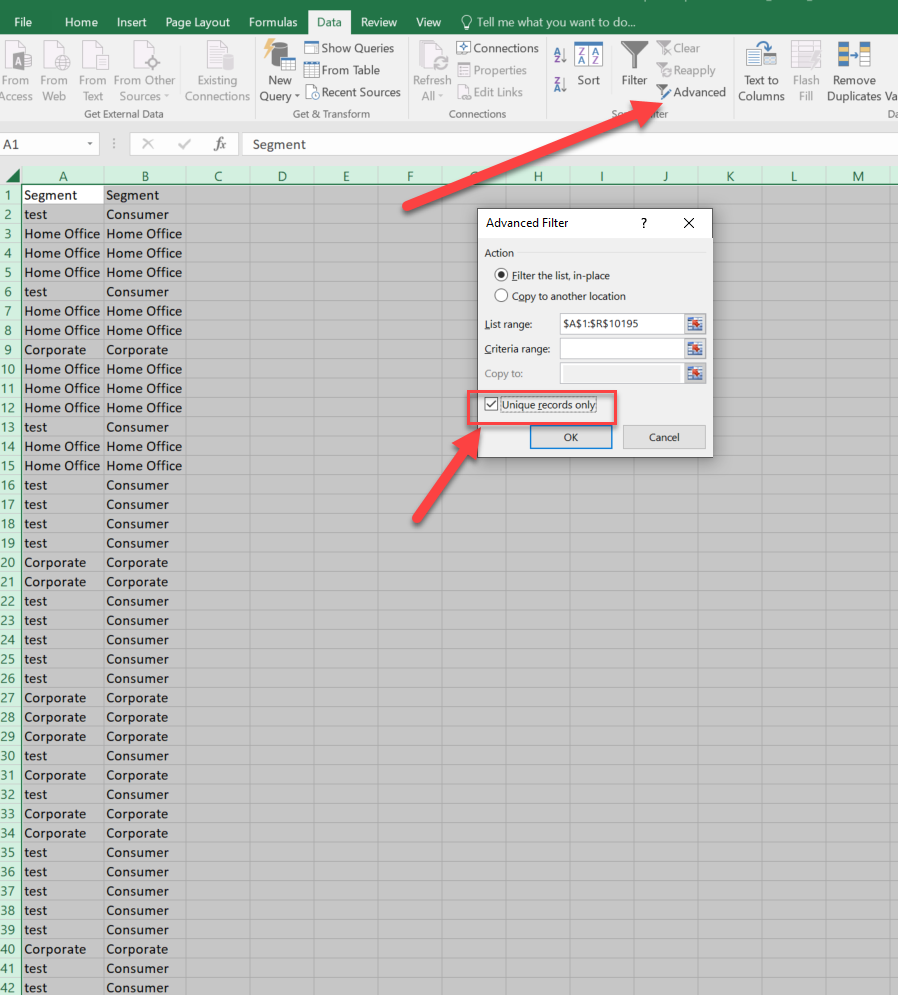
4. Select these 2 columns and click advanced - Unique records only.
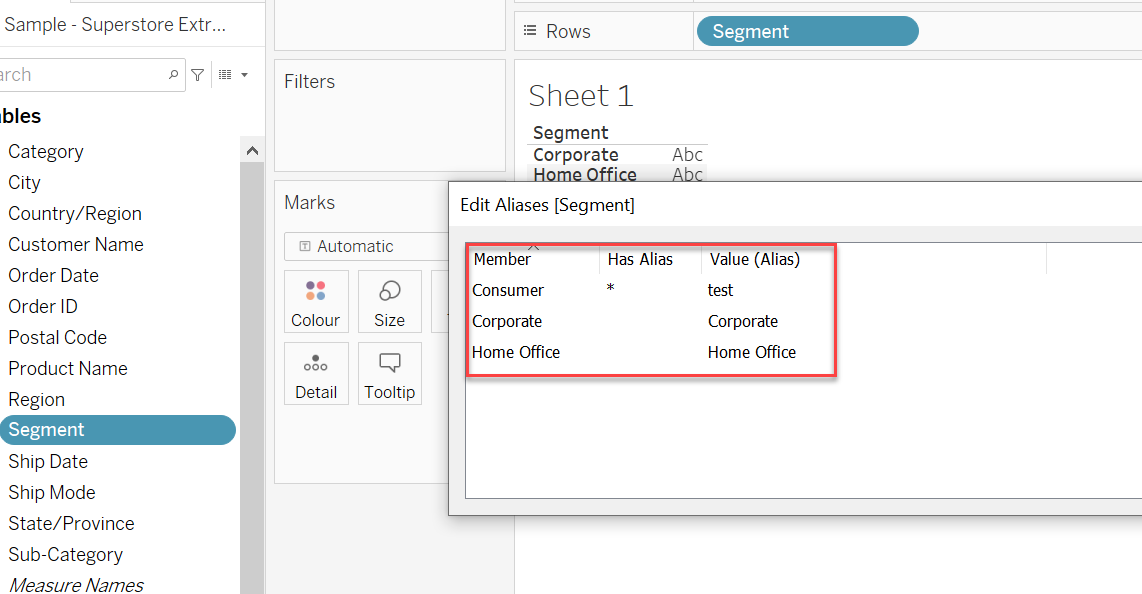
5. You will get a list of Aliases changes chart.
Additional Resources
Transfer Aliases and Color Settings with Replace Data Source
Knowledge Article Number
001468268
Did this article solve your issue?
Let us know so we can improve!
