Seleziona un'organizzazione
How to make an Excel list of Tableau Desktop Aliases
Data pubblicazione: Apr 13, 2024
Operazione
How can I make an Excel list of Tableau Desktop Aliases for references?
Fasi
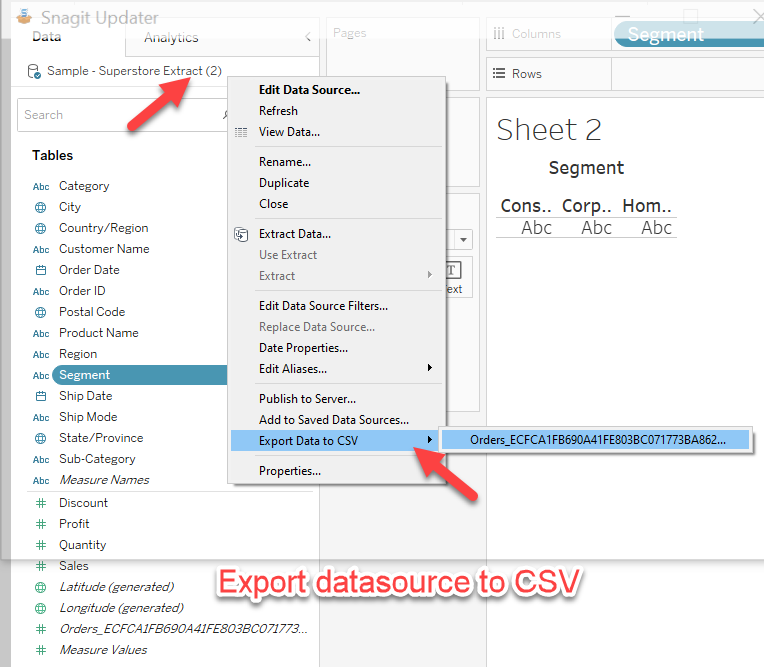
2. Export the data to CSV on these 2 data sources.
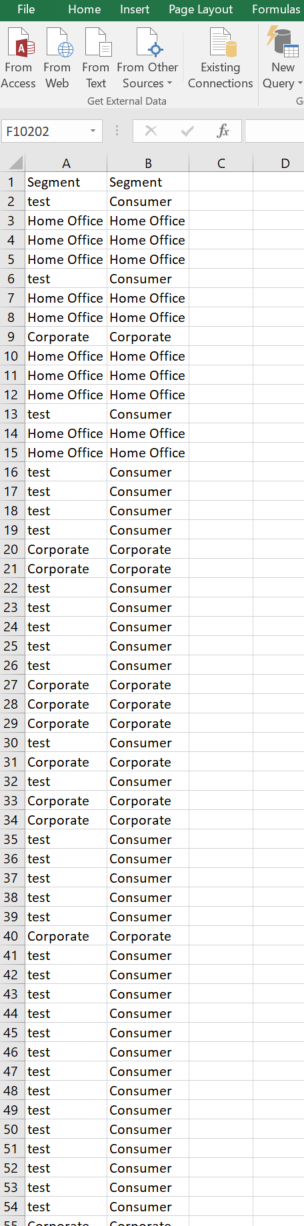
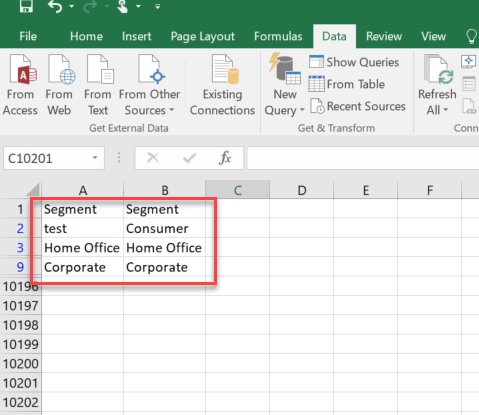
3. Open these 2 CSV in Excel, and copy the columns with the aliases into one Excel file.
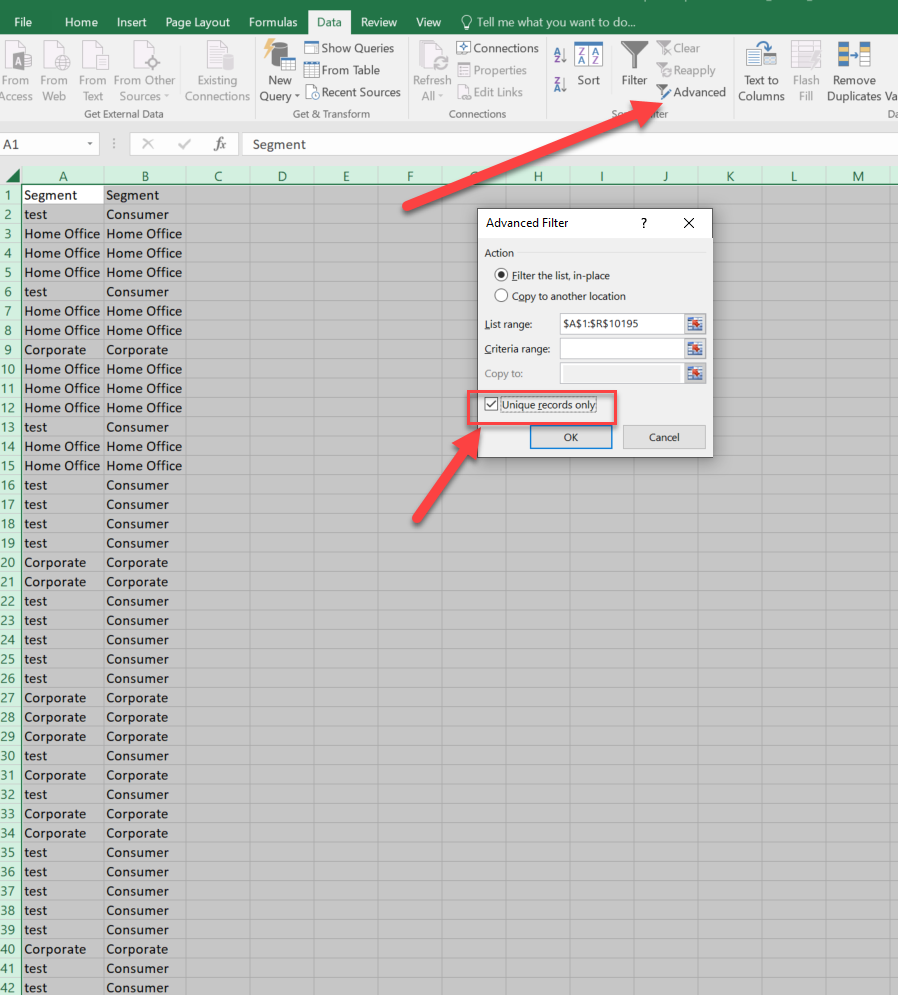
4. Select these 2 columns and click advanced - Unique records only.
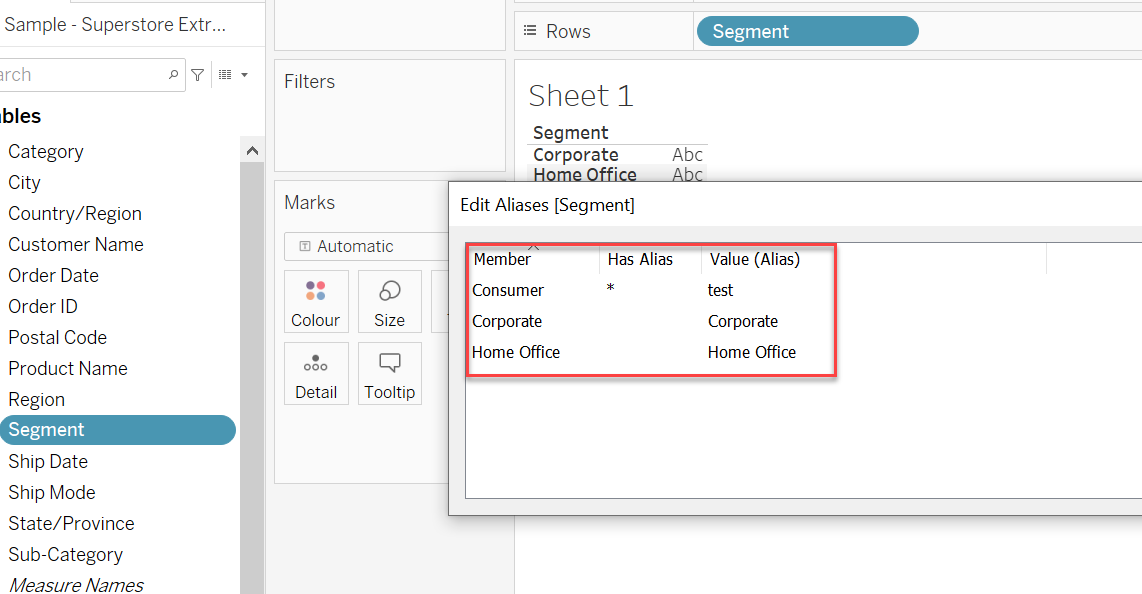
5. You will get a list of Aliases changes chart.
Risorse aggiuntive
Transfer Aliases and Color Settings with Replace Data Source
Numero articolo Knowledge
001468268
Questo articolo ha risolto il problema?
Facci sapere, così possiamo migliorare!
