Seleccionar una organización
How to Display Running Total of Daily Budget Considering Missing Dates
Fecha de publicación: Apr 29, 2025
Tarea
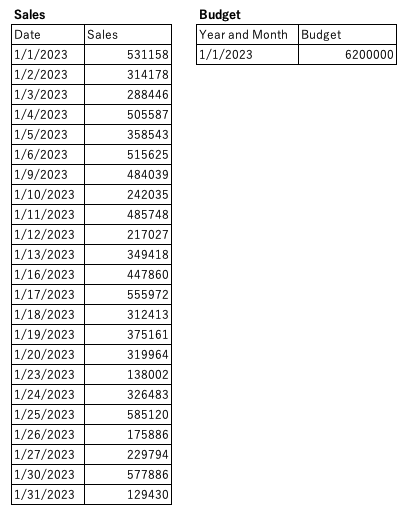
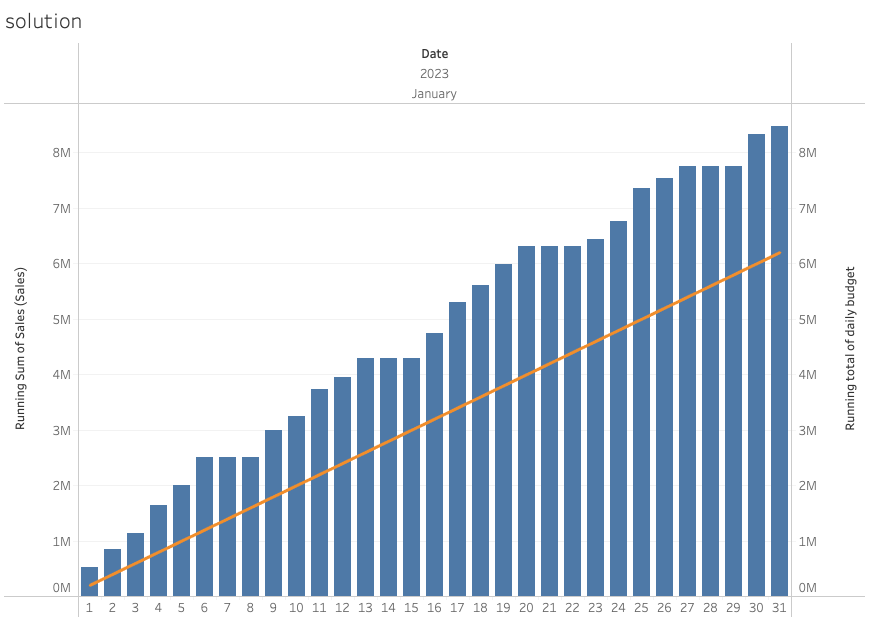
When the Sales data have missing dates and the Budget has values in year and month, how can we display running total of daily budget considering missing dates?
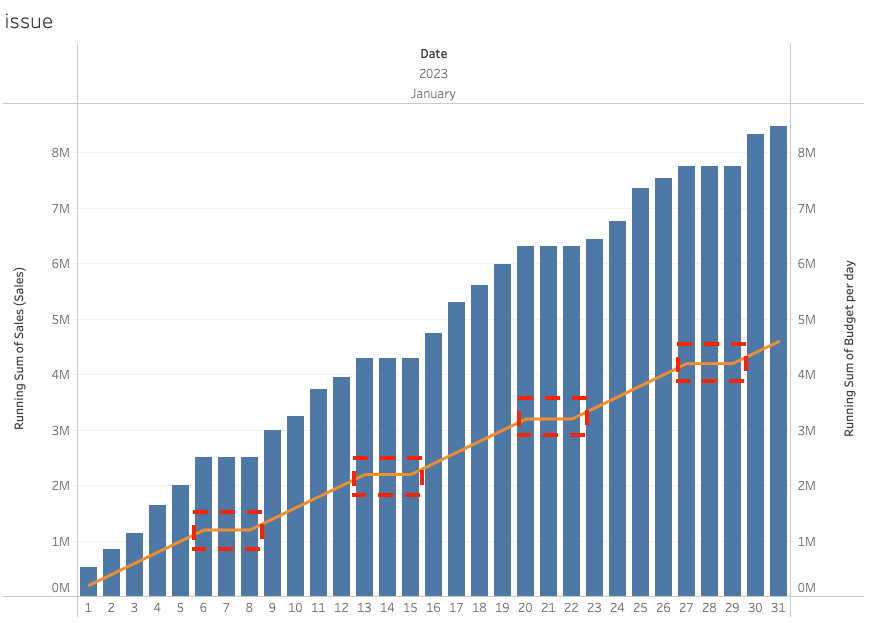
If there are missing dates, the running total of daily budget is not displayed expectedly, as shown below.
Pasos
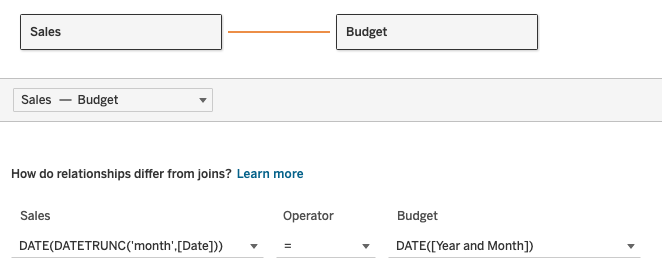
1. Combine the tables as follows:
Note: Calculated fields are used to combine the tables by year and month.
2. Create a calculated field and name it Budget per day.
[Budget (Budget)] / DAY(DATEADD('day',-1,DATEADD('month',1,[Year and Month])))
3. Create a calculated field and name it Budget per day (replace null with previous value).
IF ZN(LOOKUP(SUM([Sales (Sales)]),0)) =  0 THEN
    PREVIOUS_VALUE(SUM([Budget per day]))
ELSE
    SUM([Budget per day])
END
4. Create a calculated field and name it Running total of daily budget.
RUNNING_SUM([Budget per day (replace null with previous value)])5. Add discrete YEAR(Date), MONTH(Date) and DAY(Date) to Columns.
6. Right-click Year(Date) in Columns and select Show Missing Values.
7. Add SUM(Sales (Sales)) to Rows. Change Mark type to Bar.
8. Right-click SUM(Sales (Sales)) in Rows and select Quick Table Calculation > Running Total.
9. Add Running total of daily budget to Rows. Change Mark type to Line.
10. Right-click Running total of daily budget in Rows and select Dual Axis.
11. Right-click Right Y-axis and select Synchronize Axis.
Recursos adicionales
Número del artículo de conocimiento
001468375
¿Resolvió este artículo su problema?
¡Háganos saber cómo podemos mejorar!
