Vælg en organisation
How to Display Cumulative Totals up to a Specific Year and Month
Udgivelsesdato: Apr 13, 2024
Opgave
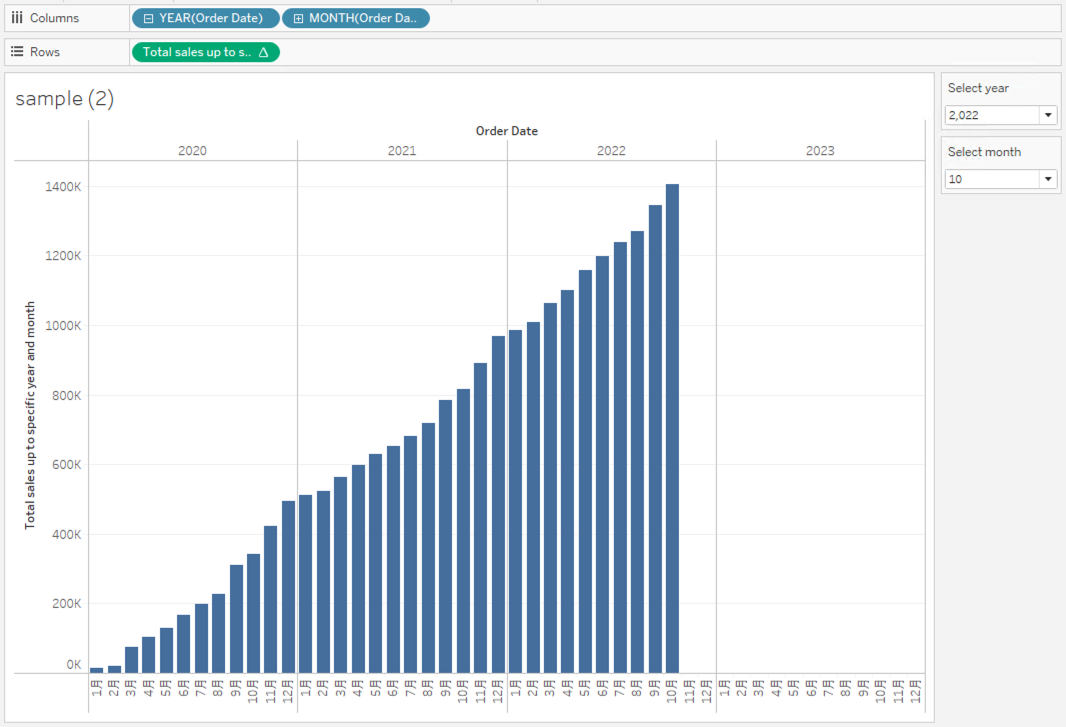
How to display cumulative totals up to a specific year and month?
Trin
1. Create the parameters as follows;
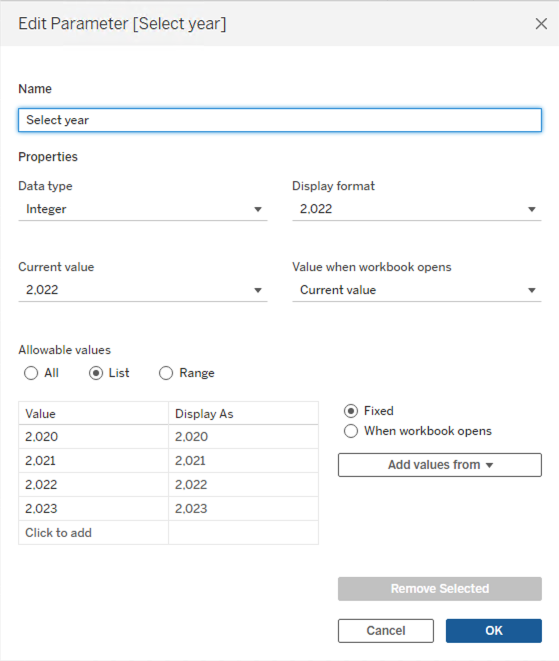
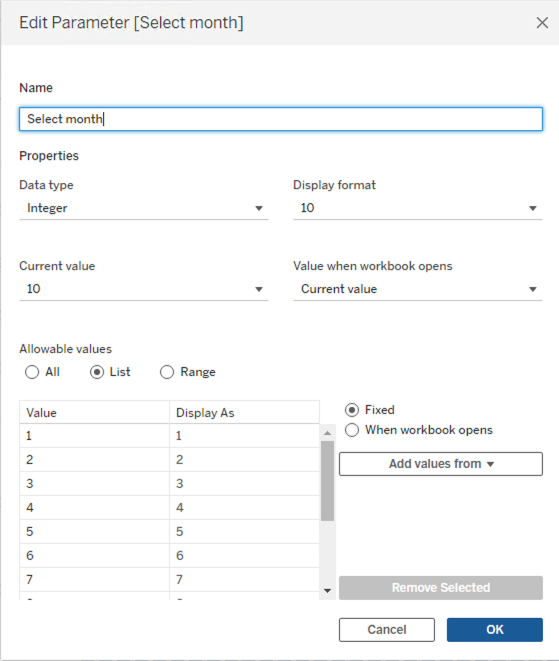
2. Right-click Select year and Select month parameter, and select Show Parameter.
3. Create a calculated field and name it Total sales up to specific year and month.
IF ATTR(DATEPART('year', [Order Date])*100 + DATEPART('month', [Order Date])) <= [Select year]*100 + [Select month]
    THEN RUNNING_SUM(SUM([Sales]))
ELSE
    0
END
4. Add YEAR(Order Date) and MONTH(Order Date) to Columns.5. Add Total sales up to specific year and month to Rows.
Yderligere ressourcer
Vidensartikelnummer
001469516
Løste denne artikel dit problem?
Giv os besked, så vi kan forbedre os!
