Seleziona un'organizzazione
How to Display Cumulative Totals up to a Specific Year and Month
Data pubblicazione: Apr 13, 2024
Operazione
How to display cumulative totals up to a specific year and month?
Fasi
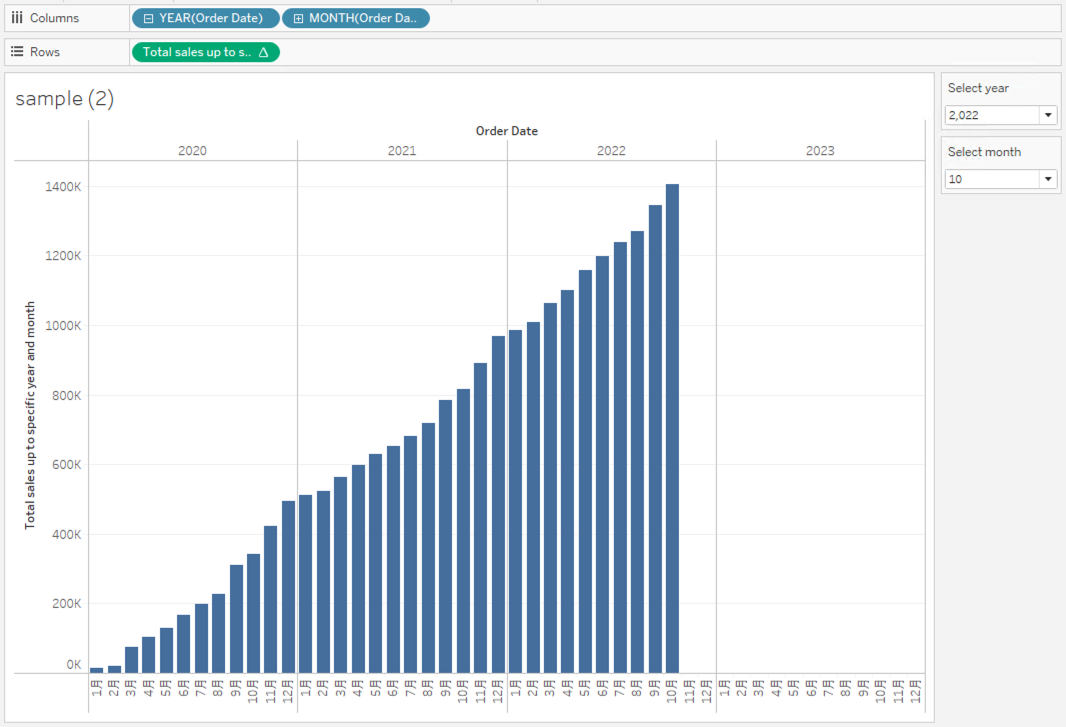
1. Create the parameters as follows;
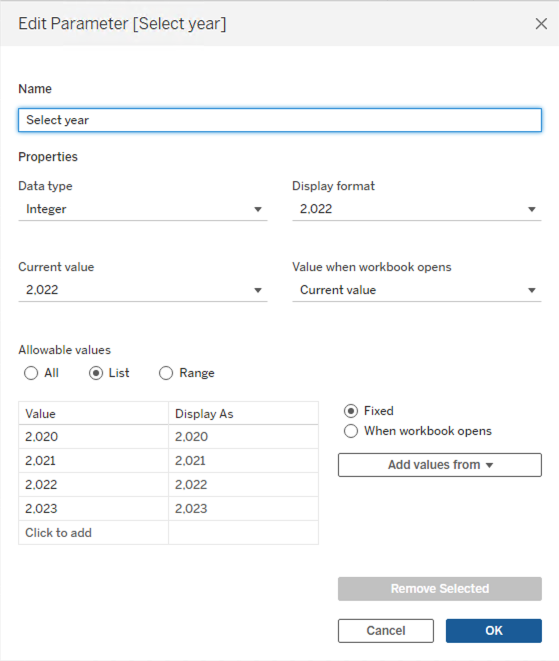
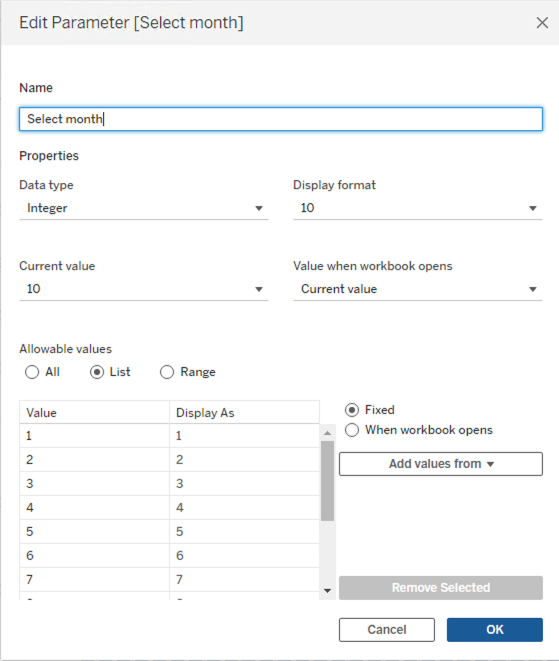
2. Right-click Select year and Select month parameter, and select Show Parameter.
3. Create a calculated field and name it Total sales up to specific year and month.
IF ATTR(DATEPART('year', [Order Date])*100 + DATEPART('month', [Order Date])) <= [Select year]*100 + [Select month]
    THEN RUNNING_SUM(SUM([Sales]))
ELSE
    0
END
4. Add YEAR(Order Date) and MONTH(Order Date) to Columns.5. Add Total sales up to specific year and month to Rows.
Risorse aggiuntive
Numero articolo Knowledge
001469516
Questo articolo ha risolto il problema?
Facci sapere, così possiamo migliorare!
