Välj en organisation
How to Display Cumulative Totals up to a Specific Year and Month
Publiceringsdatum: Apr 13, 2024
Uppgift
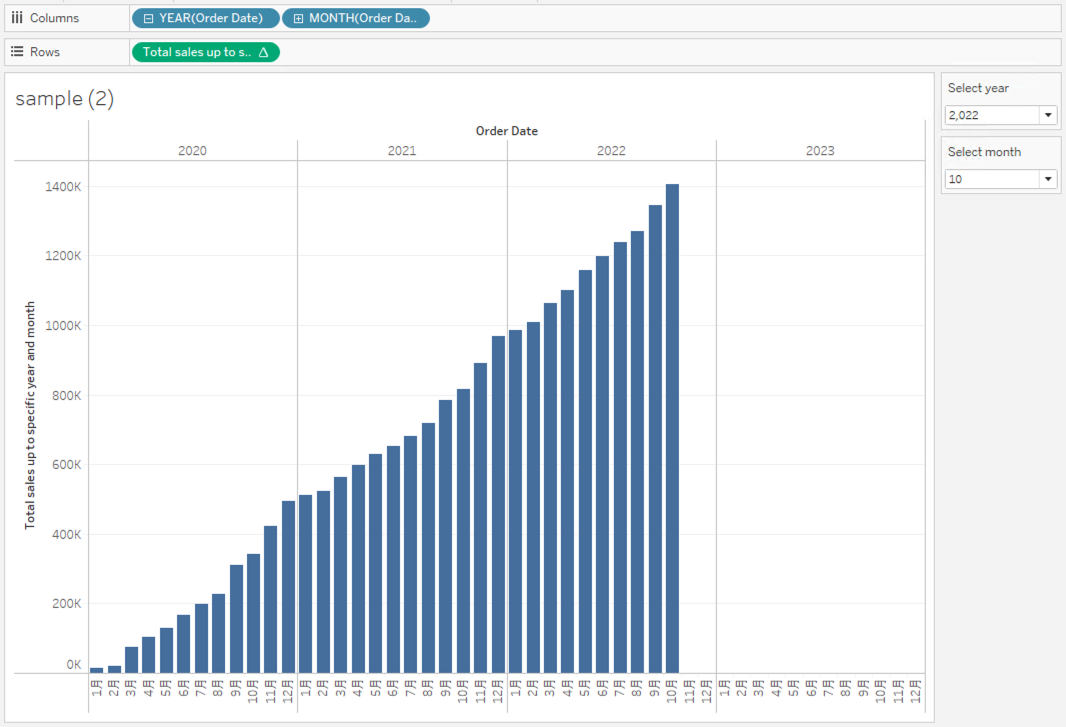
How to display cumulative totals up to a specific year and month?
Steg
1. Create the parameters as follows;
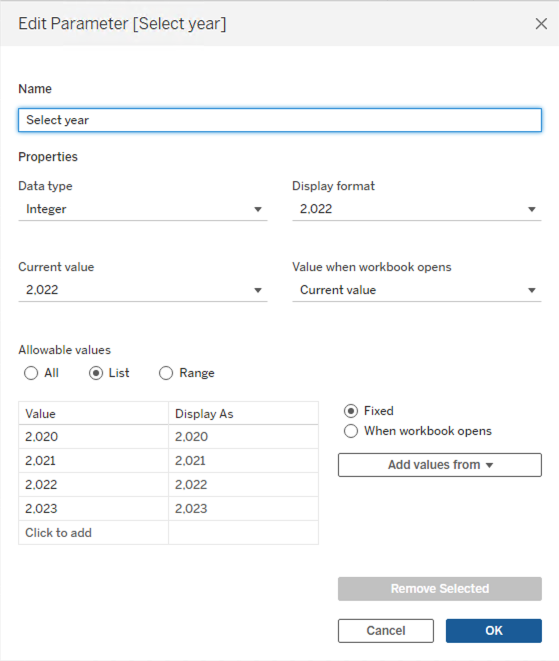
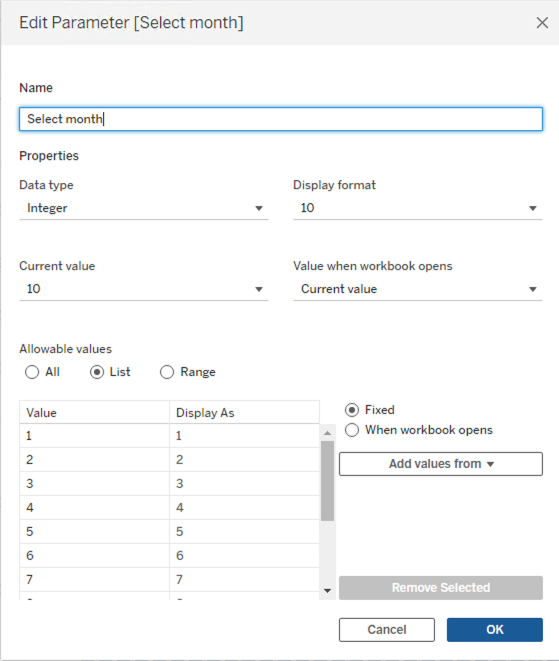
2. Right-click Select year and Select month parameter, and select Show Parameter.
3. Create a calculated field and name it Total sales up to specific year and month.
IF ATTR(DATEPART('year', [Order Date])*100 + DATEPART('month', [Order Date])) <= [Select year]*100 + [Select month]
    THEN RUNNING_SUM(SUM([Sales]))
ELSE
    0
END
4. Add YEAR(Order Date) and MONTH(Order Date) to Columns.5. Add Total sales up to specific year and month to Rows.
Ytterligare resurser
Knowledge-artikelnummer
001469516
Löste denna artikel ditt problem?
Berätta för oss vad vi kan förbättra!
