Vælg en organisation
How to specify JDBC driver parameters with PostgreSQL connector
Udgivelsesdato: Apr 13, 2024
Opgave
How to specify the JDBC driver parameters when connecting via PostgreSQL connector?
Trin
Option 1
Use the .properties file to specify the parameters. Refer to the steps in this article.Option 2
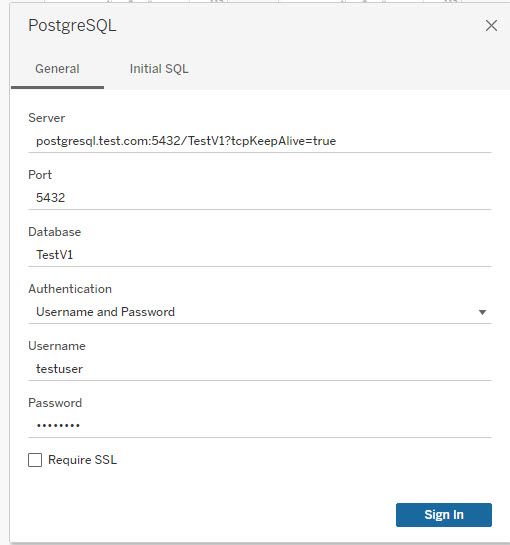
Specify the parameters in the Server field as shown below.Example
Server, postgresql.test.com:5432/TestV1?tcpKeepAlive=true
Yderligere ressourcer
Vidensartikelnummer
001469518
Løste denne artikel dit problem?
Giv os besked, så vi kan forbedre os!
