Sélectionner une organisation
How to Show the Date Axis in Separate Rows
Date de publication: Apr 13, 2024
Tâche
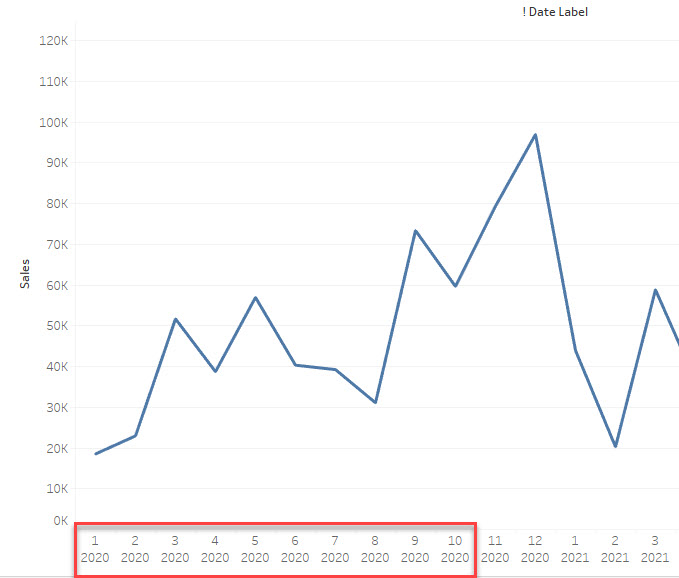
How to show the date axis in several rows like the image below.
First Line: Month
Second Line: Year
Étapes
Workaround
Use several STRING lines to show the date axis.
1. Create a string field like below
========
STR(MONTH([Order Date])) +
"
"
+STR(YEAR([Order Date]))
========
2. Use the String field as the date axis
3. Sort the string field to show the right date order.
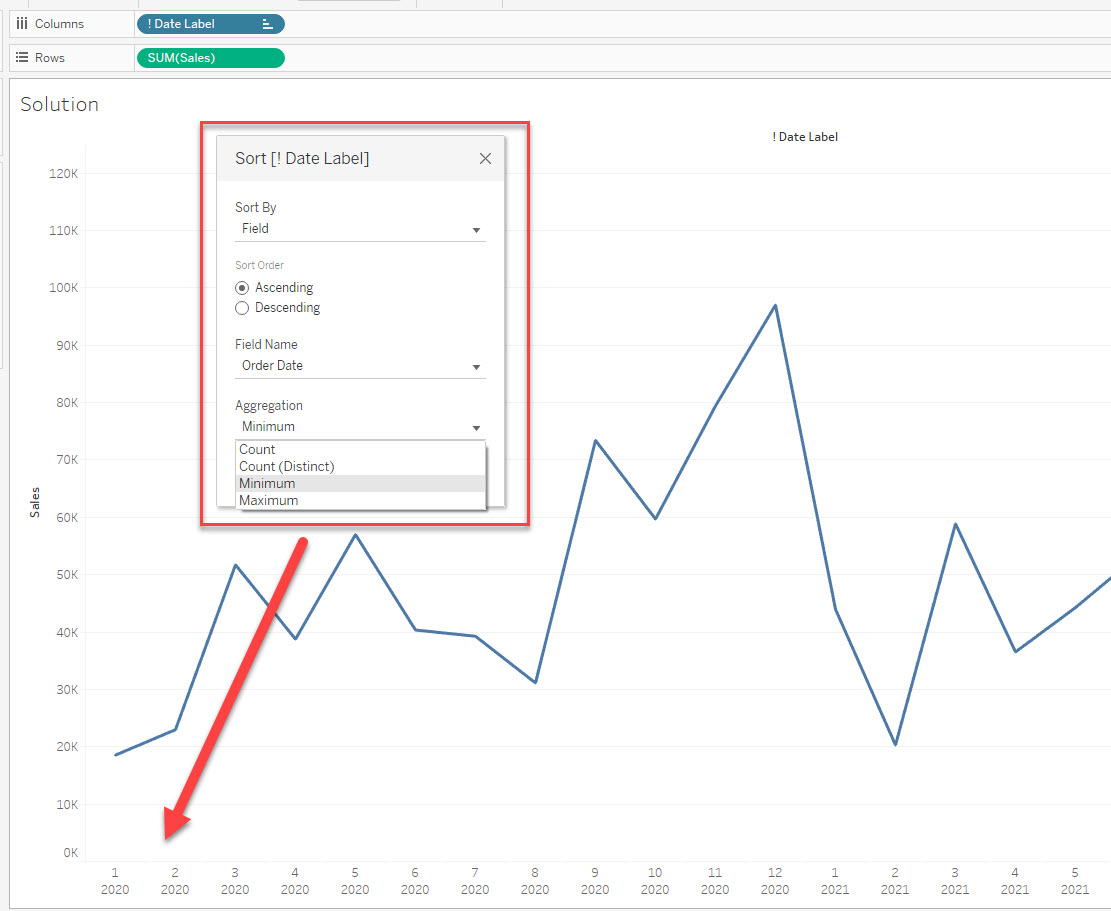
Please check the attached workbook for details.
Numéro d’article de la base de connaissances
001469740
Cet article a-t-il résolu votre problème ?
Dites-nous ce que nous pouvons améliorer !
