Seleziona un'organizzazione
How to Show the Date Axis in Separate Rows
Data pubblicazione: Apr 13, 2024
Operazione
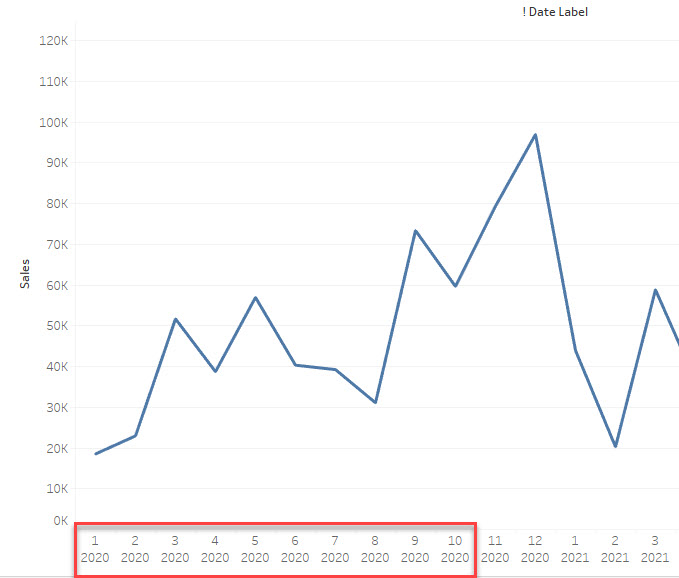
How to show the date axis in several rows like the image below.
First Line: Month
Second Line: Year
Fasi
Workaround
Use several STRING lines to show the date axis.
1. Create a string field like below
========
STR(MONTH([Order Date])) +
"
"
+STR(YEAR([Order Date]))
========
2. Use the String field as the date axis
3. Sort the string field to show the right date order.
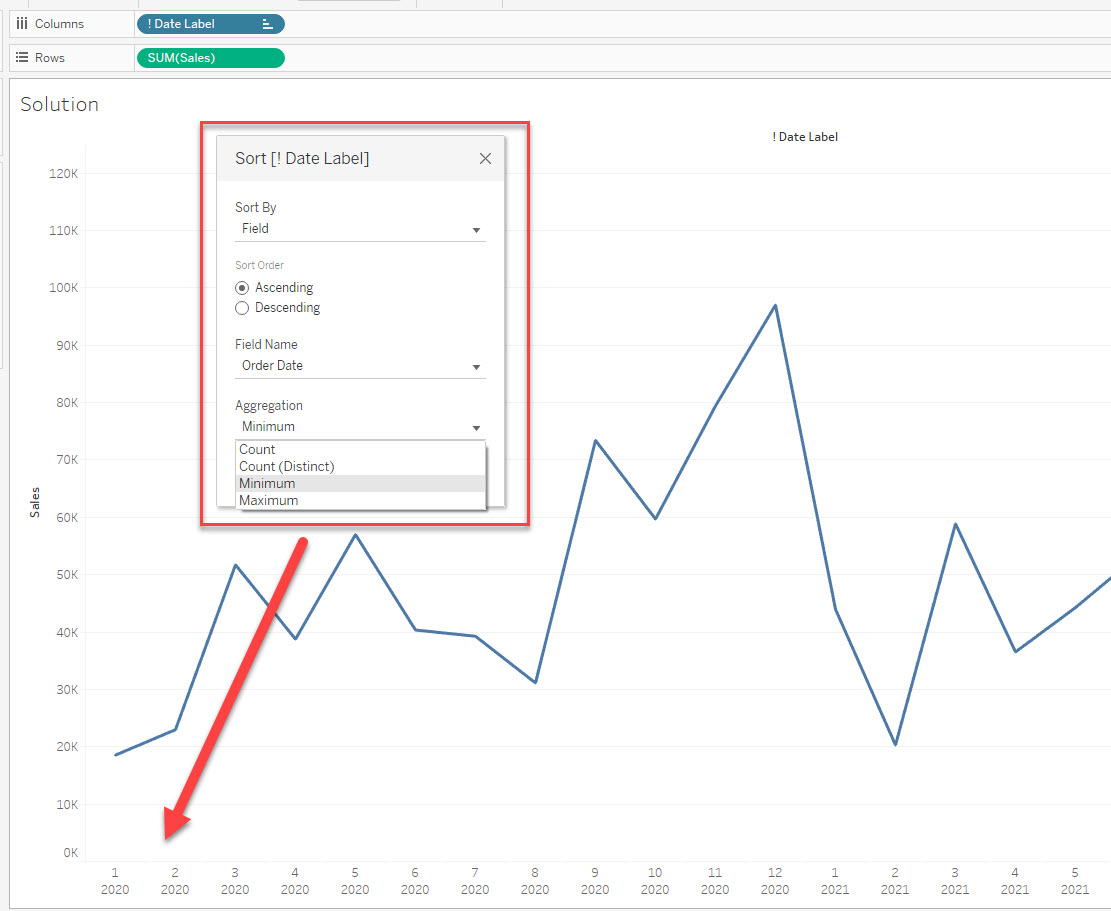
Please check the attached workbook for details.
Numero articolo Knowledge
001469740
Questo articolo ha risolto il problema?
Facci sapere, così possiamo migliorare!
