Velg en organisasjon
How to Show the Date Axis in Separate Rows
Publiseringsdato: Apr 13, 2024
Oppgave
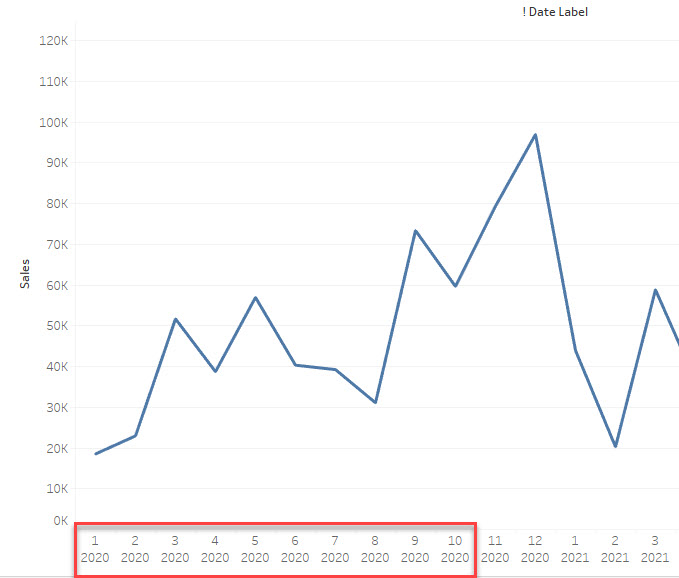
How to show the date axis in several rows like the image below.
First Line: Month
Second Line: Year
Trinn
Workaround
Use several STRING lines to show the date axis.
1. Create a string field like below
========
STR(MONTH([Order Date])) +
"
"
+STR(YEAR([Order Date]))
========
2. Use the String field as the date axis
3. Sort the string field to show the right date order.
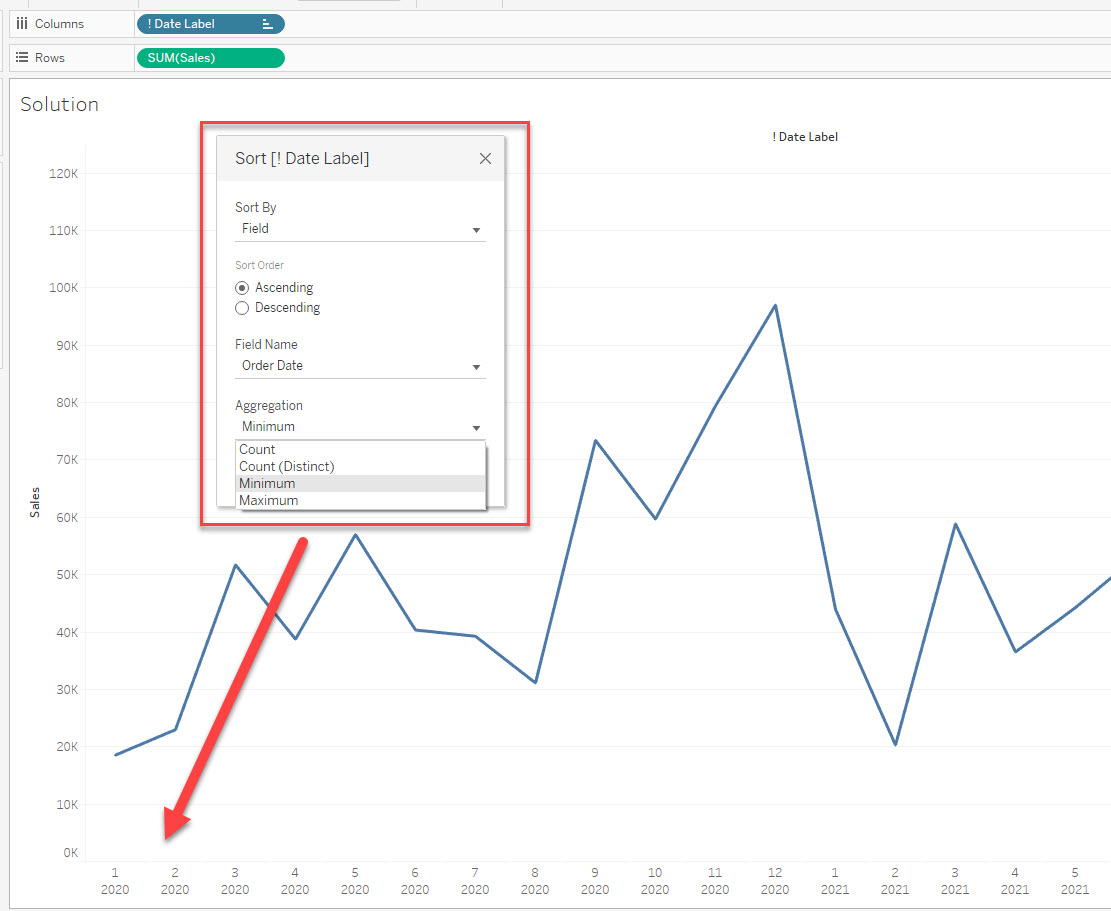
Please check the attached workbook for details.
Knowledge-artikkelnummer
001469740
Hjalp denne artikkelen med å løse problemet ditt?
La oss få vite det slik at vi kan forbedre!
