Выбрать организацию
How to Show the Date Axis in Separate Rows
Дата публикации: Apr 13, 2024
Задача
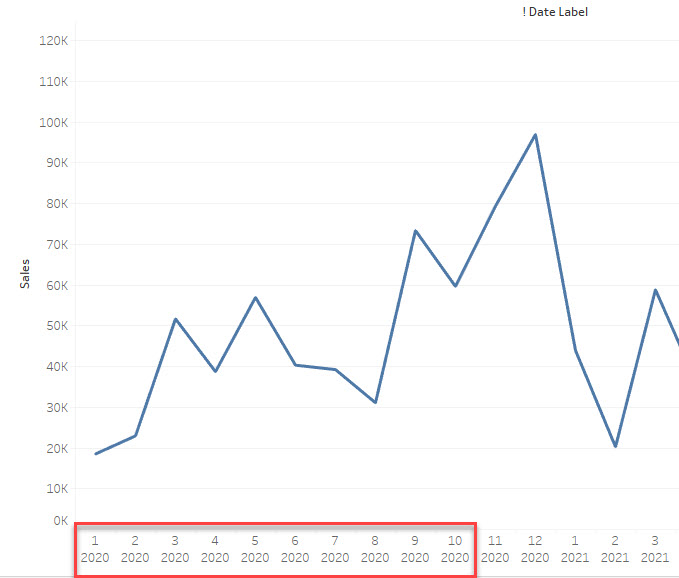
How to show the date axis in several rows like the image below.
First Line: Month
Second Line: Year
Действия
Workaround
Use several STRING lines to show the date axis.
1. Create a string field like below
========
STR(MONTH([Order Date])) +
"
"
+STR(YEAR([Order Date]))
========
2. Use the String field as the date axis
3. Sort the string field to show the right date order.
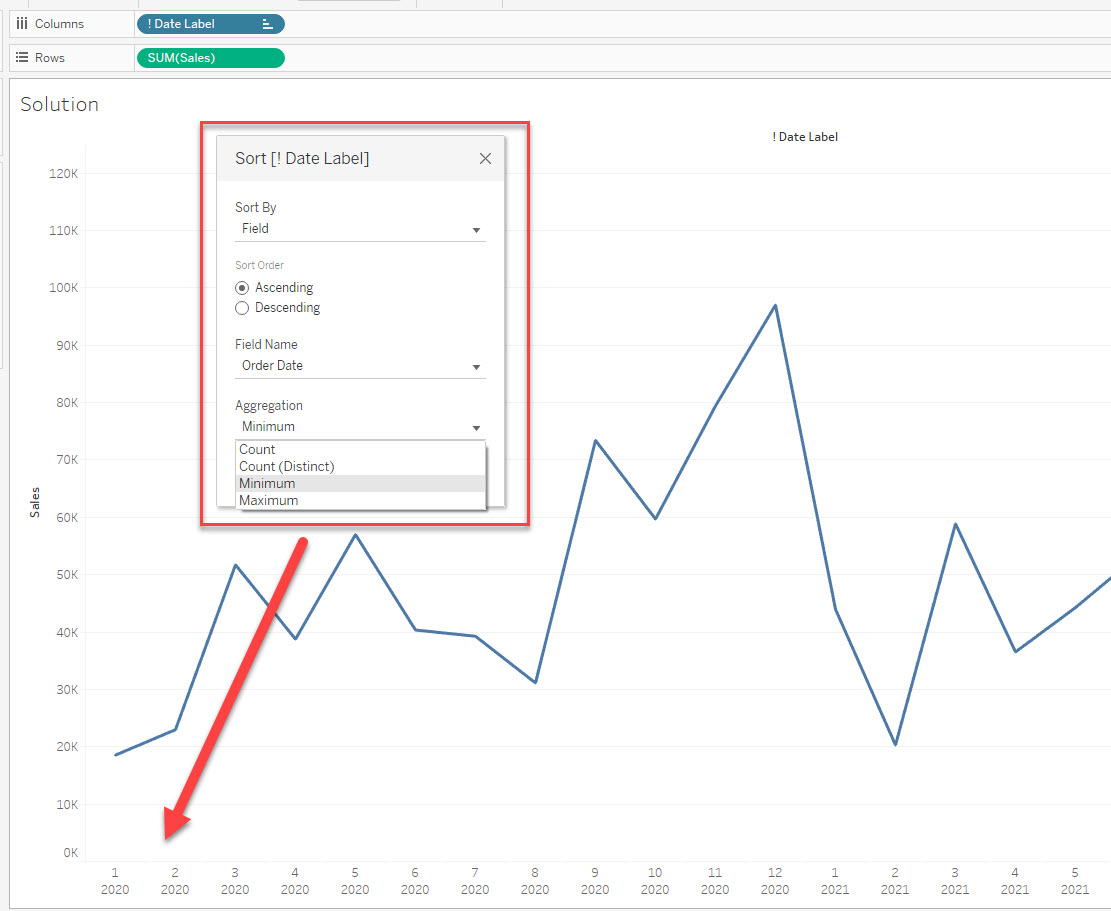
Please check the attached workbook for details.
Номер статьи базы знаний
001469740
Эта статья решила вашу проблему?
Оставьте свой отзыв, чтобы мы могли стать лучше!
